EN
EN  ID
ID 


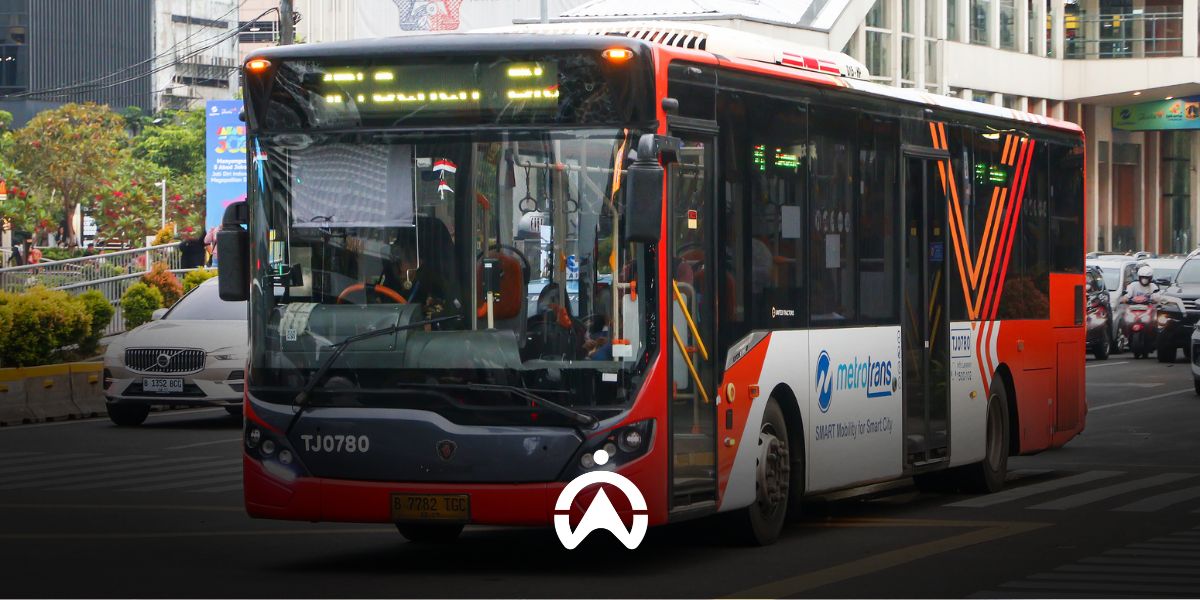
Supporting the government in realising safety and comfort and improving the performance of passenger transportation services, Cartrack provides a GPS tracker package for public transportation companies. Cartrack's Public Vehicle GPS package ensures that your public transportation fleet meets the technical requirements, as stated in the Regulation of the Director General of Land Transportation Number KP.2081/AJ.801/DRJD/2019.
The following are the features that Cartrack provides in its Public Vehicle GPS package.
Vehicle monitoring in real time
With Cartrack GPS Tracker, you can monitor your fleet vehicles in real-time via the Cartrack mobile app or Fleet Web anytime and anywhere. Not only the location, you can also instantly know the speed and odometer of each vehicle, and set notifications when the vehicle engine is turned on and off and idling (the engine is on but the vehicle is not moving). For location monitoring, the map display options can be standard Google Maps, satellite, or Google Street View.
Daily travel history
You can instantly view the daily trip history of each fleet vehicle, including the start and end locations and times, duration and distance traveled, and the odometer. You can also add details to the trip history and mark trips as business or personal. A trip is counted from the time the engine is started until it is turned off.
Route planner
Based on vehicle trip history, you can select fixed routes and monitor your fleet vehicles. You will receive notifications regarding any route deviations or delays. When assigning routes, you can specify the start and end times for the route. You can also configure notifications to alert you when a vehicle begins or completes a route, or if the route is not completed on schedule.
POI and Geofence
For more targeted activity monitoring, you can utilize Points of Interest (POIs) and Geofences. A POI represents a specific location point, whereas a Geofence defines an area. You can use both to mark, for example, restricted zones, fixed destinations, service centers, or locations for document processing. Notifications—including timestamps—can be configured to trigger whenever a vehicle enters or exits a POI or Geofence.
Driver monitoring
Cartrack GPS Tracker automatically identifies risky driving behaviours, such as sudden braking and acceleration, sharp turns, speeding, and idling. The system will notify you if any of these safety violations occur. For speeding, there are two types of speed limits that are used as parameters: the driving speed limit set by the fleet operator and the road speed limit detected from Google Maps.
Fuel monitoring
By adding a fuel sensor, you can monitor fuel consumption, refueling, and theft for each vehicle. You can also instantly determine the percentage of fuel remaining in the tank. From the data generated by the fuel sensor and GPS tracker unit, you can generate several types of reports, such as a Fuel Efficiency Report, a Fuel Fill Report, and a Fuel Summary Report.
Maintenance schedule reminders and document management
This feature is very useful for operational managers, especially if they manage a large number of public vehicles and drivers. You can set reminders for servicing, vehicle registration renewals, and insurance. Schedule reminders can be set based on period, mileage, and operational duration (year, month, day, and hour). These reminders are integrated with data from the GPS tracker, such as odometer and engine operation activity.
Automated reports
The detailed and complex data captured by the GPS tracker is presented in the form of automated reports. There are over 60 reports available, allowing you to select the ones that best suit your public transport business and operational needs. Simply choose a report, set the data history period, select the format (PDF/Excel), configure the delivery schedule, and then have it sent to your email or download it directly. It’s easy, isn’t it?
Cartrack Public Vehicle GPS Package is suitable for public transportation companies, both on routes (microlet, kopaja, metromini, ferris wheel bus, etc.) and non-route (taxis, rental vehicles, tourist buses, residential area shuttle buses, employee buses, school buses, etc.). Using a GPS tracker is not only to fulfill government regulatory obligations, but also for the reliability and profitability of your business. With a GPS tracker, your public transportation business becomes more productive and operational costs are more efficient.
Install Cartrack GPS Tracker on your public transportation fleet now and get a FREE DEMO of our product!