EN
EN  ID
ID 


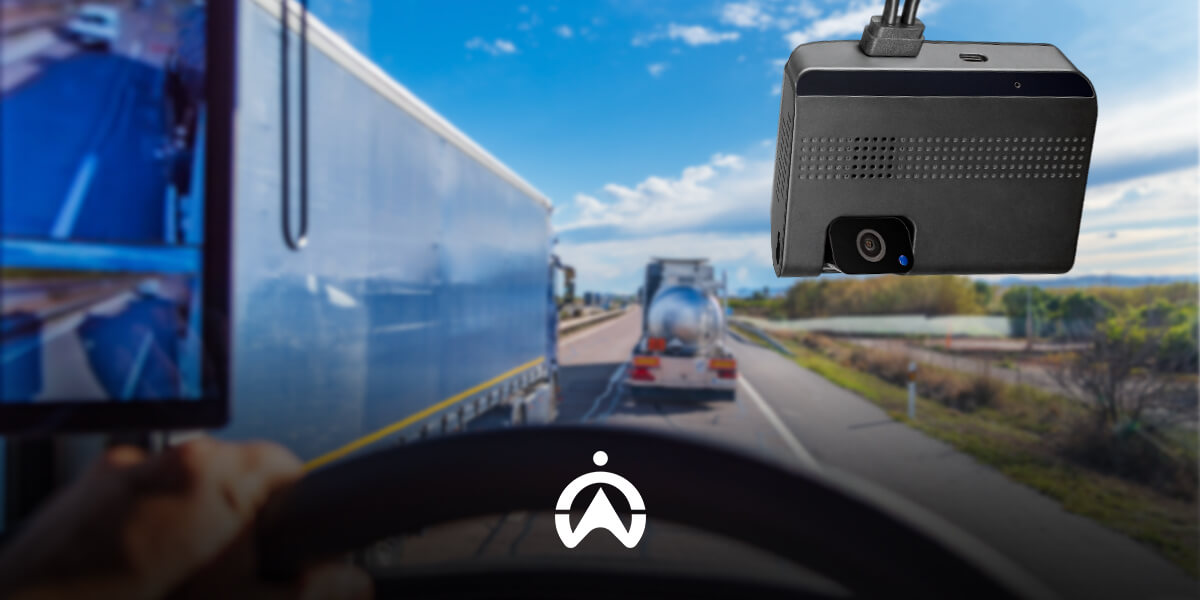
Imagine if a minor accident happened on the highway and you were accused of hitting the car in front of you, what would you do?
The incident may have happened so quickly that you don't remember much of the details, but you're convinced you're innocent. The problem is, you have no evidence, and the accuser is determined to sue you.
This problem might have been solved sooner if you had installed a dashcam from the start. Let's learn more about dashcams and how they can help you in road disputes.
What is a Dashcam?
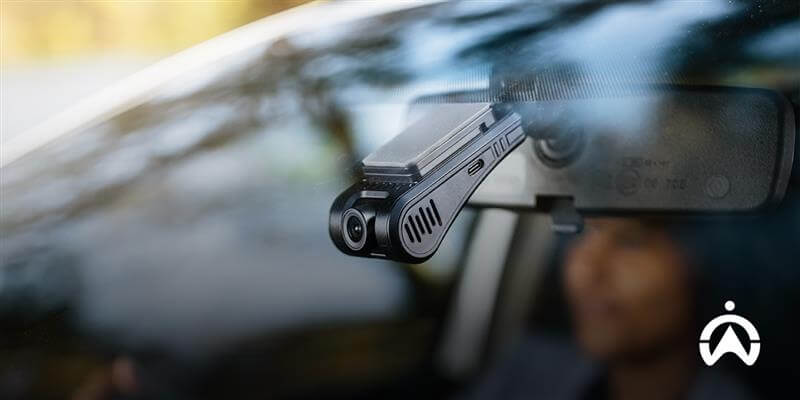
A dashboard camera, often shortened to dashcam, is a camera typically located on a vehicle's dashboard. This camera serves as an additional security feature that can record the vehicle's surroundings while driving or parking.
The recordings stored on this device can prove who was at fault in an accident or traffic violation. If your vehicle is damaged in an accident caused by someone else, you have evidence for an insurance claim.
So, how does a dashcam work?
The dashcam works automatically, so you don't need to press any buttons to start recording. The camera, which points at the front or rear windshield, activates immediately when the vehicle is started, powered by the battery.
Captured footage will be saved to a memory card (SD card) or directly to cloud storage. Some dashcams have a loop recording feature that allows the device to automatically overwrite older footage if the memory is full.
The steps to install and use a dashcam are:
-
Install it in the right position, namely facing the top of the car's windshield.
-
Connect to power source.
-
Turn on the car engine, the device will automatically turn on if it is directly connected to the battery.
-
Make sure the memory card is installed correctly.
-
Make adjustments as needed, for example activating certain features.
Best Dashcams for Private Cars and Fleets
Types of Dashcams Based on Their Featured Features
Dashcams on the market today typically come equipped with a variety of additional features that make them more than just a dashcam. Some types of dashcams you might encounter include:
1. Dashcam Single Channel
Dashboard cameras that can only record the front of a vehicle are called single-channel devices. This type is functional enough for use in private vehicles because it only needs to record road conditions during the journey.
2. Dashcam Dual Channel
Typically used by operational fleets, this device can record both directions: the road and the driver's cabin. In addition to recording the journey, this type of vehicle camera also functions to monitor driver activity while driving.
3. Dashcam with Cloud or Wi-Fi connection
The next type is a dashcam that connects directly to the cloud or Wi-Fi. This device is a more advanced version of the standard type, which uses an SD card and cellular network for connectivity.
4. Dashcam with GPS and G-Sensor
Many dashcams today are equipped with motion sensors or impact sensors (G-sensors). This allows recordings to be instantly locked and not deleted in the event of sudden vibrations, such as a collision.
5. Dashcam GPS
Some of the latest dashcams not only allow Wi-Fi and cloud connectivity but also feature GPS tracking. This allows you to record your journeys while tracking your vehicle's location.
6. AI-Powered Dashcam
Artificial Intelligence (AI) technology has also been implemented in this camera, one of which is Cartrack's AI Vision. If there's a potential collision ahead or risky behavior like using a cell phone, the AI will detect it and provide an immediate warning.
7. Dashcam 360°
This camera can record 360°, allowing you to monitor the vehicle from the front, sides, and even the rear. This device is typically used for luxury cars or special operational vehicles that require comprehensive surveillance.
8. Fleet Dashcam
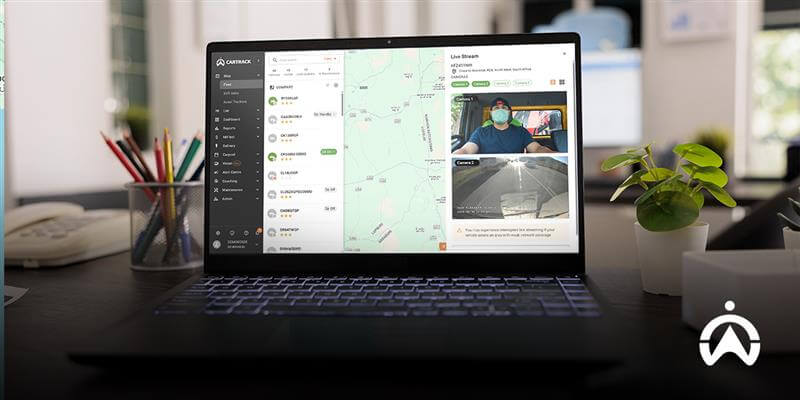
This dashcam for business vehicles features technology connected to the Fleet Management System. This technology allows for live-view monitoring of fleet dashcams.
How to Care for a Dashcam
Now that you know how to use a dashcam and the different types available, let's move on to how to care for it. Here are some things you should do to ensure your camera lasts and lasts:
1. Clean the lenses regularly
The lens is the most important part of any camera, including dashcams. Therefore, you need to ensure your device's lens is clean so it can capture light and display the recorded image.
2. Check the condition of the cable and the position of the camera.
Connectivity issues with the power source are a common problem with this device. To ensure the camera is properly connected, be sure to check the device's cables every time you start your car.
3. Replace the SD card if it starts to error.
SD card storage often experiences issues such as recordings not being saved or file corruption. If this happens frequently, be sure to replace the SD card immediately.
4. Update Firmware
Perform regular software or firmware updates for smoother operation. This will also prevent potential recording errors, lost storage, or other issues caused by outdated firmware.
5. Avoid extreme temperatures
When using a camera in your vehicle, avoid parking it in hot conditions for extended periods. Excessive heat can damage dashcam components, cause recordings to be corrupted, and cause the device to shut down or restart.
Dashcam Use in the Eyes of Indonesian Law
To date, there is no specific law specifically addressing the use of dashcams in Indonesia. However, several laws exist concerning the use of their recordings, which are considered electronic documents.
1. Personal Data Protection Law No. 27 of 2022
If the dashcam recording contains a person's identity, then it is personal data protected by the Personal Data Protection Law (PDP Law) No. 27 of 2022. Therefore, disseminating the recording is a form of violation of privacy and the PDP Law.
2. Electronic Information and Transactions Law (ITE Law) No. 1 of 2024
Information recorded by a dashcam is considered an electronic document that can be used as legal evidence. Therefore, you can use the recording as evidence in the event of an accident or crime on the road.
3. Government Regulation Number 55 of 2012 concerning Vehicles
While not specifically addressing dashcams, the regulations repeatedly mention the use of accessories that must not obstruct the driver's view. Furthermore, the devices must not obstruct the operation of the vehicle.
Based on the above law, ensure you only use dashcam footage for personal use to avoid violating anyone's privacy. You can also use this footage as electronic evidence in the event of an accident or incident on the road.
What are the regulations regarding dashcams in other countries?
In some countries, such as South Korea, dashcams are a mandatory accessory when purchasing a new car. However, in most countries, the use of these devices is recommended, but with terms and conditions.
Distributing and misusing dashcam footage can be severely punished in many countries. Therefore, its use is strictly limited to personal use or as evidence in the event of a legal violation.
Tips for Choosing the Right Dashcam
If you're considering purchasing this device for the first time, there are several things you need to consider. Here's a guide to choosing a dashcam.
1. Prioritise camera resolution
The most commonly used camera resolution is Full HD (1080p). This resolution produces images clear enough for documentation and evidence in the event of an accident or incident on the road.
2. Ensure storage capacity
If you need this device for standard use, 32GB of storage will be sufficient. If you need to record for longer periods, 64GB of storage might be more suitable.
3. Consider additional features
Many dashcams today come equipped with various additional features, such as night vision, parking mode, loop recording, and cloud storage. Choose a fleet camera with features that suit your fleet's needs.
4. Trusted dashcam recommendations
One of the most trusted dashcam recommendations is the Non-AI Vision and AI Vision from Cartrack. These cameras are available in single-channel and dual-channel versions, allowing you to choose the one that best suits your needs.
5. Adjust to your needs
Using a dashcam for business vehicles requires a more complex system than for personal use. You can use a fleet dashcam from Cartrack, which is connected to a Fleet Management System.
Also Read: Fleet Efficiency Solutions with Leading AI Camera Technology
Dashcam and AI Camera Recommendations for Fleets
More than just a dashcam, Cartrack offers two camera monitoring solutions for your operational fleet: AI Vision and Non-AI Vision. Both are fleet cameras that connect directly to Cartrack's Fleet Management System.
AI Vision
A driver monitoring solution where the system will provide immediate alerts if the AI camera detects risky driving behavior. Some behaviors that trigger an audible alert from this system are:
-
The distance between the vehicle and the vehicle in front is too close
-
Use of mobile phones while driving
-
Driver who is not focused and tired
-
Passengers who enter when the engine is running
-
Camera cover by driver
-
Seat belt not fastened.
Non-AI Vision
This camera allows you to comprehensively monitor drivers, roads, and vehicles. Recordings from this device can also serve as evidence for incident investigations, insurance claims, and even for protecting your business fleet.
Even without an AI camera, you can still live-stream vehicle and road conditions during your trip. You can also request remote recording of specific events for various purposes.
As a business vehicle owner or fleet manager, using a dashcam is something you should consider. Complete the form below for more information about Cartrack's AI and non-AI Vision camera solutions!