EN
EN  ID
ID 


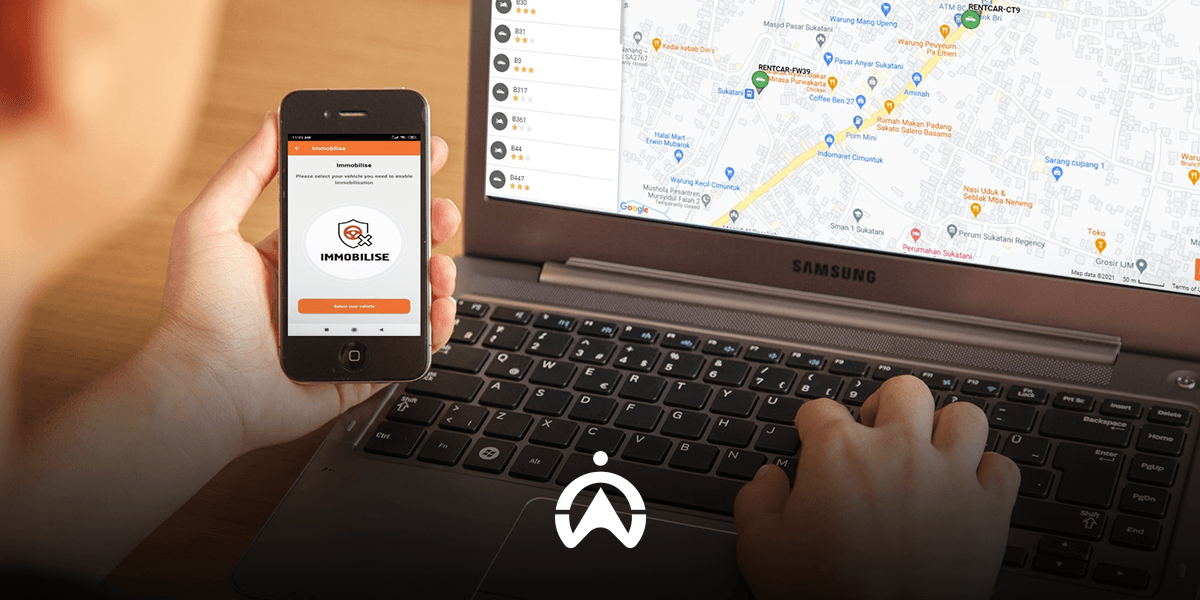
Have you ever heard of an immobiliser in motor vehicles? This device, also known as a Start Prevent, functions to prevent a vehicle’s engine from being started (starter system). The latest vehicles, particularly European brands, and some types of motorcycles already have it, namely with an immobiliser key system.
In addition, there is another type of immobiliser, namely a wireless system (wireless). Unlike an immobiliser key that requires direct signal contact or close proximity, this wireless immobiliser can operate from a distance (remote). A GPS tracker company typically provides this type of immobiliser, where users can switch off the engine remotely via an app, website, or SMS.
The machine can be turned off either directly or not
There are two types of remote immobiliser commonly offered by GPS tracker companies, namely those that switch off the vehicle engine directly and those that do so indirectly from a distance. “Direct” means that when you send an immobilise command, the vehicle engine is switched off gradually or immediately (depending on the GPS tracker company providing it), regardless of whether the vehicle is moving or stationary. “Indirect” means that the engine shut-off command only takes effect after the vehicle has been switched off, so that the vehicle cannot be started again.
Each has its own advantages. A remote immobiliser that switches off the engine directly allows you to take swift action if your vehicle is stolen. Theft can be stopped before the vehicle is taken too far. On the other hand, a remote immobiliser that does not switch off the engine immediately takes road safety into consideration. The vehicle remains safe and accidents on the road can be prevented because the engine ignition is disabled once the vehicle is stopped or parked.
Cartrack Immobiliser and Its Modifications
With various considerations, Cartrack only recommends a remote immobiliser that becomes effective after the vehicle has been switched off by the driver. Users send an engine shut-off command for the selected vehicle via the “Immobilise” feature on the mobile application or Fleet Web Cartrack. Cartrack will send an OTP code via SMS to the registered mobile number. You simply enter this OTP code into the mobile application or Fleet Web Cartrack. Whenever you want to start the vehicle again, you can disable the immobiliser using the same process, namely OTP verification via SMS.
In addition to a standard remote immobiliser, Cartrack also offers the installation of a combination of an immobiliser with a driver identification (DID) tag. A DID tag is an iButton device used to verify authorised drivers. Drivers must tap the DID tag before starting the vehicle, otherwise a long alarm will sound. When combined with an immobiliser, the driver will not be able to start the vehicle before tapping the DID tag. In other words, the DID tag acts as an authorisation tool for starting the vehicle.
Protect your business assets from theft and misuse and prevent major losses. Use the GPS tracker Cartrack with an additional remote immobiliser feature or a combination of an immobiliser and DID tag. You can apply this across a wide range of vehicles, including motorcycles. Contact us by filling in the form here, and our consultants will get in touch to assist you.