
5 Benefits of a Driver Monitoring System for Company Fleets

Drivers are the frontline of company fleets involved in delivery and transportation operations. Beyond their driving skills, a driver's behavior impacts the company's productivity and operational finances. Therefore, an effective monitoring system is essential to ensure drivers operate safely and productively. Here are five benefits your company fleet can gain from implementing a driver monitoring system.

1. Increase Fuel Efficiency

A monitoring system can detect driving activities that consume fuel inefficiently, allowing you to address and discipline them. Some of these include speeding and unnecessary engine idling, operating the vehicle outside working hours, and deviating from routes, resulting in inefficient journeys.

2. Extend Vehicle Life

Poor driving habits—such as aggressive acceleration, sudden braking, and sharp cornering—lead to accelerated wear and tear on vehicle components. With a driving monitoring system in place, drivers become more accountable for company assets, operating them with greater care. This preserves vehicle quality and extends the vehicle's lifespan.

Automatic alert on the driver's phone screen when a distraction is detected

3. Reduce Overtime Costs

A monitoring system helps your drivers work more productively, thereby reducing excess working hours that would otherwise result in overtime pay. You can compare driver working hours with vehicle operating hours and track unproductive overtime. You can then implement corrective and preventive measures to minimise such unproductive overtime, ultimately lowering overtime wage expenses.

4. Prevent Losses Due to Accidents

Most accidents are caused by driver negligence, such as drowsiness, speeding, sudden braking, and sharp cornering. With a driver monitoring system, you or your fleet operator can receive notifications when a driver commits a safety violation and warn them to exercise greater caution.

5. Increase Company Profits

With more efficient fuel consumption, extended vehicle lifespan, reduced overtime, and the absence of accidents, your company's fleet operating expenses will certainly decrease. You avoid incurring significant costs for repairing damaged vehicles or replacing parts that wear out prematurely, as well as bearing business losses caused by vehicles and drivers being unable to operate due to accidents.

Start monitoring your drivers' driving behavior right now with the Cartrack GPS Tracker! Cartrack’s advanced system detects unsafe driving behavior as well as unauthorized use outside of assignments or operating hours, and sends automated alerts. Contact us and get a FREE DEMO now!

5 Effective Ways to Reduce Vehicle Operating Costs

High vehicle operating costs are often a major challenge for fleet managers, especially when the root cause is unknown. GPS trackers can help you track the vehicle activities and usage patterns driving up operating costs. Once the causes are identified, you can implement the appropriate measures and policies to improve cost efficiency. Here is how GPS trackers help.

Are you reducing your vehicle operating costs? Check out the 5 points below!

1. Fuel efficiency monitoring

Since fuel is a major operational expense for vehicles, you need to monitor how efficiently it is being used. You can assess efficiency by analyzing fuel consumption, distance traveled, and operational duration, and then comparing these metrics across similar vehicles. This monitoring helps you identify fuel-inefficient vehicles and make informed decisions to improve their productivity.

2. Route planning

Jika kendaraan Anda sering bepergian dari titik awal dan akhir yang sama, Anda mungkin telah mencoba beberapa alternatif rute. Dari riwayat perjalanan tersebut, Anda dapat mengukur dan menetapkan rute mana yang lebih efisien pada jam-jam yang biasa Anda lalui dari segi jarak tempuh, durasi, dan konsumsi bahan bakar. Dengan rute lebih efisien, biaya operasional dari segi bahan bakar menurun, kuantitas pengiriman pun dapat lebih banyak.

3. Monitoring driving behavior

Aggressive driving behaviour, such as speeding, harsh braking, sharp cornering, and others, increases the risk of rapid vehicle wear and tear and even accidents. Managing driving behaviour reduces maintenance and repair costs, prevents injuries and fatalities, and improves fuel efficiency.

Stacks of Rupiah bills and shopping receipts to calculate vehicle operating costs to be more efficient.

4. Idling monitoring

A reduction in vehicle operating costs can also be achieved by curbing the habit of idling—keeping the engine running while the vehicle remains stationary. A vehicle is considered to be idling if the engine has been running for at least 15 minutes; this often occurs, for instance, when a driver waits inside the vehicle with the air conditioning or radio turned on. Reducing this practice lowers operating costs associated with the inefficient consumption of fuel and refrigerant.

5. Manajemen pemeliharaan kendaraan

Regular maintenance can extend vehicle lifespan, thereby reducing operational costs and asset depreciation. This is why vehicle maintenance management is essential, as it allows you to predict maintenance timing and costs, as well as plan for the replacement of parts and outdated vehicles. Use scheduling reminders to ensure no maintenance appointments are missed and to reduce roadside repairs that make journeys less efficient.

Did you know that the Cartrack GPS Tracker can perform all these functions? Choose the Cartrack Fleet Plus package—which includes all five functions mentioned above—as the ideal solution to reduce your vehicle operating costs. Get a FREE DEMO to see how Cartrack can provide efficiency solutions for you!

4 Ways a GPS Tracker Can Increase Fleet ROI Threefold

Vehicle telematics solutions can be highly beneficial for businesses involved in fleet management. With the introduction of GPS monitoring technology in fleet operations, management now has a way to prevent damage or losses. A GPS tracker can help fleet businesses achieve a higher return on investment (ROI) through improved productivity and reduced operational costs. In practice, this increase in ROI can even reach three times or more. The following are 4 ways a GPS tracker achieves this.

1. Prevent Fuel Waste

Operational activities that waste fuel can be detected by a GPS tracker, which will also send you real-time notifications. These include prolonged engine idling when the vehicle is stationary (idling), speeding, or operating the vehicle outside working hours. Fuel theft can also be detected through automatic GPS tracker reports.

2. Improving Driver Productivity

A GPS tracker can track vehicle operating hours as well as when and where the vehicle stops, increasing drivers’ awareness to be more productive. With more productive drivers, overtime expenses are also reduced. A GPS tracker can also send alerts for poor driving behaviour, helping to prevent rapid vehicle wear and tear, accidents, and fuel wastage.

Logistics trucks on toll roads with drowsiness detection notifications on GPS tracker systems to increase vehicle fleet ROI.

3. Reduce Vehicle Operating Costs

Using analytical reports from a GPS tracker, you can identify the least productive and least efficient vehicles. You can then decide whether inspections and servicing are required, whether a vehicle should be replaced, or whether the fleet size should be reduced. The Reminders feature in GPS tracker software, which can be set based on kilometres, operating hours, or time periods, also helps ensure that maintenance schedules are not missed. As a result, vehicles remain well-maintained and more productive.

4. Improve Customer Satisfaction

With the Route Planner feature in GPS tracker software, you can identify which vehicles are on time or delayed in reaching their destination and provide certainty or updates to customers. In addition, the What’s Nearby feature helps you track and dispatch the nearest vehicle to customers, enabling faster deliveries. The GPS tracker’s ability to provide comprehensive fleet monitoring helps you improve customer trust and satisfaction.

Many fleet operations managers have seen increased ROI through the application of vehicle telematics. Cartrack GPS Tracker ensures that you can also increase ROI, even by more than three times per vehicle. Use Cartrack's GPS Tracker now and achieve multiplied ROI! You can also get a FREE DEMO if you want to learn how Cartrack GPS Tracker works.

4 Telematics Usage Trends for Fleet Businesses

Teknologi telematika dengan cepat menarik perhatian para pelaku bisnis, khususnya pemilik armada kendaraan. Mereka menyadari nilai yang dapat ditambahkan teknologi ini ke dalam bisnis mereka, dari kemudahan pengelolaan armada hingga peningkatan profit. Di antara sekian banyak kelebihan yang ditawarkan, berikut ini 4 fungsi telematika yang paling banyak diaplikasikan para pebisnis.

1. Driver monitoring

Perkembangan telematika membawa pergeseran fokus dari pemantauan lokasi kepada driver monitoring. Sebagai garda terdepan, pengemudi mampu memberikan dampak signifikan bagi kemajuan bisnis armada, terlebih jika kualitas kinerjanya meningkat. Teknologi telematika memantau perilaku mengemudi dan aktivitas operasional, memastikan pengemudi lebih produktif, efisien, dan berhati-hati.

2. Improved safety

Unsafe driving practices can impact business operational losses. Telematics technology identifies how and why this occurs. This allows fleet managers to formulate safety training methods that best meet driver needs, thereby reducing accidents and downtime.

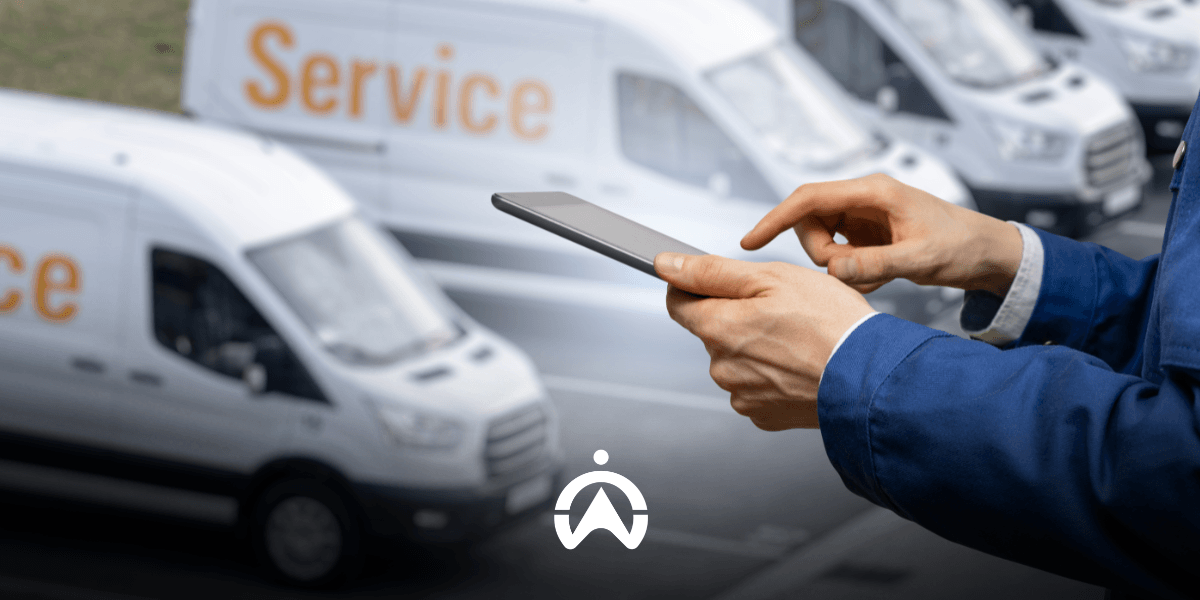
Man wearing blue vest holding tablet in front of fleet of delivery trucks

3. Asset utilisation analysis

Telematics provides accurate vehicle operational data that can aid in comprehensive fleet reviews. In-depth information on individual vehicle performance allows fleet managers to set thresholds for vehicle utilisation or replacement. This analytical data also enables fleet managers to make better decisions to maximise resources.

4. Data integration

Teknologi telematika memungkinkan komponen-komponen dalam sistem manajemen armada terhubung satu sama lain. Pengintegrasian data ini memungkinkan automasi laporan dengan beragam kategori analisis. Dengan sistem manajemen armada yang terintegrasi, pemilik bisnis bisa mendapatkan gambaran kinerja armadanya secara komprehensif dan akurat.

To get the best telematics experience, Cartrack is the solution. Cartrack’s advanced technology provides value and functionality beyond just a GPS tracker. Contact Cartrack today to find out how we can provide the best fleet management solution for your business!

3 Operational Logistics Mistakes That Cause Fuel Waste

There are several aspects of logistics vehicle operations that are often overlooked, such as routes, driving behaviour, and service schedules. However, these factors can increase fuel consumption, which in turn leads to higher operational costs. If your business or work is related to logistics operations, it is important to pay attention to the factors that cause excessive fuel consumption. By doing so, you can reduce your company’s vehicle operational costs.

1. Inefficient Route Planning

In fleet business, it is common to make multiple stops in a single trip. However, trips without proper planning, routing, and delivery sequencing can become inefficient in terms of distance travelled and time, and ultimately lead to unnecessary fuel wastage.

2. Weakness in Monitoring Driver Behaviour

Drivers Frequently Leave the Engine Running While the Vehicle Is Stationary (Idling)

This activity, known as idling, can be one of the biggest sources of fuel waste. One hour of idling can consume up to one gallon of fuel. If all idling time is accumulated over a month, it can significantly impact vehicle operating expenses.

Drivers Accustomed to Driving at High Speeds

Each vehicle has an optimal speed range for fuel efficiency. Generally, fuel mileage decreases rapidly at speeds above 50 mph (80.467 km/h). Over the same distance, fuel consumption is 7–14% higher at speeds above 50 mph compared to normal speeds.

Theft and Fraud in Fuel Claims

Lack of monitoring can increase the risk of fuel theft and fraud in fuel refill reporting. Although it may not be noticeable as it happens little by little, when calculated, it can certainly result in significant losses.

Truk logistik sedang bongkar muat di gudang untuk menghindari kesalahan operasional logistik yang bikin boros BBM.

3. Irregular Vehicle Service Schedule

Clogged filters, underinflated tyres, and misaligned suspension are some vehicle issues that, if neglected, can increase fuel consumption. Ensure that your fleet’s engine and vehicle components are in good working condition through regular servicing and maintenance.

The Cartrack GPS Tracker ensures you avoid fuel-wasting errors in logistics vehicle operations. Cartrack's advanced technology provides efficient route planning, idling and driving behaviour monitoring, schedule reminders, and fuel monitoring for greater fuel efficiency. Save fuel with the Cartrack GPS Tracker starting today and get a FREE DEMO of our product!

7 Steps to Using the Cartrack GPS Tracker Mobile Application

After receiving an email confirming that you have joined the Cartrack family, you can access the Cartrack mobile application. Downloading the Cartrack app is the first essential step to enjoy greater convenience in monitoring your vehicle fleet. The following are the steps for using the Cartrack mobile application and its various features.

1. Download and login

From your phone or tablet, go to the Play Store (Android) or App Store (iOS). Search for the "Cartrack" app and select the one developed by the Cartrack Development Team. After downloading, click "Sign In" and enter the username and password provided to you via email. Check the "Admin Login" option if you are logged in as an admin; uncheck the "Stay Logged In" option if you want to be automatically logged in every time you open the app, without having to repeat the sign-in process.

2. Track vehicle location

After logging in, you will see a Google Maps view with location points for your fleet vehicles. You can change the map display by clicking the square-shaped icon on the right-hand side. There are options for Satellite (a real-life top-down view) and Default (a standard road map view without showing buildings). Circular markers with numbers indicate the number of vehicles in that area. Click on a numbered circle to zoom in and see which vehicles are located in that area.

3. Monitor fleet activity

The number of active vehicles appears immediately when you open the app. To view a summary of fleet trip activity, simply click the three-line icon in the search bar and select "Activity Feed." Here, you can instantly access details regarding each vehicle's completed trips—such as distance traveled, time, duration, average speed, and driving alerts. Vehicle locations are also listed, and you can view them on a map by clicking the green button featuring a triangle icon.

4. View vehicle details

You can instantly identify the vehicle type—such as a car or motorcycle—via the vehicle icon on the map. A green icon indicates the vehicle is active (engine running), while gray indicates it is inactive. Click on the vehicle on the map, use the search bar, or select it from the Vehicle List (located at the bottom of the screen) to view vehicle details. Displayed details include the driver's name, start time of operation, odometer reading, speed, and remaining fuel percentage. When viewing vehicle details, a "share" button allows you to share the vehicle's location information with other applications—such as WhatsApp, email, or Skype. The shared information consists of a Google Maps link indicating the vehicle's location.

Navigation map on the Cartrack GPS tracker mobile app showing the travel route and two green vehicle location icons.

5. Check daily travel history

At the bottom of the screen are several menus, one of which is "Trips." Select the vehicle and date for which you want to view your daily trip log. This daily trip log shows the start and end times, duration, mileage, and odometer readings. A trip counts from the time the engine is started until it is turned off, including warming up the engine. Therefore, it's possible to have multiple trips in a single day. For each trip, you can add specific notes and categorize whether the trip was for business or personal use.

6. Check vehicle notifications

Make sure you do not miss anything important by checking notifications. Click the three-line icon in the search bar column, then select Alerts. Notification settings are configured via FleetWeb, such as vehicle ignition (with details including driver name, time, location, vehicle make and licence plate), driving safety alerts, and vehicle service schedules.

7. View fleet reports

In the Reports menu, you can instantly view several reports: Speeding, Usage, Risk, Last Position, and Alerts. Data retrieved for these reports covers a maximum period of 90 days, with a maximum 7-day summary. Please note that reports from this Cartrack app are intended for quick checks only; they are not available as PDF or Excel files that can be sent, unlike in FleetWeb.

Enjoy the convenience of fleet monitoring right in the palm of your hand with the Cartrack mobile app! Contact us now to install the Cartrack GPS Tracker and start monitoring your vehicle fleet anytime, anywhere from your mobile phone. You can also get a FREE DEMO of Cartrack products!