
Getting to Know MDVR, an Essential Tool for Fleet Camera Monitoring

If your vehicle uses more than one camera for monitoring, you'll need an additional device, an MDVR. In addition to storing footage, this device allows you to live stream and utilize AI cameras.

This time, we'll discuss MDVRs, a specialised device that's crucial for vehicle camera monitoring systems. What is an MDVR, and how does it work? Find out more in the following article.

What is MDVR?

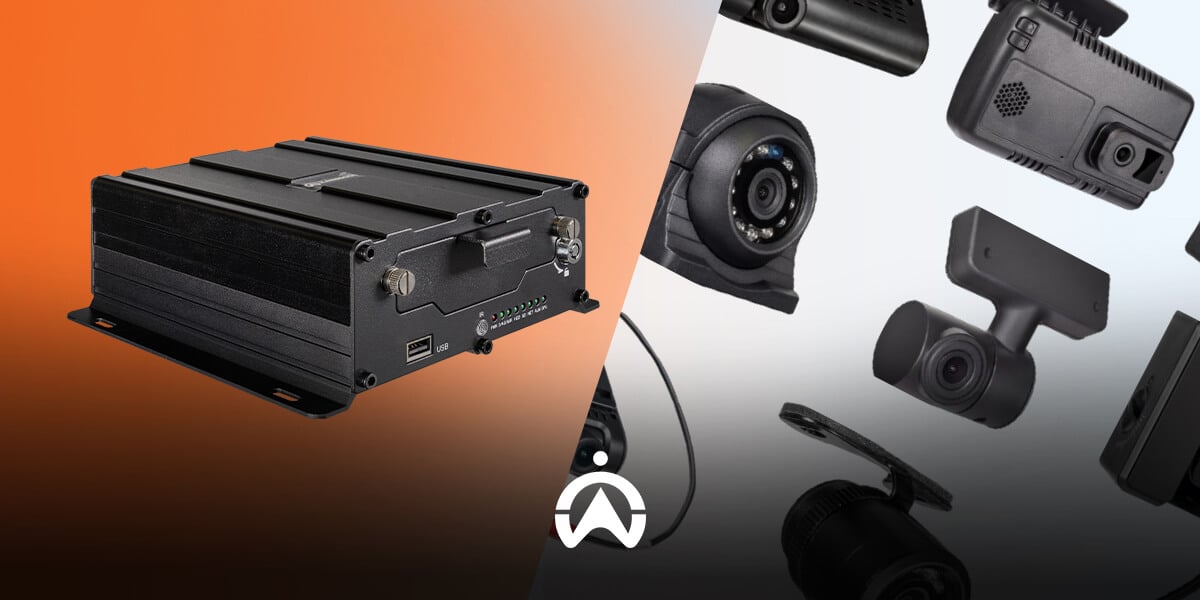
A Mobile Digital Video Recorder (MDVR) is a device that connects multiple fleet cameras and enables video recording and storage. If fleet cameras are the eyes, then the MDVR is the brain of the system, storing and processing the footage.

If you're a CCTV user, you're probably familiar with Digital Video Recorders (DVRs), which act as camera hubs. MDVRs serve a similar purpose, specifically for fleet cameras or CCTV systems.
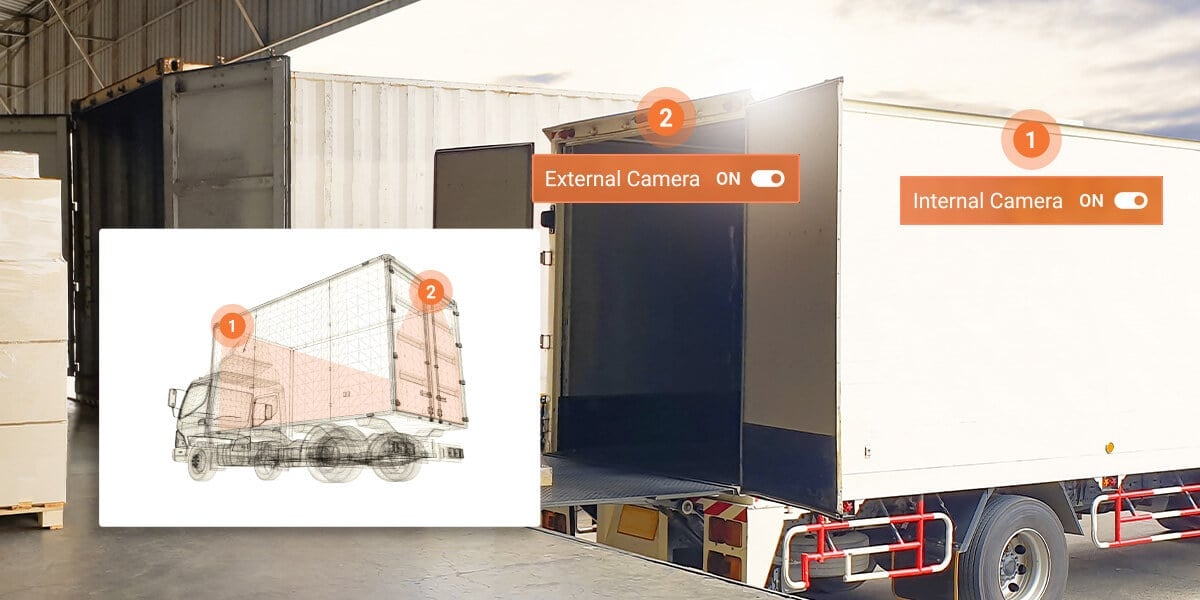
Cargo trucks inside the warehouse with MDVR fleet camera monitoring system installation for logistics security.

What is the Function of MDVR in Vehicle Monitoring System?

While a computer has a CPU, a fleet video monitoring system has a Mobile DVR that acts as its "brain." Some of the functions this device can perform include:

1. Managing multi-cameras

MDVRs have a hub that allows monitoring of multiple fleet cameras simultaneously (usually 4, 6, or 8). This allows you to view footage from multiple cameras in a single view.

2. Video and data storage

MDVRs not only manage cameras, but also store vehicle video recordings. Furthermore, these devices manage storage, for example, with a loop recording feature that automatically deletes old recordings when new ones are recorded.

3. Integration with Fleet Management System

Furthermore, Mobile DVR also allows your cameras to be connected and integrated with Fleet Management Systems and GPS. This allows you to track location, monitor driver behavior, and access vehicle data all within a single platform.

4. Send data to the server

An MDVR connected to a Fleet Management System will transmit data from the cameras to a server. This allows for remote monitoring with live camera streaming.

Also Read: What is a Dashcam: A Camera Solution for Vehicle Security & Surveillance

How Does MDVR Work?

The way MDVR works starts from the camera recording images until the video can be accessed, either directly from the device or remotely.

1. The camera captures the image

First, each fleet camera captures images around the vehicle. The cameras then transmit the video signal to the MDVR, which then forwards it and processes it, either storing it or streaming it directly.

2. MDVR receives and processes video

After receiving the video, the device will continue recording and saving it to a storage medium such as an SD card. It will also compress the recording to a smaller file size.

3. MDVR records additional data

The device will then record additional data, such as GPS, AI Camera, and fleet management systems. At this stage, the vehicle's location will be recorded, as will any risky behavior captured by the AI ​​camera.

4. Access videos remotely directly

You can access stored videos and recorded data, either directly or remotely. For direct access, simply connect the device to a monitor. Remote access to vehicle video recordings requires integration with a specific system, such as a Fleet Management System.

Benefits of Using MDVR for Transportation Businesses

Using a Mobile DVR allows you to perform video monitoring for the entire fleet, which provides the following benefits.

1. Security

The camera allows recordings, especially during accidents, to be used as evidence and investigation materials. In fleet management systems, MDVRs also allow you to request incident recordings remotely.

2. Monitoring driver behavior

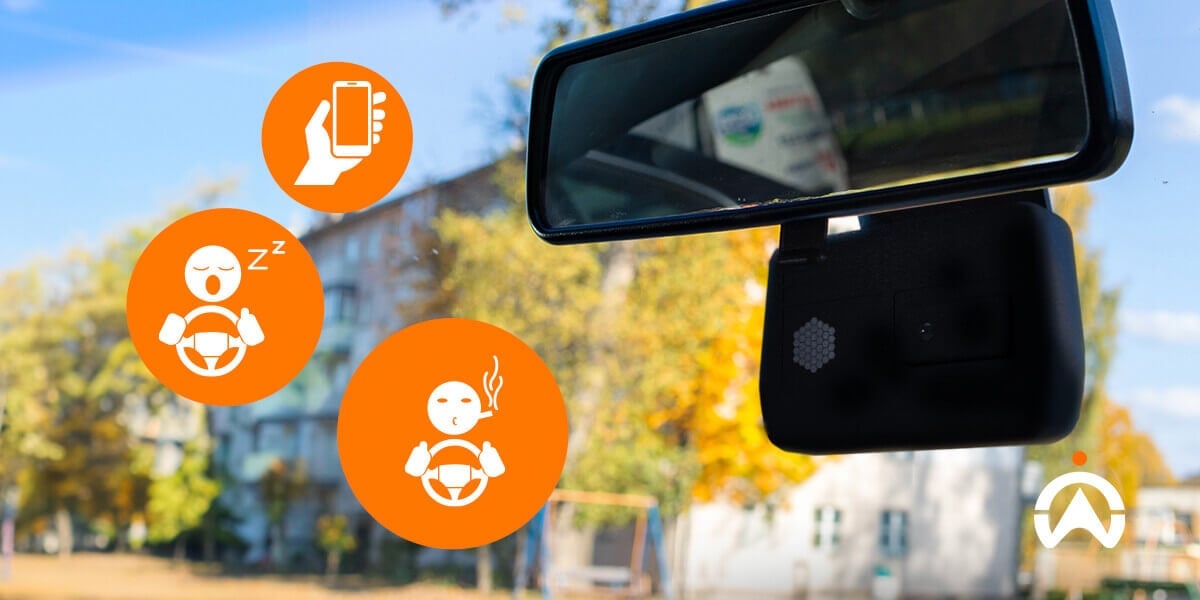
MDVRs also play a role in monitoring driver behaviour, especially when using cameras with Artificial Intelligence (AI). When the camera captures risky behaviour, the device will recognise it and trigger an audible warning.

3. Prevention of theft/embezzlement

With this recording system, you can prevent theft and embezzlement of goods or fuel from your fleet. You can request recordings for investigation if you notice suspicious activity.

4. Proof of insurance claim

The footage stored by the MDVR can also be used as evidence in insurance claims if an accident causes damage to your operational vehicle. With this evidence, your claim will be more likely to be successful.

5. Fleet operational efficiency

Using an MDVR as part of a fleet monitoring system will reduce unexpected expenses. Furthermore, this device allows for live monitoring via live streaming, thereby reducing the risk of fraudulent activity.

When Do You Need an MDVR?

After the explanation above, you might be wondering, when exactly is an MDVR necessary? Here's the explanation.

1. Using more than 2 cameras

As a camera hub, using an MDVR is essential if you have more than two cameras in your fleet. This device will allow you to monitor all cameras simultaneously, directly on a single screen.

2. Requires driver supervision function

Using driver monitoring requires integration with Artificial Intelligence (AI), which requires MDVR processing. This way, when the camera captures risky behaviour, the AI ​​will recognise it and trigger automated alerts.

3. Want to do live streaming

If you want to live-stream your vehicle's monitoring in real time, you'll also need an MDVR. This device allows internet connectivity so recorded video can be directly sent to a server and accessed via the web or an app.
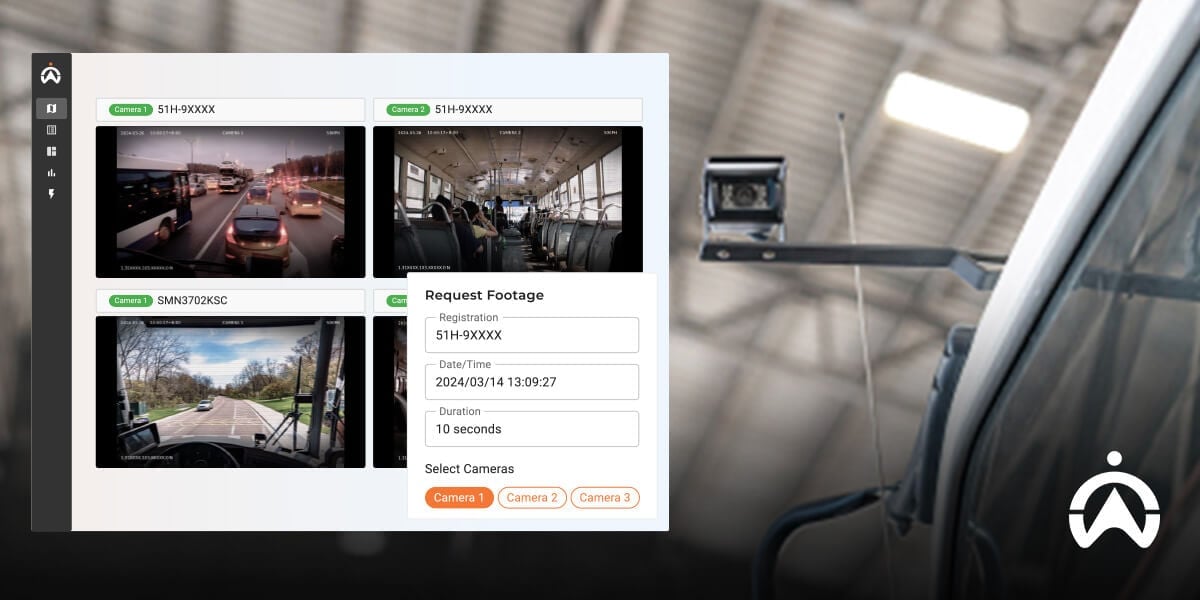
External surveillance cameras on buses connected to MDVR system for real-time fleet monitoring.

Fleet Monitoring Solution with Cameras from Cartrack

Mobile DVR is a crucial component of Cartrack's AI Vision and Non-AI Vision camera monitoring solutions. Fortunately, you don't need to purchase this device separately, as it's included in your subscription rental package.

The advantages of Cartrack's fleet camera features include:

  • You can request a recording of a specific incident.

  • Live-stream multiple cameras at once

  • AI technology implementation (AI Vision)

  • Multi-view up to 8 cameras

  • Storage up to 1TB

Cartrack's AI Vision camera can detect risky driving behaviors such as:

  • Sleepy

  • Mobile phone usage

  • Smoking

  • Potential for frontal collision

  • Use of seat belts

  • Passengers board after the engine starts

  • The driver covers the camera.

Also Read: Best Personal and Fleet Car Dashcams 2025

That concludes our discussion of one of the essential devices in a fleet monitoring system using cameras, the MDVR. This device allows you to view footage from multiple cameras simultaneously and also request recordings if certain incidents occur.

One use case for MDVR is Cartrack's AI and non-AI cameras, which enable comprehensive vehicle monitoring. Discuss your fleet camera needs with Cartrack! Complete your details in this form, and our staff will be in touch shortly.
Understanding Corrective Maintenance in Fleet Management

In vehicle maintenance, we're familiar with the term corrective maintenance, which is the opposite of the preventive maintenance we discussed earlier. Corrective maintenance, as the name suggests, is maintenance that repairs damage.

This time, we'll discuss corrective maintenance in more detail, including its definition, types, benefits, disadvantages, and steps. Find out more in the following article!

What is Corrective Maintenance?

As the name suggests, corrective maintenance aims to repair damage that has already occurred. In other words, this maintenance is performed when damage has been detected or discovered and repairs must be made immediately.

So, under what conditions are corrective maintenance actions carried out?

  • Unforeseen breakdown: When your vehicle experiences significant damage that prevents it from continuing its journey or operating properly. Example: A vehicle breaks down while making a delivery.

  • Performance issues: If a part is no longer working optimally, repairs are needed to prevent further damage. For example, if a vehicle isn't accelerating, the cause needs to be identified and repaired.

  • Potential safety issue: When you find minor signs of damage that could pose a safety threat. Example: A damaged wiper, which could pose a safety hazard when driving in the rain.

  • After a routine inspection: You may discover damage during a routine inspection, in which case corrective maintenance may be necessary. Example: A brake fluid leak is discovered during a routine inspection.

Also Read: Preventive Maintenance: The Solution for a Long-Lasting, Durable Vehicle

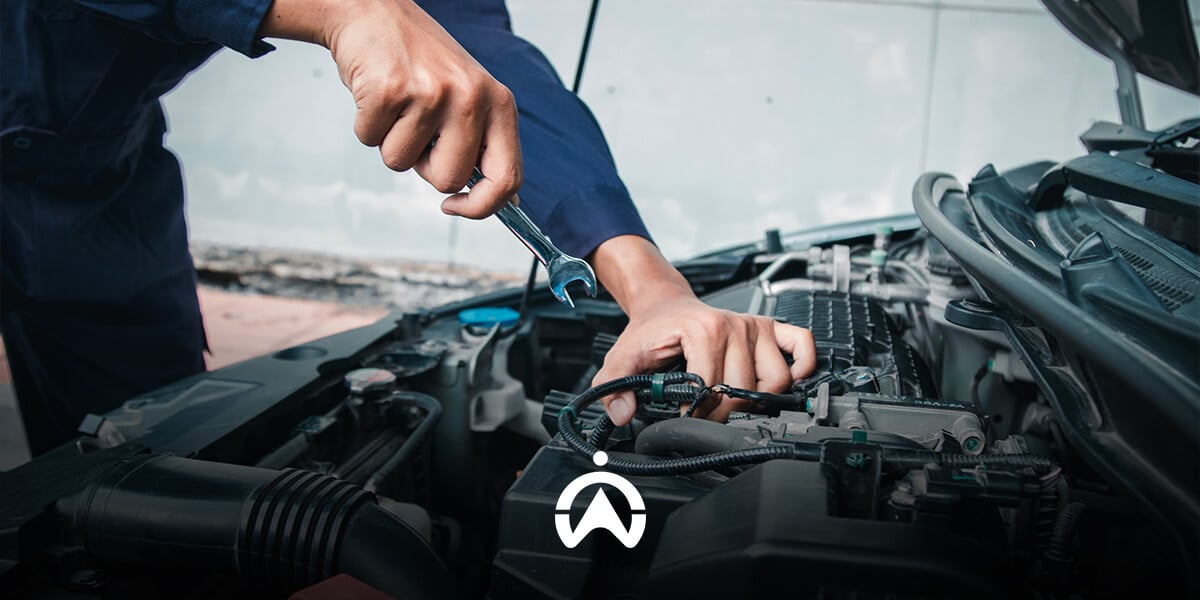
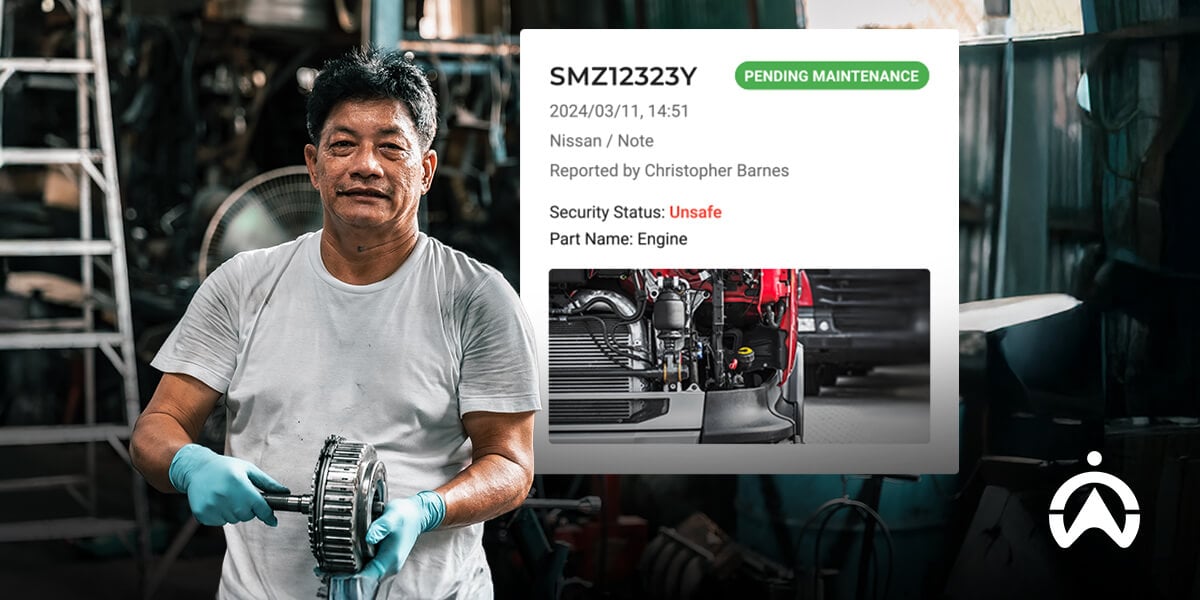
A technician holds a wrench while monitoring the corrective maintenance system in fleet management on a laptop.

What are the Types of Corrective Maintenance?

By knowing the conditions above, there are two types of corrective maintenance that can be carried out, namely planned and unplanned.

Planned Corrective Maintenance

Planned corrective maintenance is performed when you know or detect a fault, but it's not necessary or possible to repair it immediately. In this case, the vehicle may remain operational while you schedule repairs, order parts, and prepare an operational replacement.

Example of planned corrective maintenance:

  • Repairing an AC that is no longer cold

  • Brake pad replacement due to thinning found during routine inspection

  • Replacing damaged wipers before entering the rainy season

  • Inspection and repair because the vehicle cannot reach optimal speed.

Unplanned Corrective Maintenance

Unplanned corrective maintenance is performed when a major breakdown occurs suddenly while the vehicle is in operation, and is sometimes referred to as breakdown maintenance. This requires immediate repairs to ensure the vehicle can continue its journey.

Example of unplanned corrective maintenance:

  • Replacing a tire that bursts while traveling

  • Vehicle broke down during delivery

  • Brakes failed while operating.

What are the Benefits of Corrective Maintenance?

Even though it is carried out after damage occurs, corrective maintenance has several benefits, such as:

1. Ensure operational continuity

With repairs, the vehicle can resume its journey and complete operational tasks. Although downtime is unavoidable, the vehicle can still return to service after the repairs are complete.

2. Right on target

Repairs will be more targeted because you already know the extent of the damage. This way, repairs can be made directly to the affected area without having to inspect the entire vehicle.

3. Improve performance

When corrective maintenance involves replacing parts, vehicle performance typically improves. This allows for smoother operations and increased efficiency.

4. Extend the service life of the vehicle

With repairs, your fleet can return to full operational functionality. In other words, your vehicle's lifespan will be extended, allowing you to postpone replacement.

What are the Disadvantages of Corrective Maintenance?

Apart from the benefits above, corrective maintenance also has disadvantages, namely the following:

1. Potentially disrupt operations

With damage already occurring, downtime is often unavoidable, requiring you to reschedule your trip. In some cases of sudden breakdowns, you may also need to dispatch a replacement fleet to maintain operations.

2. High repair costs

Especially in the case of sudden breakdowns due to a lack of preventive maintenance, the costs are usually significant. This is because the cause of the damage may be more than just one component, requiring multiple repairs.

3. Risk of complications and decreased function

Once damage has occurred, it's possible that other related damage will occur, making repairs longer and more expensive. Furthermore, improperly installed spare parts can also lead to decreased function and performance.

What are the Corrective Maintenance Measures?

Next we will go into the process or steps involved in carrying out corrective maintenance.

1. Identify the problem

Problems or damage can be discovered during routine inspections, or when the damage causes problems while driving. Conduct further inspections to determine the problem.

2. Further examination

Once you discover a problem with your vehicle, you should immediately conduct further inspections to find the source. Once you know which part needs repair, you can determine the corrective action to be taken.

3. Preparation of tools and materials

Certain repairs will require tools and materials you may not have on hand. If the repair requires replacement parts, you may need to purchase or order them in advance.

4. Repair and replacement process of spare parts

If spare parts are available, you can immediately make repairs by following the correct installation steps. Pay attention to other parts connected to the replaced part to avoid causing further damage.

5. Test and verification

Once the repairs are complete, test drive the vehicle to ensure it's roadworthy. Also, be sure to test any other parts that might be affected by the repairs.

You should perform preventive maintenance after repairs are complete to prevent unexpected damage from recurring. This will also maximise the vehicle's lifespan.

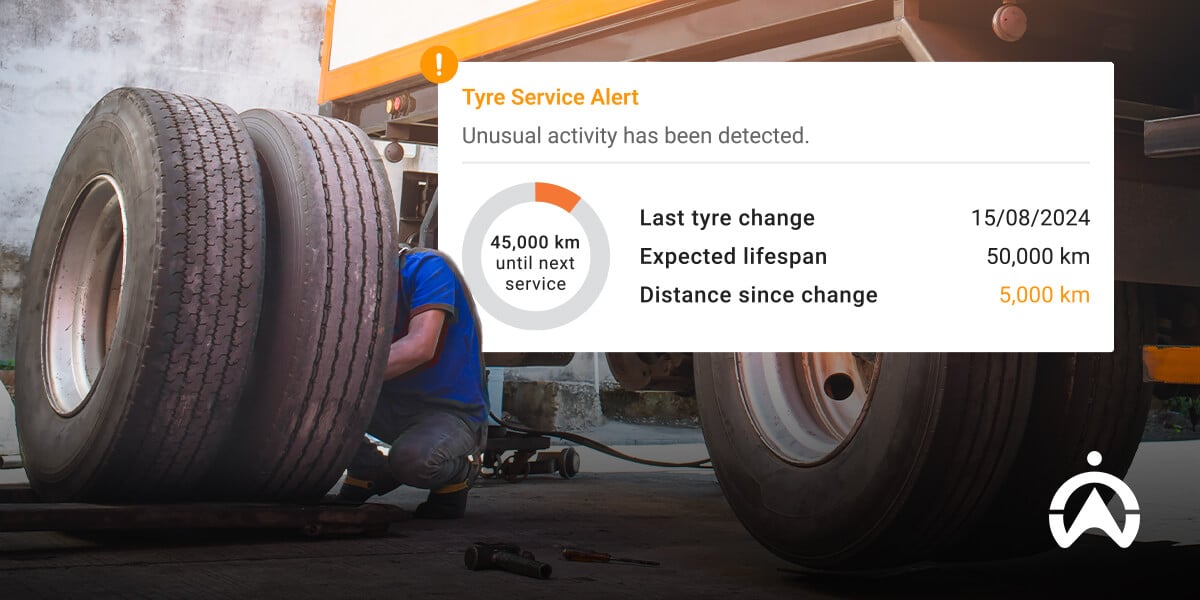
A technician performs corrective maintenance on a truck tire as part of fleet management.

Cartrack Maintenance Features: Efficient Maintenance of Your Fleet

One of the advantages of Cartrack's Fleet Management System is its Maintenance feature, which allows you to easily manage fleet maintenance. Some of its advantages include:

  • Preventive maintenance automation: You can schedule regular routine checks based on mileage and last service time.

  • Ensure vehicle roadworthiness: Access real-time engine diagnostic data and schedule inspections to prevent unexpected breakdowns.

  • Manage vehicle maintenance: Drivers can request vehicle repairs through the app, making it easier for managers to schedule inspections and repairs.

Cartrack's Fleet Management System is more than just a GPS with Maintenance features, but also comes with various additional features according to your needs, such as:

  • Camera monitoring (AI and Non-AI Vision)

  • Fuel Monitoring

  • Delivery management

  • Cost management (MiFleet)

  • Immobiliser (Start Prevent).

  • dll.

Read also: Vehicle Maintenance: Prevent Breakdowns & Unexpected Costs

That concludes our discussion of corrective maintenance, which is the opposite of preventive maintenance. This maintenance is repair-oriented and is only performed after a problem or damage occurs to a vehicle.

With the Maintenance feature in Cartrack's Fleet Management System, you can manage your vehicle maintenance more easily. Get a complete fleet management and monitoring solution from Cartrack. Complete the form below and our staff will contact you!

CANBus: How It Works and Its Benefits for Fleet Management

Have you ever thought about how a car engine slows down when we step on the brake pedal?

As we know, a car has many parts, each with its own function. They are all connected by a "communication system" called CANBus, which allows each component is connected to each other and "working together".

In this article, we'll discuss CANBus (Controller Area Network Bus), which is available in today's modern cars. Learn what CANBus is, its functions, how it works, and how it integrates with Fleet Management Systems.

What is CANBus?

Imagine when you send a message on WhatsApp, it's first sent to a server before being forwarded to the recipient. With CANBus, there's no such central control "server," so messages are truly delivered directly.

CANBus (Controller Area Network Bus) is a vehicle system that allows various system units (engine, brakes, airbags, dashboard, etc.) to communicate with each other. They can exchange messages over a single line without the need for a server or control center.

When a message is sent by a system unit (called a node), all other nodes can receive it and determine whether it's relevant to them. This process happens so quickly that you won't notice any significant delays.

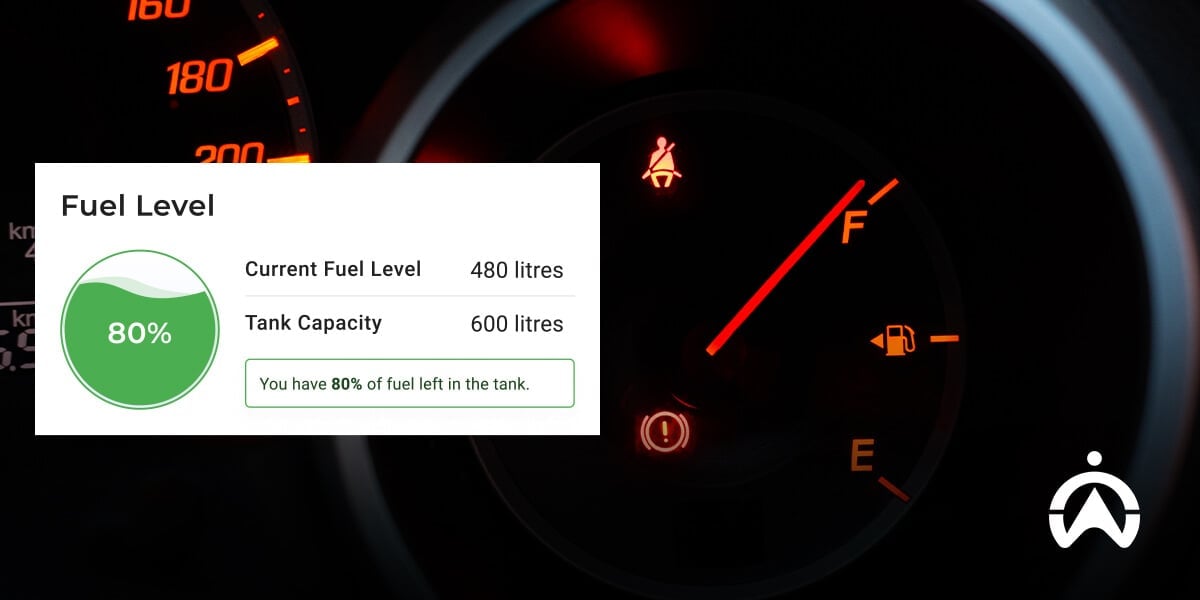
The fuel gauge on the vehicle dashboard is monitored using CANBus technology for fleet management.

What are the main components of CANBus?

In one CANBus system, there are several components that have their respective functions, some of the main components in the CANBus system include:

ECU (Electronic Control Unit)

The ECU is a CANBus component that functions as a part that regulates a specific feature or system in a car. Each ECU consists of a package of components: a microcontroller (MCU), a controller, and a transceiver.

For example, the engine ECU is responsible for regulating engine performance, or the ABS ECU is responsible for regulating braking. Each of these ECUs then exchanges information and communicates with other ECUs via CANBus.

Microcontroller Unit (MCU)

This section is like the "brain" of each ECU, each responsible for a specific part of the car. When a message (CAN data) comes in, it's processed by the microcontroller and then responded.

CAN Controller

This component works for processing CAN data received and prepares messages to be sent to other ECUs. It also sets CAN communication standards and prioritizes the data to be sent.

CAN Transceiver

The CAN transceiver acts as a bridge between the ECU, which uses digital data, and the CANBus cable, which uses electrical signals. It converts digital data into electrical signals for transmission to the CAN cable and vice versa, allowing the ECU to read them.

CANBus Line (Kabel CAN)

The CANBus cable is the primary communication channel through which all vehicle components are interconnected. Each connected ECU can send and receive data efficiently and in real time through this channel.

Terminator

CANBus requires a resistor, typically installed at the end, to maintain stable communication. Without a terminator, the data signal could bounce around and cause interference in the vehicle's system.

Also Read: Getting to Know the Internet of Things (IoT), How It Works, and Examples of Its Use

How does it work?

How CANBus works is detailed as follows:

1. Node/ECU sends message-based data

Nodes or units within the CANBus system can exchange specific data (CAN Data) in the form of messages (CAN Frames). For example, the ABS brake ECU sends braking data, and messages are sent to be received and responded to by other ECUs.

2. Sending messages using one line (bus)

Each ECU is connected to the same lines, called CAN-High and CAN-Low, so they can exchange data. The digital data from the ECUs sent over these lines is first converted into electrical signals by the transceiver.

3. Each message has special characteristics

Each node or ECU can receive any data sent, but can choose which data is relevant to them. Each message sent by the ECU also has a unique characteristic that indicates the priority and type of information being transmitted.

For example, the signal from the ABS braking system will have higher priority than the signal to open the window.

4. Data is sent and processed quickly and efficiently

Data transfer rates in CAN systems are extremely fast, reaching up to 1Mbps on high-speed CAN. This allows the system to operate in real time and respond quickly to received signals.

For example, when the sensor system sends a signal of a hard impact that triggers the active airbag system to avoid injury due to an accident.

5. Error detection and correction

This system can also detect corrupted data, allowing it to be ignored and retransmitted. This error-checking mechanism also ensures that no erroneous signals are processed further.

Utilisation of CANBus in Fleet Management System

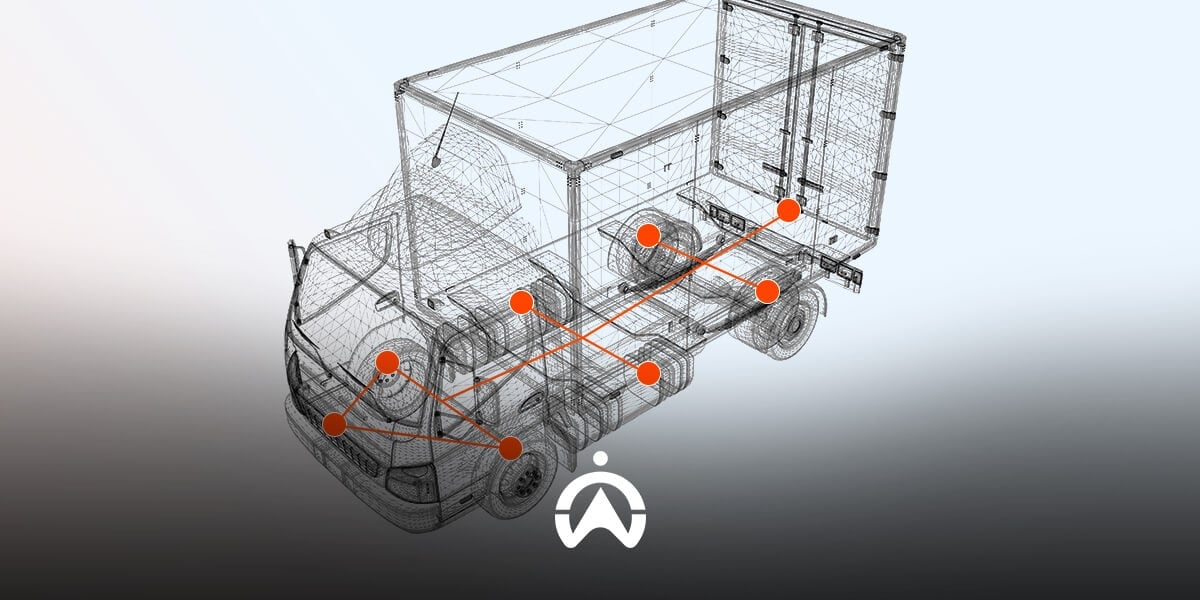
Using CANBus is extremely beneficial for fleet monitoring. By adding a GPS tracker or fleet management telematics, you'll be able to "tap" into communications between systems within the vehicle.

This way, you can get up-to-date information, from engine condition to location to driver behavior. Some things you can monitor using CANBus data include:

  • Vehicle health condition (Real-time data for engine diagnostics and if there are any errors)

  • Driving behavior (Speeding, sudden braking, sharp turns)

  • Fuel (Fuel monitoring down to per liter)

  • Maintenance (Enables predictive maintenance)

A truck drives on the road past a "health check" sign as an illustration of vehicle condition monitoring in the fleet management system.

Fuel Monitoring with CANBus from Cartrack

One of the uses of CANBus in Cartrack's fleet telematics is for fuel monitoring. You'll get information about fuel in liters so it's easier managing fleet fueling.

So, how does it work?

A CANBus clamp connected to telematics will be installed on your vehicle's CANBus. This allows you to access data graphically on the dashboard, in reports, and in notifications.

In addition to CANBus, Cartrack Fuel Monitoring is also available using other sensors, namely:

  • Fuel Analog: By installing telematics on your vehicle's fuel system, you can read the data in liters, making it easier to understand.

  • Fuel Probe: By using rod-shaped sensor mounted directly on the tank vehicles, resulting in higher accuracy.

Read Also: Exploring the Concepts and Benefits of Vehicle Telematics

So, that concludes our discussion of CANbus, a communication system between vehicle components that can help simplify monitoring. One of CANBus's benefits is fuel monitoring, as offered by Cartrack.

Improve fuel efficiency with Fuel Monitoring from Cartrack. Complete the form here and our staff will contact you to discuss your vehicle monitoring needs further!

Best Dashcam Recommendations for Improved Driver Safety

A dashboard camera—commonly known as a "dashcam"—is an important car accessory for driving safety and security. With a dashcam, owners can document their journeys as well as any incidents that occur on the road.

Therefore, having a car dashcam is crucial for both personal use and business fleet management. In this article, we will discuss the benefits of using a dashcam, provide recommendations, and offer tips on choosing the right one.

Benefits and Advantages of Using a Dashcam

Dashcams have become essential safety devices for both private cars and commercial vehicles. Here are the benefits of using a dashcam for both individual and business users.

For individuals

Many unavoidable incidents on the road, such as accidents, traffic violations, and even criminal acts, occur. And when these incidents occur, we as drivers often have no proof that they actually occurred.

Consequently, car dashcams play a crucial role in facilitating legal proceedings or insurance claims regarding damage or loss. Below are the functions of a dashcam in a private vehicle:

1. Recording the accident

One of the functions of a dashcam is to document the journey and road conditions while driving. In the event of an accident—whether involving the user's vehicle or another party—dashcam footage can serve as evidence for an investigation.

2. As evidence when there is a traffic violation

There are numerous roadside scams where perpetrators pretend to be accident victims and place the blame on other motorists. Vehicles without dashcams are generally more vulnerable to such risks. In such situations, dashcam footage can serve as evidence that the owner is not at fault.

3. Additional security for private cars

Various incidents can occur while a car is parked, ranging from collisions with other vehicles and vandalism to criminal acts such as theft. A dashcam offers an added layer of protection by recording events both while driving and when the vehicle is parked.

4. Social media content

Beyond safety, using a dashcam in a private vehicle serves other purposes, such as entertainment. Dashcam footage can be used to create social media content, capturing the journey as it unfolds and allowing you to preserve precious moments along the way.

For business

In addition to the benefits mentioned above, dashcams offer specific advantages when used in commercial vehicles for business purposes. Having a dashboard camera is important for company vehicle operations, helping to make processes effective and efficient.

1. Fleet operational monitoring

When integrated with GPS tracking, dashcams also facilitate real-time monitoring of vehicle locations and the routes taken. This certainly makes it easier for fleet managers to monitor their active fleets, thereby enabling smoother operations.

2. Data for driver performance evaluation

With dashcam footage, fleet managers gain better insight into driver behaviour. Many drivers engage in risky actions—such as using mobile devices or driving while drowsy—that lead to "minor" accidents. Dashcam recordings provide documentation that can be used for performance evaluation.

3. Evidence for company vehicle insurance claims

In the event of an accident or a damaging incident, you, as a business owner, will have the evidence needed to file an insurance claim. As long as you possess valid proof of the loss incurred on the road, insurers typically will not complicate the process. Furthermore, some insurance providers even offer reduced premiums for vehicles equipped with dashcams.

dashcam recommendations for fleets

11 Best Dashcam Recommendations for Individuals and Businesses

There are many brands and specifications of dash cams available on the market, for both personal and business use. Check out the recommendations in the explanation below.

Dashcam For Individual Use Budget Friendly

For those of you looking for the best car dashcam for personal use at an affordable price, here are some recommendations.

1. VIVAN VDR01 Dash Cam

This dash cam is a top-notch local product, functional enough for entry-level use. It's also relatively affordable compared to major international brands, at around Rp 500,000.

2. DDPAI Mini Dash Cam

If you're new to using a dashcam, the DDPAI Mini Dashcam might be a great option. It has a simple design and small size, making it unobtrusive. The device is priced at around Rp. 500,000.

3. 70mai Dash Cam M310

The 70mai Dash Cam M310 is one of the most popular dash cam brands in Indonesia today. Its price is still very affordable, around Rp 800,000.

4. Xiaomi Yi Dashcam (Yi Smart Dash Camera)

The Yi Smart Dash Camera, formerly known as the Xiaomi Dashcam, is a popular dashcam in Indonesia. However, it's now rare on the market because its manufacturer, Yi Technology, has separated from Xiaomi.

If you are interested in this product, the second-hand version is still available on various local online marketplaces for around Rp. 800,000.

5. Azdome GS63H

The Azdome GS63H is renowned for its high-quality recordings. For those who prioritise recording quality, this product might be perfect for your needs. However, it's quite expensive compared to others, at around Rp1,500,000.

See Also: What Is a Dashcam: A Camera Solution for Vehicle Security & Surveillance

Recommended Dashcam Providers for Fleet Management

For business and corporate needs, you should consider car dashcams provided by fleet management companies. Here are some recommendations for the best car dashcams for your operational vehicles.

6. LiveVision and SmartCabin dari Cartrack

If your business relies heavily on vehicles for operations, a standard dashcam may not be enough. Featuring top-tier capabilities, Cartrack offers AI and non-AI vision solutions as part of its **Fleet Management** offering.

Non-AI Dual Vision

Cartrack memiliki solusi dual camera yang memungkinkan Anda untuk memantau pengemudi sekaligus jalanan di depan kendaraan. Solusi ini akan membantu Anda untuk mempermudah penyelidikan insiden di jalan, melindungi pengemudi dari tuduhan yang salah, serta mempercepat pengambilan keputusan. Anda bisa mengakses rekaman video secara  , anytime, anywhere. 

AI Dual Vision 

AI Dual Vision has all the features of the non-AI Dual Vision, but with the addition of AI technology. This technology allows the camera to detect risky driving behaviours, such as: 

  • Disturbances in focus and cell phone use
  • Driver fatigue and yawning 
  • Smoking and seat belt compliance
  • Forward collision warning

Upon detecting risky behaviour, the camera issues an audible warning and seat vibration in real-time. This allows the driver to immediately correct the risky action on their own.

Cartrack also offers a multi-camera solution that allows companies to install internal and external cameras for comprehensive monitoring. These fleet cameras also enable drivers to eliminate blind spots, thereby enhancing safety.

7. Blackvue

BlackVue is a camera manufacturer that also offers fleet management camera solutions for corporate fleets. Two types of cameras are available: a front-facing camera to monitor the driver and a rear-facing camera for enclosed cargo vehicles.

8. GPS Tracker Mobile DVR Camera (Primanusa)

The Mobile DVR camera from the GPS Tracker brand is a fleet camera equipped with GPS functionality. It allows you to record video while simultaneously tracking the vehicle in real-time. Four types of DVR cameras are available, featuring key capabilities such as a G-force sensor that safeguards recordings in the event of an impact.

9. Cabin View Camera (IntelliTrac)

IntelliTrac is a company offering fleet management services, including dashcam products that allow users to monitor both the road and the driver. Two product packages are available to meet your business needs, featuring advanced auto-capture capabilities for images and video.

10. GPS.id Cammy X40 (Superspring)

GPS.id from Superspring offers a tracking device and camera, the Cammy X40, which can monitor car activity in video format. This dashcam can be installed in various four-wheeled vehicles, including cars, trucks, buses, and other commercial vehicles.

11. Smart Mobility Camera (TAM Fleet)

The Smart Mobility Camera from TAM Fleet is a top-tier dashcam featuring a built-in AI processor. It detects risky driving behaviours and issues collision warnings, thereby helping to reduce the risk of traffic accidents.

5 Tips for Choosing the Right Dashcam

There are several things you need to consider when you want to buy a dash cam, whether for personal or business purposes.

1. Prioritise camera resolution

Considering functionality, camera resolution is the first thing you should consider. Generally, both personal and business users prefer a resolution of at least 1080p.

2. Pay attention to battery life

In parked mode, the car's battery, which previously supplied power, switches to the battery. Therefore, the next thing you need to consider is battery capacity, especially if your car tends to be parked for long periods.

3. Check the availability of the Night Vision feature

The next thing you should consider when choosing a dashcam is its Night Vision feature. This ensures high-quality footage, even when recording at night or in low light.

4. Ensure Camera Durability

As an electronic device used in a vehicle—which is naturally subject to constant movement—you should also consider the durability of the dashcam. You might also want to look for a camera equipped with a G-force sensor capable of detecting sudden movement or impacts.

5. Find out additional features

If you are looking to select a dashcam for business purposes, you should also consider additional features—such as GPS, motion sensors, Wi-Fi connectivity, and driver fatigue alerts. Cameras offering these types of features are typically provided directly by fleet management service providers like Cartrack.

The Best Fleet Management Solution from Cartrack

LiveVision and SmartCabin are part of Cartrack's Fleet Management services. In addition to providing top-of-the-line dashcams, Cartrack also offers other solutions for a variety of commercial vehicle needs, such as:

  • Comprehensive fleet management: trip and route history, driving behaviour monitoring, working hours monitoring, schedule management, geofencing, and automated reports

  • Additional features: fuel sensor, remote starter disable, driver identification tag, temperature sensor, and panic button

  • Specialised services: MiFleet (operational cost automation), Delivery (delivery control), LiveVision (real-time vehicle monitoring), and SmartCabin (driver activity monitoring).

With Cartrack's comprehensive services, you can manage your commercial vehicle operations more easily, from fleet management and fuel control to driver activity monitoring.

dashcam recommendations

That concludes our overview of dashboard cameras, covering everything from their benefits and top recommendations to tips on how to choose the right one. Be sure to select a dashcam that best suits your specific needs. If your dashcam requirements are related to business operations, contact Cartrack for AI and non-AI vision solutions as well as fleet management systems tailored to your needs. Fill out the form below to receive a quote from Cartrack!

What is Asset Tracking and its benefits for business

The biggest challenge in monitoring non-powered assets such as containers, trailers, safes, or other high-value items is the difficulty of tracking them. Without a dedicated tracking system, these items are vulnerable to loss, misplacement during shipping, or even theft.

Therefore, you need a tracking solution that can pinpoint the location of assets even if they don't have their own power source, like a battery. Have you ever heard of non-powered asset tracking? Let's find out more!

What is Asset Tracking?

Asset tracking is the process of tracking a company's movable assets, such as office equipment, operational machinery, and vehicles. This monitoring aims to determine the status, location, and usage of assets to facilitate their management.

One technology commonly used in asset tracking is the Global Positioning System (GPS). This technology utilises a satellite navigation system, where the item being monitored is fitted with a tracking device that then transmits location information.

GPS tracking systems are divided into powered assets and non-powered assets. The difference between the two lies in the energy source used by the tracking device, which is attached directly to the item.

GPS trackers for powered assets, such as vehicles, are typically integrated with a Fleet Management System. Non-powered assets typically use dedicated non-powered asset tracking, such as that provided by Cartrack.

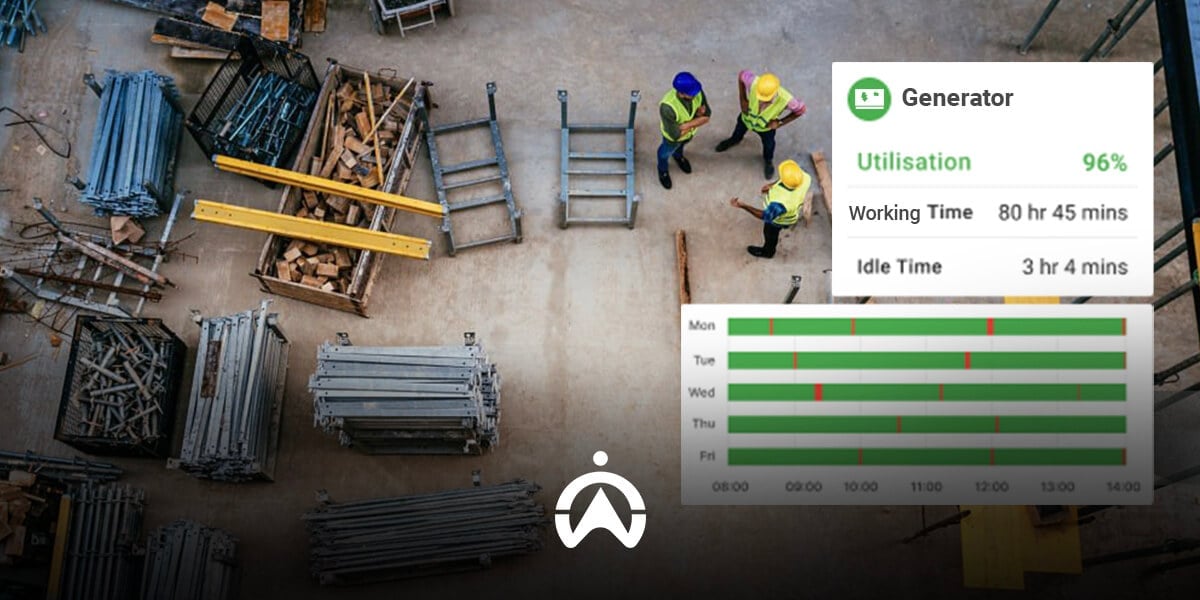
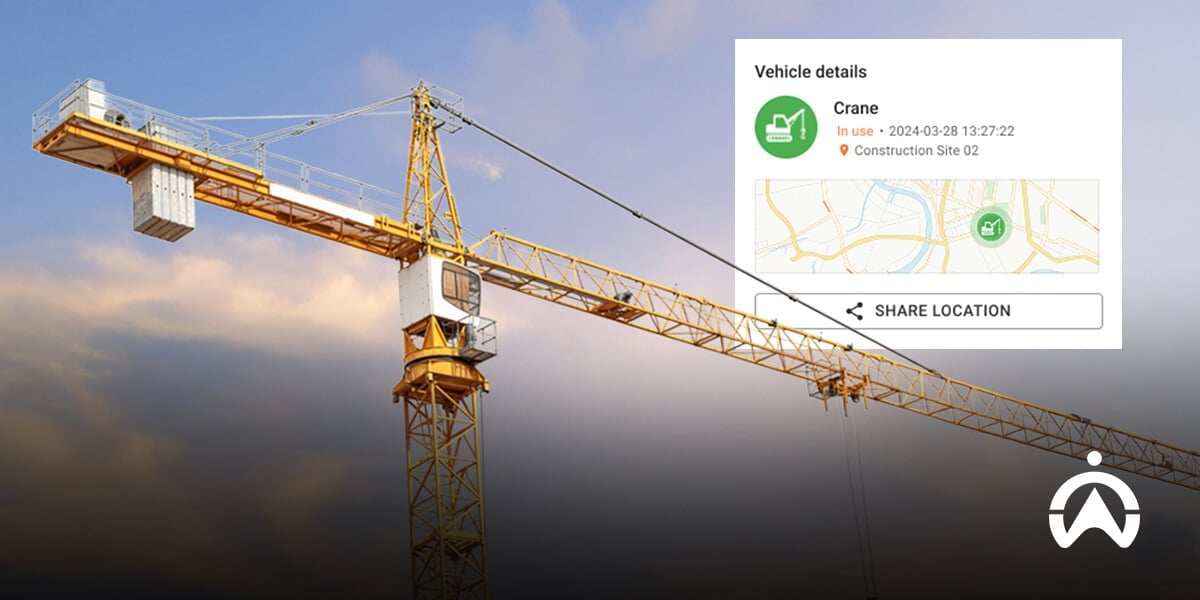
Heavy equipment cranes in construction areas as an example of asset tracking management for business efficiency.

What are the benefits of asset tracking?

Tracking, whether on vehicles or other goods, has many benefits for companies. Some of these include:

1. Monitor asset location

Using a tracking device will make it easier for you to monitor the location of both vehicles and other company assets. For non-powered assets, tracking devices also make it easier to locate them when needed.

2. Prevent loss and theft

Just like vehicles, non-powered assets worth hundreds of millions of rupiah need to be tracked during shipping. Tracking allows you to verify location information, minimising the potential for asset loss due to misplacement or theft during shipping.

3. Facilitates asset data collection

Using tracking tools also makes it easier to record company assets without having to physically inspect and view them. This is also useful if the company ever needs to conduct an asset audit.

4. Assists in decision-making

Running a business always presents challenges and unforeseen situations involving the use of company assets. Tracking provides you with asset-related data that can be invaluable in decision-making.

What Are the Key Features of Non-Powered Asset Tracking?

Unlike GPS tracking for vehicles, there are specific criteria you should consider. Some of these criteria are:

  • Can track non-powered assets: Some GPS tracking devices are specifically designed for vehicles that have their own power to move. These GPS devices work by drawing power directly from the battery, which non-powered assets don't have.

  • Long battery life: Trackers for non-powered assets typically use their own power sources, such as batteries and solar panels. Make sure the device you choose has a long-lasting battery for tracking purposes.

  • Weather and shock resistance: Some mobile assets may travel through less-than-ideal locations, exposing them to weather and shock during their journey. Ensure the tracking device you choose remains functional under these conditions.

  • Geofence feature: The Geofence feature allows you to receive notifications if your assets enter/exit a specific zone. This alert can be the first indication of a theft.

  • Have a user-friendly dashboard: The tracking system should be integrated with monitoring software. Ensure the dashboard interface is easy to use.

One asset tracker that meets all the above aspects is Non-Powered Asset Tracking from Cartrack.

Discussion of project plans near a cement mixer as an example of asset tracking implementation for the construction business.

How Does Cartrack's Asset Tracker Work?

In addition to GPS trackers for vehicles, Cartrack also offers non-powered asset tracking solutions. These trackers can be used for items that don't have their own power source, such as shipping containers, truck trailers (without heads), and safes.

This asset tracking tool is actually quite broad, covering assets with machinery but not vehicles, such as electric generators. If you have vehicles or machinery in storage or shipping, you can also use this tool.

Cartrack's non-powered asset trackers come in three different options in terms of installation, battery life, and location data update frequency.

  • Asset Track: A tracking solution for infrequently moving items, enabling location updates once or twice daily. With a battery life of up to 5 years, this device can be attached directly to the asset with a special adhesive.

  • Track & Go: Track & Go: This portable tracker with a rechargeable battery can track your route in real time for up to two weeks. It can be attached using a magnetic adhesive, making it easy to attach and remove.

  • Solar Track: As the name suggests, Solar Track is a solar-powered tracker that can transmit location data every 10 minutes as the asset moves. This tracker is suitable for outdoor company items.

That concludes our discussion of asset tracking, including its definition, benefits, key features, and Cartrack's asset tracking solutions. If you own non-electrical assets like containers, trailers, safes, and other valuables, you can use an asset tracker.

Losing any of these items can disrupt operations and increase unexpected costs due to replacement. Complete your details in the form below and receive a special offer tailored to your company/business needs.