4 Functions of Fuel Sensors in a GPS Tracking-Based Fleet Management System

GPS-based fleet management systems offer a range of optional features tailored to your needs, one of which is the fuel sensor. This device is used to monitor and measure the fuel volume in a vehicle's tank. The resulting fuel monitoring data is displayed on mobile apps and fleet management software, alongside tracking data from the GPS tracker. Here are four functions of fuel sensors within a fleet management system.

1. Monitoring Fuel Volume in Real-Time

You may come across several types of fuel monitoring devices when choosing a fleet management system. Cartrack provides two types of devices: one integrated with the vehicle's fuel gauge (fuel gauge), and another installed inside external fuel tanks, such as those used in trucks and heavy equipment. Both provide real-time information on the fuel volume in the vehicle's tank (in litres), which you can monitor at any time through the Cartrack mobile app and Fleet Web software.

2. Tracking Fuel Activity

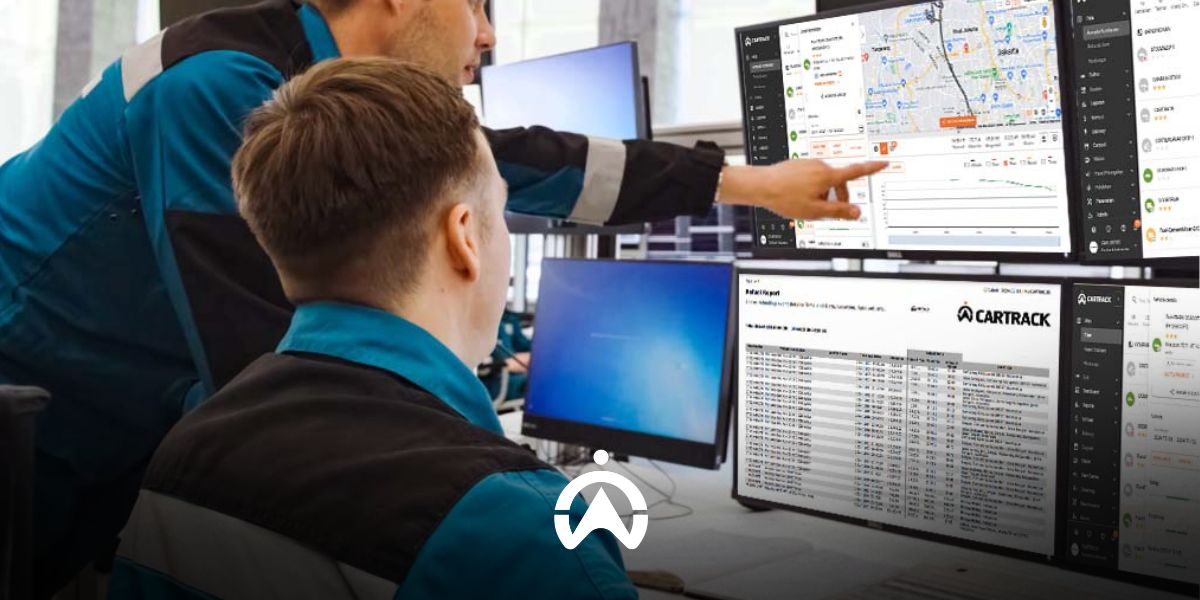
Fuel sensors enable you to track all fuel-related activities in your vehicle's tank. When integrated with a GPS tracking-based fleet management system, you can access automated reports that combine data from GPS trackers to provide comprehensive insights. For example, Cartrack's Fuel Summary Report provides information on vehicle fuel consumption, distance travelled, and average fuel consumption per 100 km over your selected period. Cartrack's Refuel Report provides detailed information about refuelling activities, including location, time and date, odometer reading at the time of refuelling, and fuel volume before and after refuelling.

The car dashboard with fuel indicator supports the fuel sensor function in the GPS tracking-based fleet management system.

3. Sending Fuel Alerts

With fleet management software, such as Cartrack Fleet Web, you can configure refuelling and fuel loss alerts. Alerts can be sent via e-mail or SMS in real time whenever a vehicle equipped with a fuel sensor refuels and/or experiences fuel loss. Fuel loss alerts are triggered when there is a sudden drop in fuel volume, for example, due to fuel siphoning from the tank, a tank leak, or a malfunctioning vehicle fuel gauge. You can also check the Fuel Graph Report to see whether it shows a sharp drop in fuel levels on that particular day.

4. Prevent Fuel Fraud

With this system in place, you can verify fuel receipts and ensure that the claimed fuel quantity in litres matches the amount recorded by the fuel sensor. In addition, fuel loss alerts and the Fuel Graph Report help you stay alert to potential fuel theft. This allows you to prevent greater losses caused by fraudulent fuel claims and fuel theft.

Add a fuel sensor to your fleet management system package to keep fuel costs under control. Trust Cartrack with your vehicle fuel monitoring and fleet management needs. Speak to our consultants today and get a FREE LIVE DEMO of Cartrack's fleet management system!

Cartrack Fleet Management System for Mining Monitoring

With a single, integrated fleet management software platform, you can handle everything needed to operate your vehicle fleet more efficiently. Use Cartrack’s fleet management software—which integrates all five of these functions—to boost your fleet's operational efficiency in Indonesia! Contact us today for a free live demo of Cartrack’s fleet management software.

1. Manage drivers and vehicles efficiently

Which operator is performing a specific task? What vehicle are they using? For how many consecutive hours has a specific piece of heavy equipment been in use? Cartrack’s fleet management system answers all these questions quickly and efficiently. You can identify the operator of each vehicle via driver ID tags, detect poor driving habits through the driver behaviour monitoring feature, track ignition status with starter monitoring, measure usage duration with operating hours monitoring, and oversee task assignments and completion progress for each vehicle or driver using the Delivery feature.

2. Track the itinerary of each vehicle

Tracking trip cycles is essential for helping mining companies improve fleet operational efficiency. A "trip cycle" refers to the number of trips—or round-trip journeys—a vehicle completes along a specific route. You can use geofencing features to mark the areas traversed during these trips and track vehicle activity both between and within those zones. Cartrack’s fleet management system generates automated reports based on this geofence data, such as Geofence-to-Geofence Reports and Geofence Visit Reports. These reports allow you to monitor travel duration and distance (both inter-zone and intra-zone), stop and idle times, and maximum speeds. This data provides insight into whether your trip cycle operations are already optimised or if there is room for further improvement.

Drones monitor roads in the middle of the forest as part of Cartrack's fleet management system solution for monitoring mining company fleets.

3. Monitoring Material Movement

Fleet managers need to track the movement of materials transported by each vehicle, ensuring the right materials reach the correct location efficiently and safely. You might consider installing Cartrack’s Live Vision cameras to monitor the cargo area—cameras that remain functional even in low-light or nighttime conditions. Power Take-Off (PTO) sensors track the usage of vehicle peripherals, such as cranes, scrapers, and tow hooks. Stop-time reports provide data on the location and duration of each vehicle's stops. For fixed, repetitive material transport routes, you can utilise the route planning feature; this allows you to assign routes based on trip history to specific vehicles, including scheduled start and end times. You will receive notifications via email or SMS regarding key events, such as route commencement and completion, deviations, delays, and late completions.

Cartrack’s fleet management system provides real-time visibility into your mining vehicle fleet and operators. Through monitoring and tracking data, you can identify opportunities to boost productivity and operational efficiency, ultimately increasing your mining company's profitability. Speak with our consultants today and get a FREE live demo of the Cartrack fleet management system!

Cartrack Indonesia Fleet Management System: Delivering More Than Just a GPS Tracker

“We stand out because we believe we are unique—not merely a ‘GPS company,’ a common misconception about us,” said Evert Ong Pheng Hong, CEO of PT Cartrack Technologies Indonesia (Cartrack Indonesia). His statement underscores Cartrack Indonesia’s position as a company that offers value far beyond that of a standard GPS tracker provider. Consequently, Cartrack Indonesia delivers not just basic vehicle tracking solutions like conventional GPS trackers, but a comprehensive fleet management system.

1. Monitoring various vehicle operational parameters

Cartrack Indonesia offers a range of features and sensors to monitor key vehicle operational parameters. Primary monitoring focuses on real-time vehicle location and location-based activity, such as through geofencing and trip monitoring features. Cartrack’s geofencing feature enables you to monitor vehicle activity within or between specific areas—for instance, tracking when a vehicle enters and leaves an area, the duration spent there, and the distance traveled within those boundaries. Trip monitoring records vehicle activity from ignition to shutdown, capturing details such as the start and end times and locations of trips (when the engine is turned on and off), where and when the vehicle stops, and the duration of those stops.

In addition to location and location-based activities, various other vehicle operational parameters can be monitored using supplementary sensors. These include fuel sensors to track consumption and refueling; temperature sensors to monitor refrigerated cargo temperatures; cargo door sensors to track opening and closing activity; power take-off (PTO) sensors to monitor the use of vehicle peripherals (such as winches, hydraulic pistons, and towing hooks); and cement mixer sensors to monitor the loading and unloading of concrete.

2. Managing Driver Behaviour and Assignments

Cartrack Indonesia’s fleet management system monitors not only your vehicles but also your drivers' behaviour and performance. The driving behavior monitoring feature can send automatic alerts when drivers speed, accelerate harshly, brake suddenly, corner sharply, or leave the engine running while the vehicle is stopped or parked (idling). Cartrack can also detect when a vehicle exceeds road speed limits, as stipulated in Ministry of Transportation Regulation No. PM 111 of 2015 regarding Speed ​​Limit Determination Procedures. The Driver ID Tag feature allows you to identify which driver is operating each vehicle. You can also add AI and non-AI vision cameras to verify driver identity and visually monitor driving behaviour.

For driver assignments, Cartrack Indonesia’s fleet management system includes a "Delivery" feature and a route planner. The Delivery feature—available as a mobile app for drivers and as a menu within the Cartrack Fleet Web platform—serves as an efficient assignment solution. It enables task assignment, barcode scanning for items (for stock control), task progress monitoring, and the submission of proof of completion (such as photos or digital signatures). Meanwhile, the route planner ensures your drivers stay on the correct path. You can configure notifications for various events, such as when a driver starts, ends, pauses, deviates from, or returns to a route, as well as alerts for slow progress or failure to complete a route on time.

3. Safeguarding Assets

More than a GPS tracker, Cartrack Indonesia has a number of features to help you keep your assets (vehicles, shipments, and drivers) secure. The combination of driver ID tag and start inhibit relay prevents the starter from starting unless the driver has touched the magnetic key to the sensor. Start inhibit relay This can also function as a remote immobiliser, where you can remotely disable the starter so that it cannot be restarted after the engine is turned off. In addition, the panic button feature also helps drivers when they are in a dangerous situation. Notifications will be sent via push notification and e-mail/SMS, thus speeding up the delivery of assistance.

Two logistics trucks in the warehouse loading and unloading area using Cartrack Indonesia's Fleet Management System for fleet efficiency.

4. Managing Fleet Maintenance and Administration

In addition to the Reminders feature, Cartrack’s fleet management system includes a Driver Vehicle Inspection Report (DVIR) feature that allows drivers to report damage to the vehicles they operate. This feature is located within the Inspection menu of the Cartrack Driver App. Reports are sent to the DVIRs menu on the Cartrack Fleet Web platform for immediate follow-up. Report statuses can be updated via the Driver App, with reports marked as complete once repairs and inspections have been finalised.

Selain fitur Reminders,   Cartrack juga memiliki fitur   (DVIR) for   melaporkan kerusakan pada kendaraan yang digunakannya. Fitur ini terdapat pada menu Inspection di aplikasi Driver App dari Cartrack. Laporan akan masuk ke menu DVIRs pada Fleet Web Cartrack untuk segera ditindaklanjuti. Status laporan dapat diperbarui melalui Driver App, di mana laporan akan dianggap selesai setelah melalui perbaikan dan pemeriksaan. 

5. Automatically Generating Statistics and Reports

Cartrack also provides a Dashboard feature to help you quickly monitor key parameters tailored to your specific industry. Statistical data available for display on the dashboard includes the busiest vehicles, total daily mileage, vehicle usage based on average mileage, and vehicles with the longest idling times.

Cartrack also provides a menu Dashboard to help you quickly monitor several important parameters, tailored to your industry. Some of the statistical data available for display on the Dashboard include the busiest vehicles, total daily mileage, vehicle usage based on average mileage, and vehicles by duration.   highest.

6. Managing Fleet Costs and Assets

Cartrack Indonesia’s fleet management system offers comprehensive cost management, all integrated into the Fleet Web platform. The Mi-Fleet feature simplifies the monitoring of operational costs, regulatory requirements, and assets. Simply input data regarding various fleet expenses into these three cost categories to instantly view total monthly and per-kilometer costs for each vehicle.

You can also upload documents related to costs and assets—such as vehicle purchase installment plans, insurance contracts, and vehicle lease agreements. Anyone with Mi-Fleet access via your Fleet Web account can view and download these documents whenever necessary. Other Mi-Fleet features include a payment schedule manager, automated cost reports, and fuel purchase receipt validation. Mi-Fleet also assists in calculating asset costs, making it easier for you to make decisions regarding the sale of your vehicles.

All these advantages are supported by reliable software and mobile applications developed in-house by Cartrack. Cartrack Fleet Web is a web-based fleet management solution, allowing you to access it anytime, anywhere—all you need is a web browser and an internet connection. Contact us today to start experiencing more efficient, productive, and profitable fleet management with Cartrack Indonesia’s fleet management system!

Integrated Fleet Software Boosts Operational Efficiency

In general, fleet management encompasses several key functions: monitoring, dispatching, maintenance, cost management, and reporting. Integrating these functions into a single software platform drives operational efficiency. You can find these advantages in GPS-based fleet management software, such as the solution offered by Cartrack.

1. Monitoring

Using fleet management software, you can monitor vehicles equipped with GPS trackers based on parameters such as distance traveled, location, time, duration, and specific events. Features within the software—including geofencing, driving behavior monitoring, and ignition monitoring—enrich the data derived from these five parameters. You can track details ranging from engine start and stop times, routes taken, and vehicle activity in specific zones to stop locations, idling duration (engine running while stationary or parked), and daily mileage, as well as the frequency of poor driving behaviors (such as speeding, harsh braking, sharp turns, and rapid acceleration). For specialised monitoring, you can install additional devices integrated with the GPS tracker, such as sensors for fuel, temperature, or cargo doors; surveillance cameras; and driver ID tags.

2. Assignment

Driver assignments can also be made from the same fleet management software platform, such as Cartrack Fleet Web with its Delivery feature. This feature is available as a mobile app (for drivers) and menu on Cartrack Fleet Web (for fleet managers). You can create detailed assignments from Fleet Web, which will be sent directly to the driver app. Proof of task completion in the form of a photo or digital signature sent from the driver's application will be directly entered into Cartrack's Fleet Web, which is a web-based fleet management software.

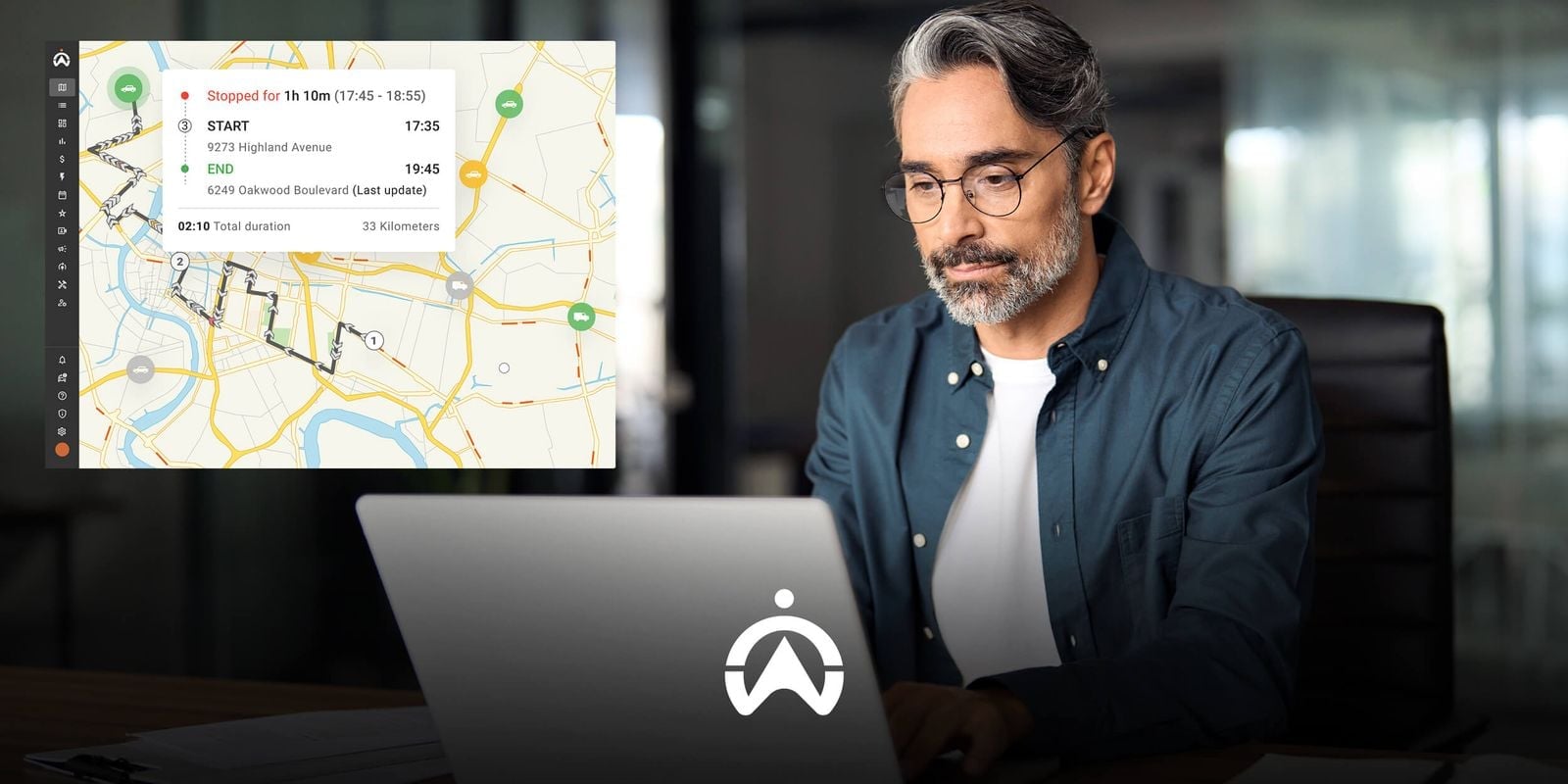
Employees use fleet management software on laptops to improve the efficiency of fleet operations within an industrial warehouse.

3. Maintenance

The Reminders feature in the fleet management software simplifies vehicle maintenance scheduling. Integrated with GPS trackers, it allows you to automate maintenance schedules for each vehicle based on time intervals, operational duration, or mileage. You can configure notifications to be sent via SMS or email in advance—based on time or mileage—ensuring no scheduled maintenance is missed. In addition to Reminders, there is also the Driver Vehicle Inspection Report (DVIR) feature, which enables drivers to report vehicle defects and update the report status once the issues have been resolved.

4. Cost Management

This function is not commonly found in fleet management software. One solution that offers it is Cartrack’s Fleet Web, featuring MiFleet. This feature simplifies the management of operational costs, regulatory compliance, and assets. You can quickly determine vehicle costs on a monthly and per-kilometer basis, calculate asset and divestment costs, monitor contracts and payment schedules, and validate fuel purchase receipts.

5. Reporting

Fleet management software processes data recorded by GPS trackers and other additional tracking devices into automated reports. With Cartrack, you can access over 60 types of automated reports—available in PDF or Excel formats—that can be downloaded or emailed directly to you. Available reports include Trip Reports, Driver Score Reports, Geofence Reports, Operating Hours Reports, and Fuel Refill Reports. This eliminates the need for manual report generation, thereby increasing operational efficiency. In addition to automated reports, fleet management software features a dashboard that allows you to quickly view your fleet's performance.

With a single integrated fleet management software platform, you can handle everything needed to operate your vehicle fleet more efficiently. Use Cartrack’s fleet management software—which integrates all five of these functions—to boost your fleet's operational efficiency in Indonesia! Contact us now to get a FREE LIVE DEMO of Cartrack’s fleet management software.

5 Tips to Become an Effective Fleet Manager with a Fleet Management System

As a fleet manager, you are responsible for maximising efficiency, productivity, and profitability through effective vehicle and driver management. The use of a fleet management system can help you optimise your ability to manage fleets effectively, regardless of whether your fleet is large or small. Below are 5 tips you can implement with a fleet management system to become a more effective fleet manager.

1. Make Safety a Priority

By managing risks that may arise while drivers perform their duties, you can help protect both your employees and your company. The many road hazards and safety risks, as well as the resulting losses, make it essential to take preventive action against accidents and dangerous situations. A fleet management system can support risk management through features such as driver behaviour monitoring, risky driving alerts, in-vehicle cameras, and a panic button. In the event of an accident, the Route Replay feature can assist in reconstructing incidents by providing information on road conditions, speed, and various risky driving parameters (speeding, harsh braking, harsh acceleration, and sharp cornering).

2. Implement Digital-Based Work Standards

For some drivers, incentives for good performance can boost motivation and work output. However, your drivers must still follow defined work standards, such as driving behaviour, fuel efficiency, and regular vehicle inspections. If all drivers can save fuel through good driving habits and actively maintain vehicle condition, your fleet costs will decrease.

To help your drivers meet these standards, a fleet management system provides features such as fuel sensors, idling monitoring (engine running while the vehicle is stationary/parked), driving behaviour monitoring, speeding alerts, automated reports (Fuel Efficiency Reports, Idling Reports, Driver Score Reports, etc.), and Driver’s Vehicle Inspection Report (DVIR). All of these features provide an accurate digital trail to ensure your drivers comply with company work standards.

Row of white trucks at logistics warehouse

3. Automate Vehicle Maintenance

Simplify vehicle maintenance management by making it mobile, automated, and accessible to anyone you choose. Cloud-based fleet management software with mobile access and automation capabilities provides the solution. The reminder feature in fleet management software allows you to schedule maintenance for each vehicle based on date, operating hours, and kilometres.

You can set notifications to be sent via SMS or email at specific times or mileage thresholds before due dates, as well as set recurring schedules so you do not have to repeat the process manually. You can also enter multiple phone numbers or email addresses to receive notifications, and create multiple sub-users with different levels of access permissions that you assign.

4. Streamline Data Analysis and Reporting Processes

Not just raw data, a fleet management system provides processed data and analytics, enabling you to quickly gain insights to optimise your fleet. Some features of a fleet management system include cargo door sensors, CAN-bus, PTO sensors, concrete mixer (molen) sensors, mileage tracking, operating hours monitoring, cost management, and automated reporting.

GPS tracking data is presented in various automated report categories and dashboard statistics, making data analysis and reporting far more efficient. You can easily measure vehicle or heavy equipment productivity, costs (per vehicle, per driver, per trip, and per kilometre) over a specific period, as well as the average time required to complete trips and cargo loading or unloading.

5. Integrate All Information in One Platform

Dokumentasi digital dan integrasi informasi dalam satu platform sangat penting dalam meningkatkan efisiensi. Fleet management system menggunakan penyimpanan berbasis Cloud yang lebih hemat biaya dan waktu, di mana semua data terintegrasi dalam satu platform yang dapat diakses secara online. Mengunggah, mengunduh, dan berbagi file antarpengguna dalam satu platform fleet management menjadi praktis, cukup dengan koneksi internet. Salah satu contohnya adalah fleet management system Cartrack. Fitur Delivery-nya memungkinkan driver atau kurir mengirim bukti penyelesaian tugas berupa foto atau tanda tangan digital langsung dari aplikasi ponsel.

A reliable fleet management system provides everything you need to become an effective fleet manager, and all of it is available in Cartrack. The Cartrack fleet management system improves your operational efficiency through a wide range of advanced features, cloud-based software, automation, and digitalisation. In addition, Cartrack’s fleet management system provides insights for fleet optimisation through automated data analysis and statistics.

Contact Cartrack now and get a FREE LIVE DEMO to learn how our trusted fleet management system can support you as a fleet manager.