
4 Tips for Optimising the Utilisation of Official Vehicles with a Fleet Management System

Considering the sheer number of departments, divisions, and regions, the government undoubtedly has a large fleet of official vehicles. This is not only a matter of quantity but also a significant responsibility, as the budget for these vehicles comes, in part, from public funds. Therefore, the government must ensure that official vehicles and related costs are used responsibly.


To ensure efficiency in carrying out duties using official vehicles, the government needs to measure vehicle utilisation down to the individual level. However, analysing data at an individual level can be challenging. The implementation of a fleet management system based on GPS vehicle tracking will simplify this analysis process, with results that are naturally more accurate. If you work within the government sector related to official vehicle management, here are several tips for improving the utilisation of official vehicles using a fleet management system.

1. Analyse Usage Trends and Set Standards

To understand usage trends, determine several parameters that provide important insights, such as mileage, duration, and fuel consumption. Then, set minimum and maximum usage standards based on these parameters and the vehicle type, for example, a minimum of 300 km per month and a maximum of 150 litres per month for saloons or SUVs.

Features: fuel sensor, aggressive driving behaviour monitoring (hard braking, sudden acceleration, speeding, and sharp cornering), idle monitoring (leaving the engine running while the vehicle is stopped), trip history, stop history, route replay

2. Identification of Inefficiencies Based on Usage Standards

Identify inefficient use of official vehicles by analysing work trip history. For example, note where vehicles travel, as well as their arrival times and the duration of their stops. You can then determine how actual vehicle usage compares with the standards you have established (see point 1). If vehicle usage is below the standard, you may wish to consider adjusting the number or types of official vehicles in your department.

Features: trip reports, stop reports, idle reports, idle alerts, geofence alerts, vehicle misuse alerts, trip replay, driving behaviour monitoring, fleet performance dashboard.
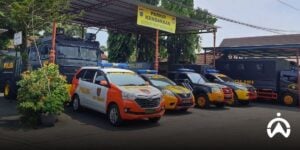
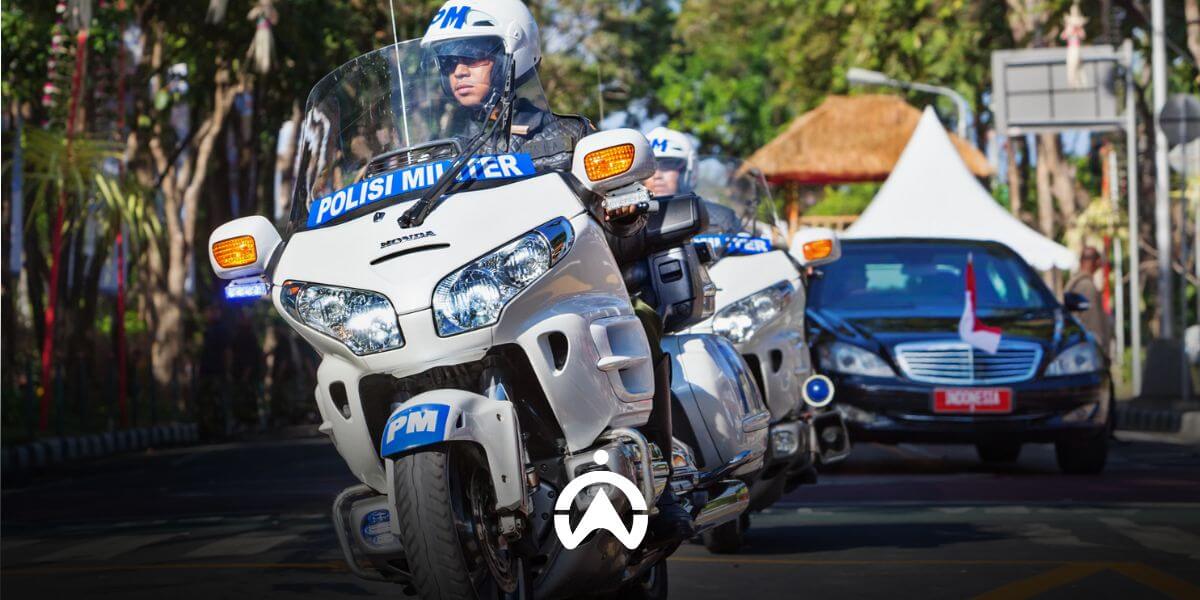
A line of police service vehicles in a parking area managed using a fleet management system for operational optimization.

3. Set Usage Warnings

Ensure that official vehicles are genuinely used to support work activities (PMK No. 76/2015, Article 1), and are only used during office hours and not taken out of town unless with written permission from the head of the institution (PERMENPAN No. 87/2005, Appendix II). Set up real-time alerts regarding usage, such as use outside working hours and outside the city. You can create and use geofence alerts to be immediately informed whenever an official vehicle is taken out of town.

Features: geofence, geofence alerts, out-of-schedule usage alerts.

4. Schedule Better Maintenance

Poorly managed vehicle servicing schedules can disrupt productivity in vehicle usage. A fleet management system can help you schedule preventive maintenance more efficiently by automatically detecting each vehicle’s mileage and engine operating hours. The system can send notifications a certain number of kilometres or time in advance, helping you adjust vehicle usage so that operations are not disrupted.

In addition to preventive and regular maintenance, a fleet management system can also manage predictive maintenance by integrating vehicle CAN bus data (if your vehicles are equipped with a CAN bus electrical system) into the system. You can receive notifications related to engine diagnostics, temperature, and over-revving based on Diagnostic Trouble Codes (DTCs) detected by the vehicle’s CAN bus. This CAN bus data helps technicians accurately identify vehicle issues and fix them before they become more serious, which helps reduce disruptions to productivity.

Features: reminder (service schedule reminders), CAN bus sensor, alerts (for configuring diagnostic notifications from the CAN bus).

The government has both a responsibility and a moral obligation to control budgets and deliver efficient public services. Optimising the use of official vehicles can reduce costs and maintain productivity during working hours. For this purpose, you need the right parameters and technology to help you understand the performance of the official fleet, including identifying issues and areas that require improvement. With Cartrack’s fleet management system , you can do all of this from a single platform. Contact us here for orders, enquiries, and to request an online product demo.

Cartrack's AI-Powered Cameras Detect Risky Driving

Cartrack provides camera products powered by Artificial Intelligence (AI) that do more than simply monitor drivers in real time while vehicles are in transit. This product, called Live Vision AI, is capable of detecting specific safety-related driving behaviours. There are six types of driving events that the AI camera can detect, which immediately trigger video recording or automatic alerts. The footage is then sent directly to Cartrack’s Fleet Web (web-based software), allowing fleet managers to view it immediately.

There are two types of AI cameras with different detection capabilities. The Advanced Driver Assistance Systems (ADAS) camera provides forward collision risk warnings with colour video, while the Driving Monitoring System (DMS) camera detects if the camera is blocked, or if the driver is distracted or fatigued, yawning, smoking, or using a mobile phone, with black-and-white video. Cartrack’s Live Vision AI cameras, both ADAS and DMS types, record five seconds before and after a detected event. As a result, AI event recordings last no more than 10 seconds.

Too Close to the Vehicle in Front

This ADAS camera provides a wide-angle view of the road (wide angle). Using AI technology, the camera calculates the distance between the driver’s vehicle and the vehicle in front based on speed. The system triggers video recording when the driver’s vehicle is approximately 0.6 seconds away from a potential collision with the vehicle ahead.

Driver is Distracted or Fatigue

To detect whether the driver is distracted or fatigued, the DMS type of Cartrack’s Live Vision AI camera analyses the position and tilt of the driver’s head and eyes. If the driver’s head and eyes turn away from the road, or if the driver’s eyes are closed for a period of time, the system triggers video recording.

Driver Yawns

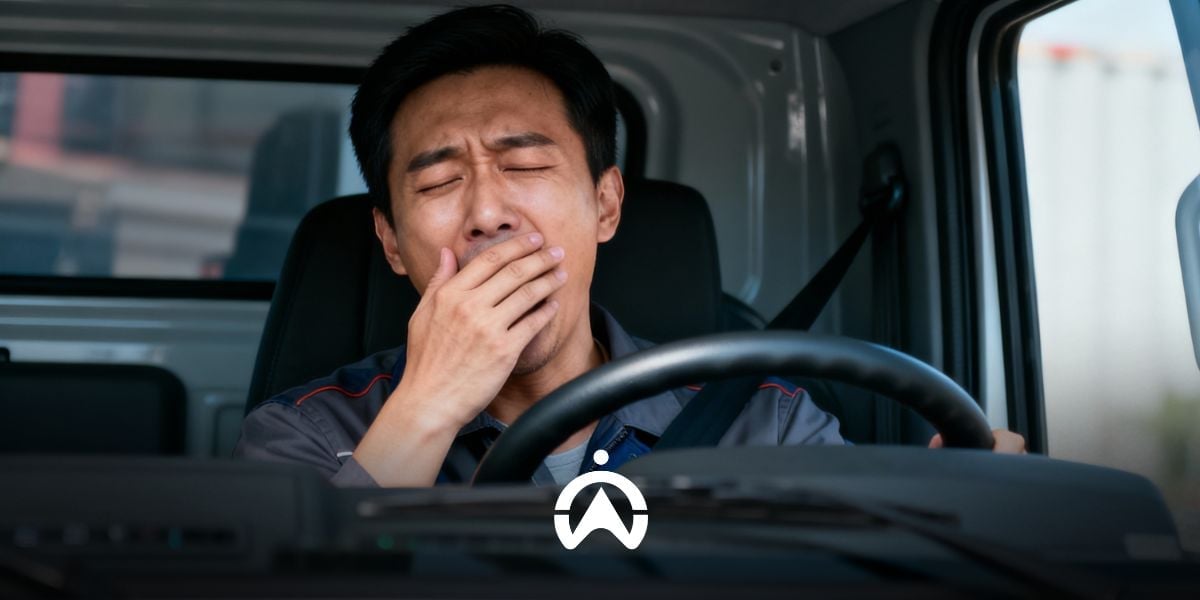
Cartrack’s Live Vision AI camera can detect if a driver is drowsy by tracking yawning activity. For yawning events, the system does not trigger video recording. A yawning indicator icon will appear on the map, and information about this activity will be displayed in reports. You can monitor this via the Fleet Web map and take action when necessary. Drivers who frequently yawn may be sleep-deprived and are likely to react more slowly while driving, which increases the risk of accidents.

A person manages vehicle operating costs using a calculator and laptop via the Cartrack Fleet Web dashboard.

Driver Smoking

Smoking or lighting a cigarette can cause distraction and reduce the driver’s control of the vehicle. Furthermore, a company could suffer a negative image if a driver smokes and throws a cigarette butt out of the window. Cartrack’s Live Vision AI camera records when the system detects a driver with a cigarette in their mouth.

Drivers Using Cell Phones

To minimise distractions while driving, Cartrack’s Live Vision AI camera detects mobile phone use. If a driver is speaking on a phone held to the ear, rather than via a bluetooth headset, the camera will automatically record the event and upload it to Fleet Web.

Closed Camera

Your drivers may feel restricted by the presence of cameras and, for various reasons, intentionally cover them. If a driver completely covers the camera to block visibility, the camera will automatically record and upload the footage to Fleet Web.

Do you require specialised equipment to improve your company’s safety standards? Use Live Vision AI Cartrack, which is more than just a monitoring camera. Contact us here to request further information regarding the Live Vision AI package.

Fleet Management Software: Reduce Administrative Time in 6 Ways

One of the main challenges in fleet management is time efficiency when completing administrative tasks. Some of the causes include reliance on paper documentation, the use of multiple platforms, and disorganised data management. As a result, you may lack time to complete priority tasks and often end up working overtime.

With the right fleet management (fleet management software), you can overcome these challenges. How can this technology reduce the time spent on fleet administration? Read this article to find out more.

1. Reduce Human Error

Data entry errors, scheduling lapses, and other human errors can hinder productivity. You may lose hours tracking down and correcting errors, catching up on missed schedules, and other activities to correct human errors.

Fleet management software like Cartrack digitises and automates processes like data capture, scheduling, reporting, and assignments. Integrated with IoT devices installed on vehicles, Cartrack captures detailed vehicle data and displays it on Fleet Web (Cartrack's web-based fleet management software). Automatic data recording, which feeds directly into this system, ensures the data collected is correct and accurate. To reduce errors, you can automate scheduling, reporting, and recurring assignments.

2. Remove Multiplatform Usage

Using multiple platforms to complete tasks or access required information is a significant productivity issue. A considerable amount of time is wasted switching between different programs, for example to create reports, manage operational costs, assign drivers, and schedule vehicle maintenance.

Cartrack offers fleet management solutions in a single, integrated software package, from vehicle tracking and maintenance to driver assignments and expense management. This integration of various functions within a single platform enables seamless interdepartmental collaboration. This is because various related divisions, such as HR, Health, Safety, and Environment (HSE), Finance, Billing, and Operations, can use the same platform and collaborate within it.

3. Cloud-Based Centralised Document Management

Fleet operations involve a large amount of documentation, such as fuel receipts, vehicle servicing and maintenance records, insurance contracts, and vehicle financing agreements. Finding and sharing these documents can be time-consuming if they are scattered and disorganised.

Having a storage centre that can be accessed anytime and from anywhere in real-time will make document management more practical. No need to wait for work hours or be in the office, all your teams can open and download the latest documents whenever they need and from anywhere, just using internet access. Cartrack's fleet management software makes this possible, because it is a web/cloud-based platform.

Hand pointing to growth chart on Fleet Management Software to shorten company administration time.

4. Makes Data Search Easier

Finding the right information is a constant task in administration. Imagine how much time you spend searching for information among stacks of folders or documents. The process may take even longer if datasets are stored separately by multiple people.

Cartrack's fleet management software ensures the data you need is easy to find. The menus in Cartrack's Fleet Web are easy to understand and use, so you don't have to spend a long time searching for specific information. Finding information, such as vehicle operational duration on a particular day, the nearest maintenance schedule, and vehicle stop locations on a particular trip, is as easy as a click. All related teams can also access the same information, ensuring information consistency and streamlining the information retrieval process.

5. Shorten the Analysis Process

Have you ever felt overwhelmed by data because you lack the time or expertise to analyse it? Fleet operations naturally involve a vast amount of data, and even a single vehicle generates complex data, from operating hours and routes to fuel consumption and servicing. You may be too busy with routine administrative tasks to dedicate time to analysing the operational performance of your vehicles, drivers, and the fleet as a whole.

With Cartrack's fleet management software, data is transformed into business insights, accessible quickly. The Cartrack Dashboard provides a general overview of your fleet's performance based on parameters that are important to your business, such as vehicle usage, operating hours, busiest vehicles, aggressive driving incidents, and idle percentage. A number of Cartrack reports also provide automated analysis, such as the Driver Scorecard, which rates drivers based on their driving behaviour.

6. Automate Report Generation

Report creation can be time-consuming due to the large amount of data you input. You may also need to produce multiple types of reports and submit them regularly. Automating these repetitive tasks will significantly reduce your administrative time.

Cartrack's fleet management software provides automated reporting with accurate data. There are over 100 types of reports that you can download directly or send to email. Some of the most useful reports include Trip Reports, Operating Hours Reports, Vehicle Usage Reports, Fueling Reports, and Risk Management Reports. You can also choose PDF or Excel report formats and automate email delivery at specific intervals. You can also download vehicle trips on a map in Excel, KML, or GPX format.

Digitalisation has become a primary need in fleet management. By utilising available technology solutions, such as Cartrack's fleet management software, you can save a lot of time in completing administrative work. You will be able to focus on more important things, such as improving fleet operational performance and optimising your business potential based on the insights and analysis that Cartrack provides for you. Send us a message now to start saving time on your fleet administration!

End-to-End Visibility, Making Supply Chain Operations Smoother and More Predictable

Lack of visibility or transparency is a major problem in the supply chain. The potential for disruptions in the flow of goods from one party to another is greater, which can impact the entire supply chain. Limited access to accurate data and real-time information can also slow down teamwork and decision-making.

The ever-growing needs of the supply chain are driving stakeholders to invest in technologies that provide end-to-end visibility. One such technology is a fleet management system with GPS tracking. This technology not only provides location visibility but also the progress of deliveries and the activity of each vehicle en route. With this visibility, supply chain operations are smoother and more predictable.

1. Be informed at every stage of delivery

Without visibility, you hand over the responsibility of deliveries entirely to your drivers, completely unaware of what's happening along the way. With a GPS-based fleet management system, you can ensure deliveries are on track and that goods are delivered at the right location and time, avoiding disruption to the rest of the supply chain. You'll also know when vehicles exit and enter areas critical to your business. The added cargo door sensor feature helps you track loading and unloading times, durations, and locations.

To track delivery progress in detail, you can use a delivery assignment app, such as Delivery Cartrack. This feature helps you create complete assignments with detailed information and required steps. Paperless assignments allow you to receive real-time information on each step and any issues. You can also predict arrival times more accurately because you receive real-time information.

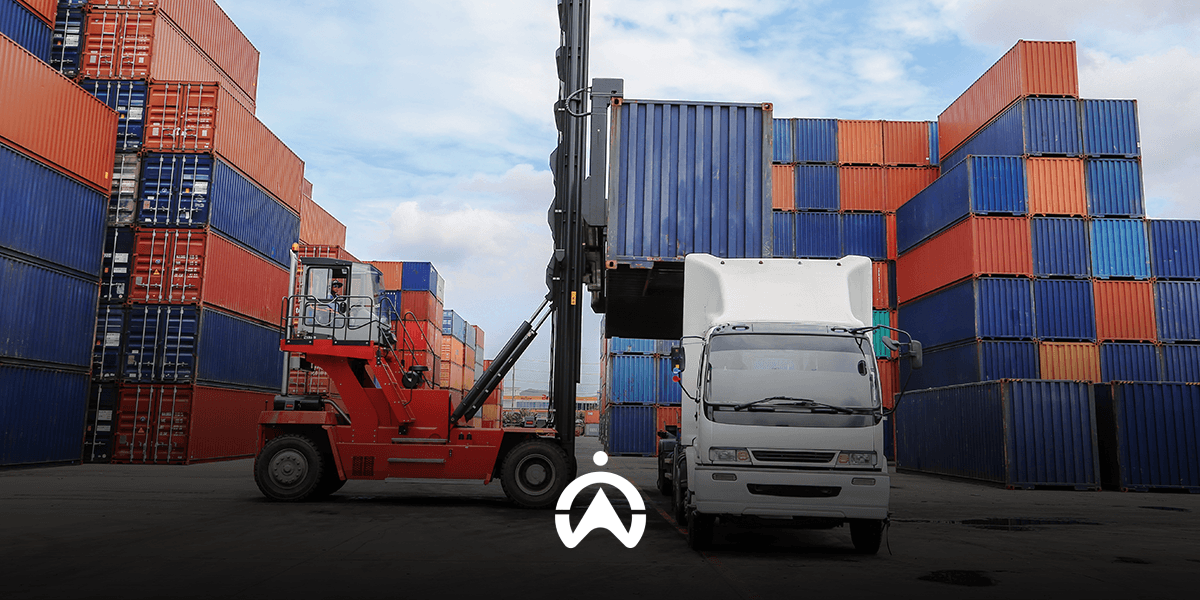
A line of blue and white logistics trucks in the warehouse loading and unloading area for efficient end-to-end supply chain visibility.

2. More Effective Collaboration & Communication

High visibility enables more effective collaboration and communication, as all stakeholders know what's happening in the supply chain. This can be achieved through cross-platform integration or the use of a single, multi-functional platform, such as that developed by Cartrack. Cartrack's Fleet Web (web-based fleet management software) offers a variety of functions that can accommodate the needs of various departments, from operations, customer service, HR & GA, to finance and billing. You can create sub-users with restricted access, allowing the Cartrack platform to be used across departments.

Real-time access to vehicles also improves communication effectiveness. Drivers don't need to be distracted by radio or phone calls from operators or customer service staff just to check on the location and progress of a delivery. Interdepartmental communication is also more effective, as all stakeholders can access the information they need through a single platform. Efficient information flow throughout the supply chain is a significant business advantage.

3. Faster Problem Solving

Transparency across the supply chain enables faster problem resolution. Each party can respond and make decisions quickly within their respective roles when issues arise. This responsiveness builds business resilience, allowing the supply chain to adapt to changes in demand and proactively address fluctuating needs.

Stakeholders can also benefit from the instant notification function, for example when the temperature of refrigerated cargo, carrying food, exceeds the set limit. Another example is instant notification when there is a drastic decrease in fuel volume in the tank, which could indicate fuel theft or a tank leak. For this specific monitoring, you need additional special devices, namely temperature sensors and fuel sensors. Cartrack provides a variety of IoT features that you can add and integrate directly with the Cartrack platform.

Want to build end-to-end visibility into your supply chain? Contact us today to get started with Cartrack's fleet management system. Cartrack technology provides the visibility you need in supply chain management, all within a single web-based platform. The Cartrack platform enables cross-departmental collaboration and access from anywhere, anytime. You can work remotely, even when you're overseas. Send a message to the Cartrack team via this link.

Get Critical Fleet Data Quickly with Cartrack

Are you busy with fleet operations and need more time to manage and analyse data? Cartrack’s software (Fleet Web) makes it easy for fleet managers to manage and gain insights from all your fleet data, including vehicles, drivers, fuel, and maintenance, from one place. Stop using multiple software tools and spreadsheets, and spend more time growing your fleet.

Cartrack software provides insightful data that enables you to carry out your key tasks as a fleet manager quickly.

1. Get a Quick Overview of Fleet Performance

The Dashboard menu in Cartrack Fleet Web is an effective tool for tracking, analysing, and displaying information that is important to your business. You can quickly get a big-picture view of your fleet with just one click. Some of the data you can select includes vehicle usage based on distance travelled, the days with the highest number of aggressive driving incidents, and vehicles with the highest idling levels, among many others.

2. Monitoring Vehicle Usage Productivity

Want to know how each of your vehicles is being used? Cartrack provides a variety of automated reports that you can download instantly or email at specific intervals, such as Trip Reports, Vehicle Operating Hours Reports, Geofence Reports, and Stop Reports. You can easily track the number of hours worked, distance travelled, the duration the vehicle spends in a specific area, and the location of stops.

3. Track Fuel Consumption and Costs

Cartrack's MiFleet feature simplifies the management of fueling transaction data, which you can directly verify based on information on purchase receipts and GPS tracker data. To obtain fuel data, of course, a fuel sensor must first be installed on the vehicle. You can also easily find out how efficient your fleet's fuel usage is through the Fuel Efficiency Report, which presents a comparison of fuel efficiency between vehicles based on consumption, distance, operating hours, speed, and idle duration.

Professionals use laptops with digital data icons to quickly access critical fleet data.

4. View Service History and Component Replacement

You can easily enter all data and documents related to vehicle servicing, maintenance, and replacement accessories and spare parts into MiFleet. This data is securely stored on Cartrack’s servers, and you can access this history for up to five years. This makes it easy to determine whether your vehicle is being properly maintained and ensures its operational condition. This maintenance history also makes it easy to track which components have and have not been replaced, and it can assist in the divestment process of your used vehicle.

5. Managing Occupational Safety Risks

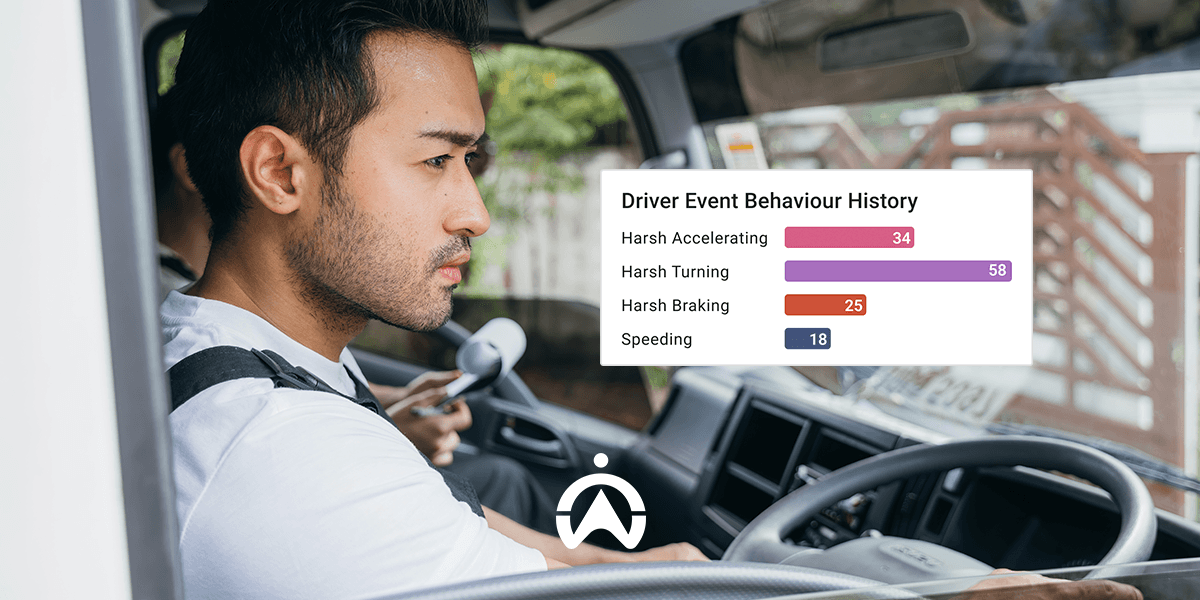
Check your drivers' driving behaviour using several parameters, such as sudden acceleration, hard braking, sharp turns, and speeding. Simply download the Driver Scorecard and Driver Safety Report, which automatically assess each driver's safety level and provide an overview of the most common aggressive driving behaviours. You can also input all traffic tickets, fines, and accident claims data into MiFleet, which you can review at any time. All this data helps you develop the right training program for your drivers.

The data presented by Cartrack helps fleet managers perform their tasks quickly and effectively. More than just data, Cartrack provides insights that make it easier for fleet managers to follow up to optimise the fleet in various aspects. Minimise manual work and save your time by using Cartrack software―a powerful and right platform for fleet managers. Want to get started right away? Send us a message here.

3 Critical Driver KPIs Every Fleet Manager Should Monitor

Tracking driver Key Performance Indicators (KPIs) helps you measure effectiveness in relevant fleet areas that are critical to your business. Ensuring good driver behavior and performance is crucial for fleet managers, as it impacts customer satisfaction, revenue, and profitability. operational cost efficiencyThe right KPIs help drivers understand what they can do better and guide them toward effective improvement. Here are three important driver KPIs every fleet manager should track.

1. Safe Driving

Safety is the top priority for drivers. It can be measured by tracking several indicators, such as speeding, sudden acceleration, harsh braking, and sharp cornering. These aggressive driving practices contribute significantly to vehicle wear and tear, compromise the safety of cargo or passengers, and lead to fuel waste. All of this drives up costs—including those for repairs and maintenance, fuel, and replacements resulting from damaged goods or accidents involving passengers. Furthermore, the risk of financial loss also increases due to downtime caused by vehicle breakdowns or accidents involving drivers.

Cartrack Features for Tracking Driving Safety KPIs

Cartrack’s fleet management system includes several features that allow you to assess driving safety, such as alerts for specific driving behaviors (speeding, sudden acceleration, harsh braking, and sharp cornering), a fleet performance dashboard, and a range of automated reports (Driver Safety Reports, Driver Scorecards, Risk Management Reports, Trip Reports, etc.). You can track when, where, and how often these behaviors occur, as well as the driver's average speed during each trip. Cartrack also offers an AI-powered Live Vision camera system, which can trigger video recording when it detects risky driving behaviors—such as tailgating, driver distraction, fatigue, drowsiness, or mobile phone use.

Aerial view of two cars on a forest highway

2. Efficiency

Driver efficiency can be measured based on vehicle activity, using indicators such as adherence to schedules, the number and location of stops, idling levels, and vehicle utilization. Fleet managers can monitor whether drivers are late starting their shifts or arriving at delivery locations, misusing or overusing vehicles, wasting fuel by leaving the engine running while the vehicle is stopped or parked (idling), or making inefficient trips due to excessive stops in unauthorized locations.

Cartrack Features to Track Efficiency KPIs

  • To track schedule adherence, you can use the starter alerts or Trip Reports feature. You'll see when they start and end their trips each day.
  • For the number and location of stops, you can use the Stop Time Report, which provides the location, geofence, starter stop and start times, and stop duration.
  • To monitor your idle levels, you can use the idle alert feature, a dashboard that compares idle and driving duration levels between vehicles, and the Idle Report that provides start and end times, locations, and idle duration.
  • To find out the efficiency of vehicle utilisation, you can use the unscheduled usage warning feature and the dashboard that compares usage between vehicles based on trips and distance travelled.

3. Productivity

Untuk mendukung tujuan menyeluruh dari operasi armada, Anda perlu memastikan setiap pengemudi Anda berkontribusi secara seimbang, tidak bekerja berlebihan ataupun lamban. Keseimbangan produktivitas antarpengemudi bisa Anda nilai dengan beberapa indikator, misalnya jumlah jam kerja dan istirahat, jumlah trip, jarak tempuh, serta durasi ada di area tertentu. KPI ini memerlukan pertimbangan dari manajer untuk membandingkan antarpengemudi secara bijak, yang tentu akan berbeda bagi pengemudi dalam kota dan antarkota/antarpulau (jarak jauh).

Cartrack Features to Track Productivity KPIs

You can begin by adding driver identification tags, which allow you to know exactly which driver is operating a specific vehicle. Following this, you can utilize the "Trip Report by Driver" to track the number of trips, trip duration, and distance traveled. A single trip is defined as the period from when the engine is started until it is switched off; therefore, the number of trips does not necessarily reflect the number of deliveries or tasks completed. To accurately determine the number of tasks finished, you can incorporate Cartrack’s efficient driver assignment feature, known as "Delivery." Furthermore, to ensure your drivers do not become overly fatigued, you can enable alerts for excessive driving duration. For instance, if you set a limit of 240 minutes, you will receive an alert whenever a driver has been behind the wheel for more than 4 consecutive hours, allowing you to prompt them to take a break.

Monitoring KPIs helps you measure efficiency in fleet areas that are critical to your business. By tracking these KPIs, your decision-making process for fleet improvement becomes more effective and focused. Cartrack’s fleet management system, with its diverse range of features, makes it easy to monitor and set the right KPIs for your drivers, driving the progress of your fleet. Start tracking your drivers' KPIs with Cartrack—contact us here.

Integrated with SILACAK, Cartrack Is the Preferred GPS Provider for Hazardous Waste Transport

One of the requirements for carrying out hazardous waste (B3) transportation activities is to have transport vehicles equipped with GPS tracking. Not all GPS tracking providers can be used, but only those that are connected to Silacak. This is stated in the Regulation of the Minister of Environment and Forestry of the Republic of Indonesia Number P.4/MENLHK/SETJEN/KUM.1/1/2020 concerning the Transportation of Hazardous and Toxic Waste.

Silacak is a hazardous waste transportation tracking system from the Ministry of Environment and Forestry (KLHK) of the Republic of Indonesia. To connect to Silacak, a GPS   device must be registered with the KLHK and Silacak's data communication specifications If you're looking for a GPS provider   that already integrates with Silacak, Cartrack is your trusted choice.

To integrate with Silacak, the following requirements must be met:   

  1. GPS providers must be registered with Silacak.
  2. B3 waste transport companies must be registered with Festronik, an online monitoring system for B3 waste management and handover activities.
  3. All transport vehicles to be monitored are equipped with a GPS tracker (from GPS providers that are registered with Silacak).
  4. The GPS provider must input all Automatic Vehicle Locator (AVL) codes/GPS IDs/IMEI numbers, along with the associated transport company details, into Silacak.
  5. The GPS provider will receive an API key from KLHK for connection and integration testing with Silacak.
  6. The GPS provider must ensure successful integration, with vehicles visible in Silacak along with real-time movement and data. The system will display information such as AVL code, GPS provider, Festronik code, license plate number, type of waste, sender, transporter, receiver, and total waste tonnage.

When the transport status is active, the GPS tracker sends the active AVL code, coordinate data (longitude and latitude), speed (metres/second), and time (integer format). All of this information is stored in a database and displayed on the Silacak map. When the transport status is inactive, or the vehicle has finished transporting the B3 waste, the GPS tracker stops sending data. Trip history is stored in Silacak based on the AVL code.

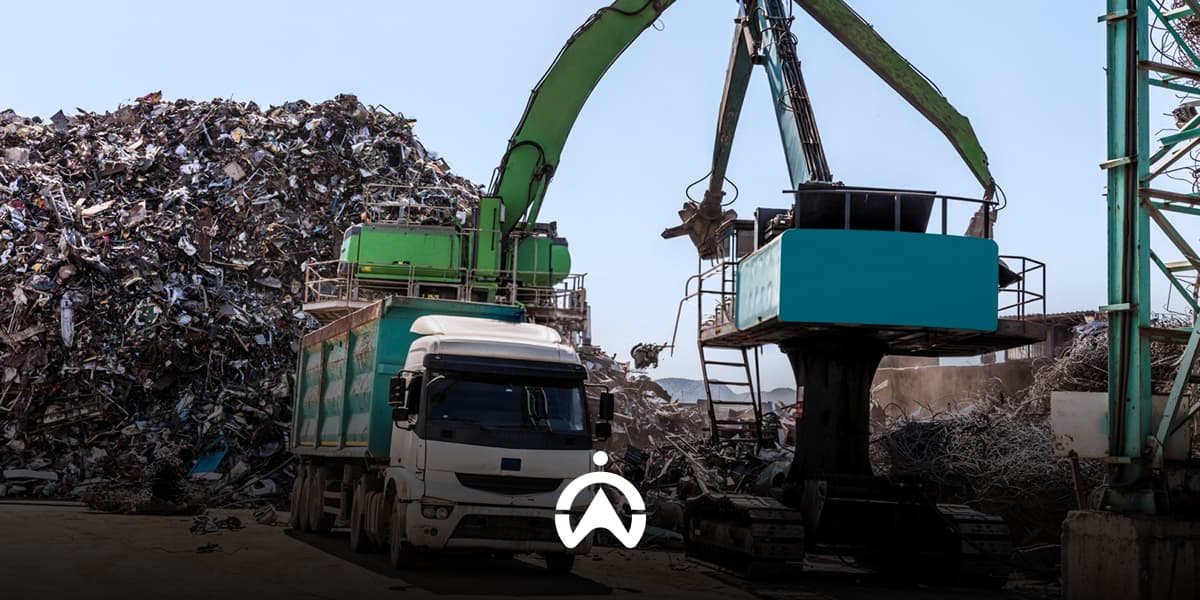
The yellow loader dumps B3 waste into an indoor collection area with the Cartrack GPS system.

The integration of Festronik with Silacak improves monitoring and compliance because the transportation and disposal of hazardous waste (B3) can be tracked in real time from upstream to downstream. In addition, this integration also simplifies the B3 waste management and reporting process because statuses are updated automatically, data is accurate, and human error is minimised. You can also save paper and reduce the risk of document loss because all processes are carried out online.

Start integrating your B3 waste management system with Silacak using Cartrack. Besides connecting to Silacak, you will also get Cartrack's mobile app and web-based software.

The Cartrack platform has a wide range of features to help make your B3 waste transport operations and fleet management more efficient. Cartrack's main features include real-time location tracking, trip history, area-based vehicle monitoring (geofencing), various types of automated reports, service and tax scheduling, and a range of instant alerts (ignition on/off, unscheduled use, speeding, excessive driving time, and more).

Send us a message here and we'll help you integrate your B3 waste management system with Silacak.

Track Your Vehicles in Indonesia, Even While You're Overseas

The flexible Cartrack Platform gives you peace of mind, whether you are a vehicle owner or fleet manager. You can access the Cartrack app and web-based software anytime and from anywhere, as long as your device is connected to the internet. This means you can remotely monitor your vehicles in Indonesia, even from overseas.

1. Monitor all vehicles from one platform

Do you own or manage multiple vehicles spread across different regions of Indonesia? It would be very practical if you could monitor them all from a single platform. With Cartrack, you can do this. Cartrack’s professional technicians will install a GPS tracker and other Internet of Things (IoT) devices as ordered on each vehicle you wish to monitor. All your vehicles fitted with Cartrack devices will appear on your Cartrack platform. Monitoring transport fleets across provinces and islands is therefore more practical.

2. Monitor Without Distance and Time Limitations

The Cartrack Platform can be accessed anytime and from anywhere. You can remotely monitor all your vehicles located across Indonesia, 24 hours a day. There are also no distance limitations when monitoring. For example, you can monitor your vehicle (which has a Cartrack device installed) in Sulawesi while you are in Sumatra. Even when you are overseas, you can still monitor your vehicles in Indonesia through the Cartrack app or web-based software. If your vehicle travels outside Indonesia, you can still monitor it, but roaming charges will apply because Cartrack devices use a SIM card from a local provider.

A person carries a suitcase while holding a smartphone to monitor vehicles in Indonesia remotely while abroad.

3. Beyond Location Tracking starter monitoring

You can get a variety of features beyond location monitoring from Cartrack. These include trip history, starter monitoring, driving behaviour monitoring, area-based vehicle activity monitoring geofence, more than 100 types of automated reports, recording of separate trips for personal and business use logbook, and service/tax reminders. You can also add various special features to your Cartrack package, such as a fuel sensor, remote starter deactivation, cargo door sensor, temperature sensor, driver assignment app, cost management features, and cameras. The wide range of features makes Cartrack suitable not only for monitoring vehicle locations in real-time, but also for managing even large-scale fleets.

Wherever you are, Cartrack gives you control over your vehicles. The Cartrack system is flexible and practical, allowing you to monitor and manage all your vehicles at any time and from anywhere in the world through a single platform. The wide range of functions available makes Cartrack more than just a GPS tracker for monitoring locations; it is a comprehensive vehicle management system. Start your flexible vehicle monitoring experience with Cartrack, contact us here.

Enjoy Peace of Mind with Mototrack by Cartrack

For motorcycle owners, the convenience of monitoring and managing their motorcycle has become a necessity in itself. Knowing that your motorcycle is safe while being ridden or parked where it should be gives you peace of mind. Easily managing routine motorcycle servicing schedules or renewing your vehicle registration and driving licence also helps you minimise negligence and unnecessary fines. You can enjoy these benefits and many more with the Mototrack Cartrack package.

Cartrack's Mototrack provides peace of mind for motorcycle owners through the following benefits.

1. Monitoring without being limited by time and place

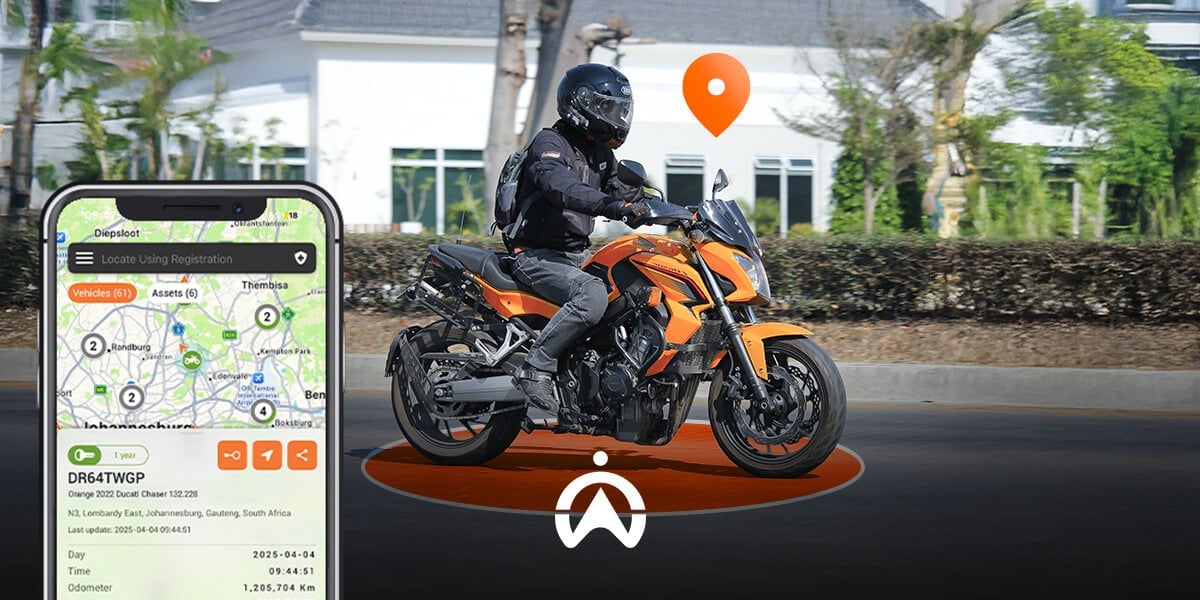
Wherever your motorcycle is in Indonesia, you can track it at any time, 24 hours a day (tracking outside Indonesia is also possible, but roaming charges will apply). All you need is an internet connection to monitor your motorcycle through the Cartrack mobile app or web-based software. You can monitor it from anywhere, even while you're overseas. Besides real-time location, you can also monitor ignition activity and set up notifications for when the ignition is switched on or off.

2. Viewing Travel History

Trip history is useful if you want to know where your motorcycle has been ridden, the average distance it covers over a given period, or supporting information for an insurance claim. Trip history is available as both a report and a map view. You can see when the motorcycle was switched on and off, the start and end locations of each trip, the start and end geofences, the distance and duration of each trip, the maximum speed, and the number of risky driving events. You can also replay trip history on the map to see the route taken.

Relax_Have_Your_Personal_Motorcycle_with_Mototrack_from_Cartrack

3. Manage Service Schedules and Administration

The Reminders feature in Cartrack Fleet Web (web-based software) makes it easy to schedule motorcycle servicing by time period, mileage, or operating hours. You can set reminders to repeat automatically, for example a routine service for your sport motorcycle every 6,000 km. Besides servicing, you can also set reminders for administrative deadlines, such as your motorcycle's annual tax payment or your SIM C (motorcycle driving licence) renewal. You can choose to receive notifications a set period or distance in advance, sent by email or SMS (an SMS package is charged separately).

4. Separate Personal and Work Trip Records

If you use your motorcycle for both personal and work purposes, Cartrack's e-Logbook feature will be very useful. You can separate your personal and business trip records, which makes it easier to claim reimbursements or report completed tasks. Once your trips are separated, you can download the Logbook Report straight away, or have it sent to your email with the Automated Reports feature in Fleet Web. Cartrack offers many other types of reports to support your work, such as the Trip Report and the Stop Report.

Whatever you use your motorcycle for, whether daily transport, your livelihood, or a hobby, Mototrack from Cartrack gives you control over your personal motorcycle. Wherever your motorcycle is ridden within Indonesia, you can monitor it from anywhere, at any time, through the Cartrack mobile app and website. Contact us here for more information about Mototrack from Cartrack.

3 Tips to Prevent Fuel Theft in Your Fleet Operations

Fuel theft impacts your business more than you realise. In Indonesia, this illegal activity typically involves siphoning fuel from tanks, either by puncturing the tank or without tampering. The risk of this crime is greater for trucks and heavy equipment, which have external fuel tanks. Considering the potential losses from stolen fuel and the potential for vehicle damage, fleet owners need to take effective measures to prevent this crime. Here are some steps you can take.

1. Use the Fuel Sensor

To monitor tank activity and volume in real time, you need a fuel sensor. You can also set up automatic alerts via email or SMS when fuel loss is detected, for example when fuel volume drops rapidly. This feature enables fleet managers to take immediate action, such as checking the vehicle’s activity and location to investigate the possibility of fuel theft.

2. Install the Camera on the Vehicle

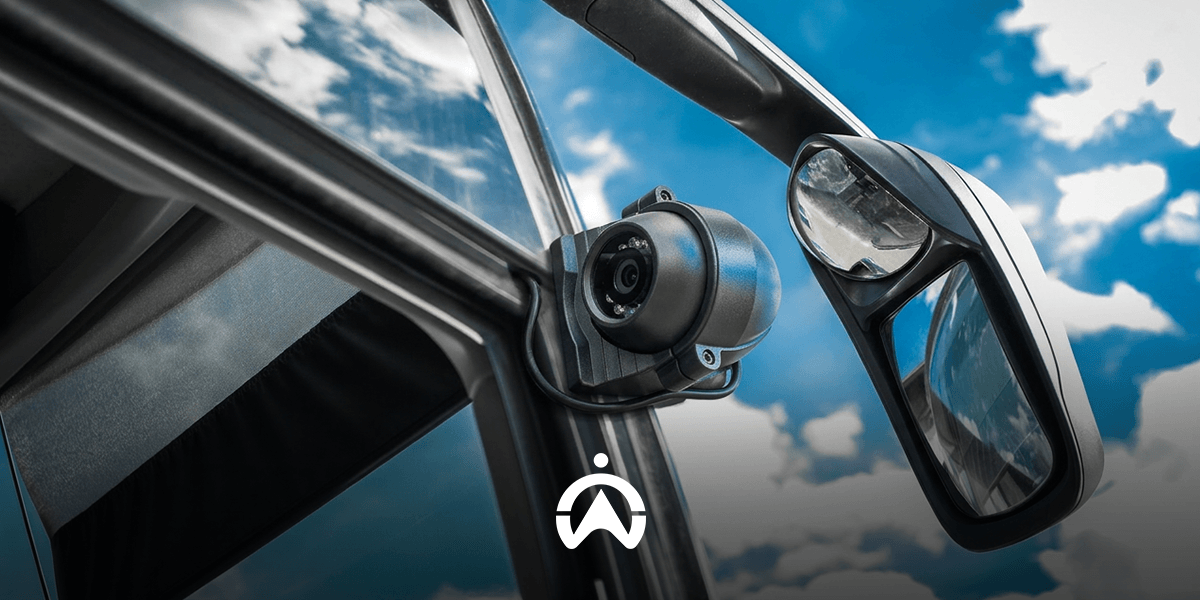
The presence of cameras can enhance vehicle security. In addition to CCTV cameras in company parking areas, cameras installed in vehicles help monitor your assets while they are on the road. Cartrack provides a Live Vision camera feature that can be installed inside or outside the vehicle to monitor key aspects for your business, such as activity around the fuel tank. The Live Vision camera includes infrared illumination, ensuring that monitoring remains possible even in low-light environments.

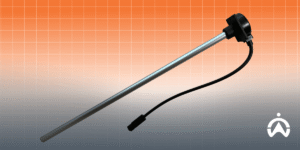
Metal bar component with black connector to prevent fuel theft in vehicle fleet management systems.

3. Educate Your Drivers

Increase your drivers’ awareness of fuel theft risk and educate them about the steps that need to be taken. It is important for drivers to ensure that the fuel tank is locked again after refuelling. If your drivers are undertaking long-distance journeys, which require them to stay overnight or rest during the trip, remind them to park the vehicle securely, especially at night. If possible, use defensive parking to block access to the fuel tank. If you suspect that a driver or employee is acting dishonestly, make it clear that fuel theft will be subject to sanctions that may affect their job security, and also have an impact on their families.

Fuel theft is a major problem for companies that rely on vehicle fleets to run their business. You can take manual steps, such as education, imposing sanctions on employees proven to have committed theft, and defensive parking. In addition, you should invest in a fleet management system that offers fuel monitoring and management features, as well as cameras, such as Cartrack. Contact us here to speak with a Cartrack consultant and get a free demo to learn how Cartrack fleet management software can help you.