
6 Signs You Need to Upgrade Your Fleet Management System

Fleet management technology has advanced significantly, resulting in solutions that significantly increase efficiency and productivity. Automation in fleet management systems can replace repetitive administrative tasks, reduce human error in data entry, provide rapid, data-driven insights, and detect problems quickly. Using an outdated fleet management system is certainly detrimental, or at least not very beneficial, to you.

Are you already using a fleet management system in your company's fleet operations? If not, it's time to start using technology that will make your and your team's work easier. If so, you need to reconsider whether you need to upgrade your fleet management system.

1. Limited Data

If your fleet management system only provides limited data, such as just vehicle location, time, duration, and distance travelled, you should consider upgrading. By utilising Big Data, a fleet management system should be able to provide detailed and comprehensive insights. You should be able to monitor driving behaviour, speed, trip history, area-based vehicle activity (geofence), out-of-schedule usage, idle, and much more.

2. Difficulty Accessing Data

The ideal fleet management system should help you get things done faster, including when it comes to getting data. Difficulty finding data means you need a fleet management system with an easy-to-understand interface and centralised data. On Cartrack's fleet management system, you can easily find various data related to your fleet from one platform, such as active vehicles, trip history, driving behaviour, fuel consumption, and fleet operating costs.

3. Only Provides Raw Data

By using a fleet management system, you can obtain data automatically. However, is the data presented in its raw form, requiring you to analyse it yourself? Modern fleet management system solutions are capable of transforming raw data into useful insights for follow-up actions. Not only does this help you understand the condition of your fleet quickly, but it also allows you to easily identify inefficient areas so that you know how to improve them.

A person is stressed at a desk with a laptop

4. No Automated Reports

Report generation is an essential part of fleet management. An advanced fleet management system should have an automated reporting feature because all data is stored within the system. Fleet management system solutions such as Cartrack present a large amount of system-recorded data in various types of automated reports. Some of these include Trip Detail Reports, Geofence Reports, Driver Safety Reports, Risk Management Reports, Operating Hours Reports, and Idle Reports. This feature can reduce the administrative workload and input errors, as everything is carried out automatically.

5. Still Dominated by Manual Processes

Are you still carrying out a large amount of manual work even though you are already using a fleet management system. Automation, digitalisation, analytics, and even Artificial Intelligence (AI) are features adopted by modern fleet management system solutions. Various manual tasks can be reduced, such as data entry, analysis, scheduling, monitoring, and reporting. As a result, you can minimise the occurrence of human error and have more time to focus on higher-priority matters.

6. Lacks Flexibility

Consider upgrading your fleet management system if you are unable to collaborate with your team from a single platform, monitor your fleet from anywhere, or adjust various settings according to your needs. Modern fleet management system solutions such as Cartrack enable collaboration across departments, including with relevant external parties, from a single platform. In addition, Cartrack’s web-based platform allows you to access it anytime and from anywhere with an internet connection, even when you are abroad. Cartrack’s flexible platform also allows customisation across various features and menus so that it can be tailored to your needs.

Does your fleet management system show signs like those mentioned above? If so, it is time to upgrade to a modern fleet management system. Cartrack, a global leader with extensive experience in fleet management technology, is ready to assist you. Would you like to begin managing your fleet with a modern platform? Send us a message here.


Travel Comfortably with a Private Vehicle Equipped with Cartrack

Are you planning a holiday or homecoming trip using your own vehicle? Besides preparing your luggage, you should also consider safety and security. This way, you can travel with peace of mind and focus more on family togetherness.

One of the preparations related to security and safety, aside from checking the vehicle’s crucial components, is installing a vehicle GPS tracking system (GPS tracker). If your private vehicle is not yet equipped with a GPS tracker, you may consider installing one before your holiday. In addition, you may also need to add several extra features integrated with the GPS tracker.

1. Easily locate your vehicle

Parking in a rest area or a large area can sometimes leave you confused about where to find your vehicle. With a GPS tracker, you can easily find your vehicle's location, with an accuracy of 2–5 metres. Ensure the area has signal coverage so that you can track your vehicle in real-time from the Cartrack app on your mobile.

2. Automatically warned when speed exceeds the limit

Road speed limits are regulated in the Indonesian Government Regulation (PP RI) No. 79 of 2013 concerning Road Traffic and Transport Networks, article 23. For motorways, the maximum speed limit is 100 km/h. However, drivers are often unaware when their vehicle's speed exceeds this limit. Cartrack features a buzzer (provided upon request) that can warn the driver when driving above the user-defined speed limit. The sensor will continue to sound until the driver reduces their speed to within the permitted limit.

Families load luggage into the car for a comfortable trip in a private vehicle equipped with Cartrack.

3. Prevent motorcycle theft with a remote starter deactivator

The risk of motor vehicle theft can happen anytime and anywhere. You might notice your vehicle moving without your permission when checking the Cartrack mobile app. With the addition of Cartrack’s Start Prevent feature, you can immobilise your vehicle's starter and reactivate it remotely. For road safety reasons, the deactivation function will take effect once the vehicle is turned off, after which the driver will not be able to restart the vehicle.

4. Calculating fuel costs is easier

Do you want to know your exact fuel costs to check whether they exceed the budget? Cartrack's fuel sensor is the solution. This add-on device can provide fuel tank volume information in real-time, automatically record refuelling details, and provide automated fuel-related reports (Fuel Refuelling Report, Fuel Efficiency Report, etc.). From the Fuel Efficiency Report, you can view the mileage, duration, and fuel consumption for each trip, making it easier for you to calculate your exact fuel expenditures.

Travelling anywhere with a private vehicle becomes more peaceful with Cartrack and its variety of special features. What are you waiting for? Contact us now here to equip your private vehicle with Cartrack's advanced vehicle tracking technology!

Monitor Your Sales Team's Visit Performance with GPS Tracker

Do you have a Sales team that regularly conducts field visits? Now you can monitor their visits using a GPS tracker. By installing a GPS tracker in each vehicle used by your Sales team, you can track their location history and activities in detail. A vehicle GPS tracking platform makes it easy to monitor the locations or areas covered each day, especially if your Sales team is divided by zones. What information can you obtain from a GPS tracker to help monitor your Sales team’s visits?

Working Hours

To determine whether your sales team is starting their visits on time, you can check their trip start times. This data will also help you determine whether any excess working hours are due to delays at the start of the day or whether they can actually be counted as overtime.

Route Efficiency

Is your sales team's route efficient? The route playback feature allows you to evaluate whether your sales team's path is random or organised. Random routes can be considered inefficient, as they waste a lot of time. Furthermore, you can also see whether your sales team is adhering to assigned zones.

Duration and Distance of Travel

In addition to route planning, you can also view the duration and distance of travel from one stop to another. This can be used as a consideration when evaluating the performance of your sales team's visits. You cannot expect a high number of visits if the distance and duration between locations are too great.

The sales team discusses in the office to monitor the performance of visits with GPS tracker.

Arrival Time, Departure Time, and Duration at Each Location

Verify visit effectiveness by evaluating details such as arrival time, departure time, and time spent at each location. These details can be obtained through the Trip Report feature or geofence features. By monitoring these details, you can determine the optimal average duration per visit, estimate the number of locations that can be visited in a day, and assess the effectiveness of your Sales team’s visits.

Number of Locations Visited

If you have a daily target for the number of clients to be visited, GPS tracker will make your work easier. You can find this information through the Stop Report or Trip Report, which can also help you analyse performance differences between visit zones. If the number of clients covered in daily visits meets the target but sales results do not show a significant increase, you may need to dig deeper and adjust your Sales team’s visit strategy.

Driving Behaviour

Ensure your sales team drives safely by monitoring several risky driving behaviours, such as speeding, harsh braking, sudden acceleration, and sharp turns. In addition to protecting your team, monitoring driving safety is crucial for preventing greater losses. These losses include lost working hours, staff absence, medical expenses, and vehicle repair costs. This can certainly impact the achievement of your sales targets.

Percentage of Vehicle Use

One of the productivity parameters of your field Sales team is vehicle usage. If the percentage of vehicle usage is low, it may indicate that your Sales team rarely conducts field visits. You can also assess how optimally the vehicle is used during working hours by considering the percentage and total duration of idling, total driving duration, and number of trips.

Want to monitor your field sales team's performance more efficiently? Use a GPS tracker and Cartrack's advanced Software as a Service (SaaS) platform! Cartrack's fleet management platform not only enables you to track the location of all your vehicles from one place, but also provides comprehensive vehicle-based information. This comprehensive data is presented in a way that is easy to understand and provides insights to optimise your sales team. Contact us here to get more information about Cartrack and a live demo from our team.

5 Benefits of Using a GPS Tracker with a Subscription System

A subscription system is a business model in which customers agree to make periodic payments to access the benefits of a product or service. Many companies utilise this system, such as cable TV providers, Wi-Fi services, and entertainment platforms. Cartrack is one such company, offering a subscription-based vehicle tracking and management system. Upon the conclusion of the subscription, the GPS tracker and other Cartrack devices installed on the customer's vehicle are retrieved—with the exception of certain products provided under an outright purchase arrangement (where ownership is transferred to the customer).

What are the advantages of using a GPS tracker with a subscription system?

1. Lighter Payment Burden

A subscription-based payment system is more manageable than paying the full amount upfront, especially if you have a large fleet. With a subscription model, you can access products and services immediately—often without a second thought—thanks to affordable monthly fees.

2. Use it directly without any hassle

Subscription-based GPS trackers typically include everything—including the SIM card, internet data, airtime (for SMS notifications), server access, and installation. Customers simply need to use the device following installation and activation.

3. Lifetime Device Warranty

With a subscription-based rental system, the provider guarantees that you can continue using the product throughout the contract period—even if you renew the contract indefinitely. This differs from the outright purchase system, where providers typically offer only a limited warranty.

Professionals are discussing in a cafe the advantages of using a GPS tracker with a subscription system for fleet management.

4. Always Get the Latest Platform Version

Just like hardware, providers also ensure that customers can continue to use their platforms optimally throughout their subscription. If the provider updates its platform, customers will automatically receive the latest version.

5. Excellent Aftersales Service

Customer service for one-time purchase products is typically only fully available during the warranty period. Once the warranty expires, the available options in the event of damage or issues are either to purchase a new product or stop using it altogether. In contrast, GPS tracker providers with a subscription system continuously offer services and support to customers whenever needed. For example, when a customer requests device troubleshooting for an undetected unit, or needs to uninstall and transfer a device from one vehicle to another, etc.

If you are looking for a GPS tracker, choose a subscription-based product like Cartrack. With a subscription model, Cartrack guarantees you receive the best pricing, products, services, and solutions. Cartrack offers subscription plans with various payment options. The cost covers everything, including the SIM card, internet data, server access, and installation. Cartrack also provides a lifetime device warranty and 24-hour customer service. Cartrack’s software is web-based (Software as a Service), making software updates easy. Send us a message here now to start your Cartrack subscription.

Cartrack Offers Full Vehicle Control with a Variety of Additional Sensors

With experience in the telematics industry since 2004 and now operating in 23 countries, Cartrack continues to innovate to meet global needs, particularly in vehicle management. Cartrack offers a wide range of products and features to provide a comprehensive vehicle management experience. With a variety of additional sensors or Internet of Things (IoT) devices, Cartrack naturally delivers benefits beyond simple vehicle tracking.

These additional devices help monitor activity-based vehicle information that is important to you or your business. In addition, Cartrack’s solution is more flexible as it can be customised to your needs. All data recorded by these additional devices is available on a single Cartrack vehicle management platform (Fleet Web and the mobile application), which is integrated. This data is not standalone but interconnected and processed in such a way that it provides valuable insights to optimise your vehicle operations.

What additional IoT devices from Cartrack can you choose to complement your vehicle monitoring?

Fuel Sensor

This sensor is primarily used to monitor fuel volume in the tank. However, the Cartrack platform further extends its benefits. In addition to monitoring fuel volume in real time, you can receive automatic notifications whenever there is refuelling or fuel loss, as well as various fuel reports (PDF or Excel format). These automated reports include the Fuel Efficiency Report and Fuel Refuelling Report, which help you detect fraud in fuel purchase claims and identify the most fuel-efficient vehicles or trips.

Temperature Sensors

The temperature sensor provides real-time information on refrigerated cargo temperature, allowing you to ensure that cargo temperatures remain optimal throughout the journey. You can also receive notifications whenever the cargo temperature rises or falls beyond the limits you have set. Temperature changes recorded by the sensor are combined with GPS tracker data (location, speed, ignition status) and presented in a Temperature Sensor Report (PDF or Excel format).

Cargo Door Sensor

To track loading and unloading activities involving cargo door opening and closing, you need a cargo door sensor. You can receive notifications whenever the cargo door is opened and/or closed. Data recorded by the sensor is combined with GPS tracker data (location, geofence) and presented in a Cargo Unloading Report. You can see when and where the door is opened, allowing you to detect unauthorised deliveries or cargo tampering. In addition, you can also determine how long the door remains open, indicating how efficiently loading and unloading operations are carried out.

Sensor Power Take-Off (PTO)

For those who operate heavy equipment vehicles with mechanical functions activated via switches, buttons, or levers, this PTO sensor is highly useful. You can monitor the use of mechanical features such as cranes, bulldozer blades, dump truck beds, and excavator bucket attachments. This allows you to determine whether the engine is running due to idle (non-productive) activity or because these features are being operated (productive use). You can track the time, duration, location, and geofence when the PTO is activated or deactivated. In addition to monitoring productivity, PTO sensor data can also be used as proof of service for your heavy equipment fleet.

Sensor Molen

Specifically for heavy equipment vehicles with concrete mixers or mixer trucks, you can use this sensor. You will receive a Daily Concrete Mixer Work Duration Report, which provides information on departure and arrival times, departure and arrival geofences, operating duration, time spent within a geofence, inter-geofence duration, as well as cement loading and unloading duration. With this sensor data, you can ensure that operations are carried out according to standards to maintain concrete quality.

The delivery box inside the truck with Cartrack temperature sensor shows a 4°C warning for full control of the vehicle.

Sensor CAN Bus

In essence, this additional device is used to read vehicle CAN Bus data (for vehicles equipped with a Controller Area Network or CAN Bus system). This CAN Bus data is displayed on the Cartrack platform for various purposes, such as generating performance reports, receiving automatic notifications related to vehicle performance or specific component activity, and identifying whenever there is an issue within the vehicle system. Some of the CAN Bus data includes seatbelt status, door status, hazard light status, odometer, and fuel level.

Sensor Buzzer

You can add this sensor if you need a system that alerts drivers when they are speeding. The Cartrack pre-set speed limit is 130 km/h, but you can request a different speed limit setting from Cartrack. For example, if your company sets a maximum speed limit of 80 km/h for fully loaded trucks, the sensor will trigger an in-cabin alert when the vehicle exceeds that speed. This allows drivers to become aware of their speed and immediately reduce it to maintain safe driving.

Sensor Identifikasi Pengemudi

The device known as a driver identification (DID) tag is used to improve driver management, allowing you to identify drivers for each trip, record working hours, and control vehicle access. Drivers must tap the tag on the reader installed in the vehicle before starting a journey. This DID can be combined with a starter disable feature (start inhibit) to ensure that your vehicle is only used by authorised drivers. Installing this combination prevents the engine from being started without driver identification via the DID.

Penonaktif Starter Jarak Jauh

This device allows you to disable the vehicle’s starter via a PC or mobile phone when theft or misuse of your vehicle is detected. Both deactivation and reactivation of the starter are carried out using OTP verification via SMS. The vehicle will not stop immediately while it is still in motion. The deactivation and reactivation only take effect after the vehicle’s engine has been turned off. Therefore, once the engine is switched off, the driver will not be able to restart the vehicle.

Kamera Pemantau

If you want to monitor the cabin and cargo of your vehicle in real time  , you can add a surveillance camera to your vehicle. Cartrack provides high-tech cameras.   (AI) and non-AI. The difference is that cameras with AI technology have additional functions such as detecting driver movement or calculating vehicle collisions. event The AI ​​camera detects factors such as drivers using mobile phones, fatigue or distraction while driving, and the risk of collision with the vehicle in front.

Without additional sensors or IoT devices, you already have more functionality than just a GPS tracker with Cartrack. However, Cartrack provides a variety of additional devices to provide a flexible solution, which can be tailored to each customer's needs. Consult your vehicle management needs with Cartrack now before choosing the best solution for you. Send us a message here.

Beware of Highway Hypnosis, a Momentary Loss of Consciousness While Driving

Did you know that driving on a straight, long, and flat road can also be dangerous? One common occurrence is Driving Without Awareness (DWA), better known as highway hypnosis. Highway hypnosis is a condition where a driver briefly loses consciousness while driving and switches to "autopilot" mode.

This phenomenon is often mistaken for driver fatigue. However, highway hypnosis can occur even if the driver is well-rested and not feeling tired at all. While driving in highway hypnosis mode, the driver's eyes remain open but appear hypnotized. When the driver "wakes up" or is fully conscious, he or she cannot recall the period of driving while in highway hypnosis.

Highway hypnosis is caused by monotonous situations experienced by drivers, such as driving on a long, straight, and level road for too long. This isn't always the case; it can also occur when drivers travel on familiar routes and the same conditions repeatedly, even for years.

Based on the level of consciousness, highway hypnosis occurs when the brain is in the middle to lower range of alpha waves. The frequency range of alpha waves is 8-12 Hertz, which is when the brain is in a very relaxed state, such as when daydreaming, meditating, or listening to soft music. Alpha waves can be said to be waves when the brain is at rest, which creates a feeling of calm and mental stability. Alpha states are not ideal for driving.

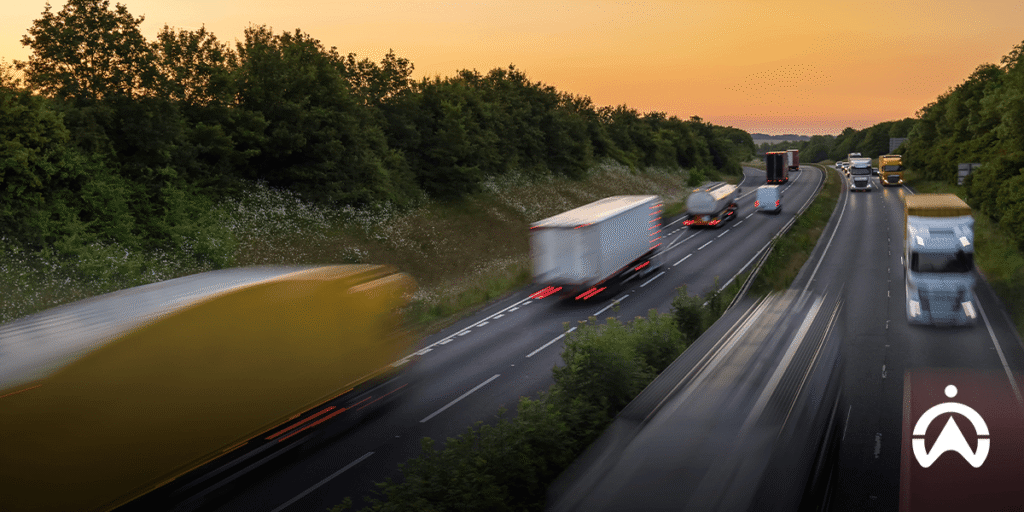
A row of trucks and cars on the highway at dusk

Highway hypnosis needs to be avoided because the driver is not fully aware, which can lead to losing control of the vehicle, especially when something happens suddenly. In a state of highway hypnosis, the driver's reactions are slower, so they are much more likely to fail to anticipate unexpected situations and cause an accident.

How can it be prevented? Drivers need to break out of the monotony or boredom of driving, which is the main cause of highway hypnosis. Some ways to do this include driving with someone else so you can chat when you feel bored, listening to the radio or a playlist with varied tempos (especially upbeat songs), and chewing gum or moving your body a little.

Selain itu, pengemudi perlu menghindari mengemudi terlalu lama dan memperbaiki postur duduk untuk mengoptimalkan aliran darah ke seluruh tubuh. Untuk memastikan pengemudi tidak menyetir berturut-turut melebihi jumlah jam yang diizinkan, misalnya 4 jam sesuai saran pemerintah, Anda dapat memasang Cartrack pada kendaraan dan mengatur peringatan waktu mengemudi berlebihan. Anda pun dapat menambahkan high-tech camera    (AI) for mendeteksi jika pengemudi kelelahan (fatigue) atau menguap (yawn). Untuk info lebih lanjut seputar sistem manajemen armada Cartrack dan fitur-fitur yang kami sediakan, silakan kirim pesan kepada kami di sini.

Understanding the “Idle” Status of a Vehicle and Its Negative Impact

If you use Cartrack’s Fleet Web, you will notice vehicle icons in various colors on the map. One of these is yellow, which indicates that a vehicle is in an "idle" state. Idling occurs when the engine is running, but the vehicle is not moving (it remains stationary). There are many reasons for idling—for example, being stuck in traffic, waiting in a drive-thru queue, a bus waiting for passengers at a stop, or a driver intentionally leaving the engine running to rest comfortably inside the vehicle.

Productive and Unproductive Idle

While most idling is unproductive, some forms of idling are actually productive. Consider heavy machinery, for instance: a vehicle might be stationary, yet its peripheral equipment—such as a crane, the bed of a dump truck, or the bucket of an excavator—is actively in use. To identify this type of idling, you need to install a power take-off (PTO) sensor in addition to a GPS tracker. Certain types of vehicles, such as refrigerated trucks or ice cream trucks, may also require idling, as their cooling systems must remain powered on to preserve the condition of the products they carry.

DIFFERENCE IDLE UNPRODUCTIVE PRODUCTIVE IDLE
This condition The engine is running, but the vehicle is stationary The engine must be started even if the vehicle does not change position.
Objective There are no specific work-related goals To run external equipment, start the cooler in the container, or warm up the vehicle to the permitted limit.
Example Idle when loading and unloading, when queuing at ferry ports, when queuing at gas stations, when queuing at drive-thru restaurants, when there is a heavy traffic jam, or to rest in the vehicle while turning on the AC and radio. Idle with PTO unit to operate equipment, such as dump truck bodies, cranes, bulldozer blades, and excavator buckets; idle required as a cooling power source on ice cream trucks and cold trucks.

A blue logistics truck with a refrigerated trailer stops at the side of the road at sunset.

Idle is Very Detrimental

Contrary to what you may have heard, turning your vehicle off and starting it back up does not consume more fuel than letting it idle. Every hour spent idling can waste approximately 2 to 4.5 litres of fuel. Idling can also damage the engine and other vehicle components, as the fuel does not burn completely and leaves behind residue. Furthermore, prolonged idling generates emissions that contribute to air pollution and pose health risks to both the driver and passengers. In terms of costs, your expenses—or those of your company—will inevitably increase due to wasted fuel and the need for more frequent repairs or parts replacements.

Read the article “3 Reasons Not to Leave the Engine Running While the Vehicle is Idling”

Minimising Idle with Fleet Management Technology

To minimize idling, you should utilize a fleet management system based on GPS tracking technology, such as Cartrack. This technology enables you to monitor idling in real-time, evaluate and coach drivers using data-driven insights, and manage driver assignments to reduce wait times and operational inefficiencies during trips.

Cartrack offers a driver monitoring feature, which includes vehicle idling as one of its monitored parameters. In addition to checking the color-coded status of vehicle icons on the map, you can also receive real-time idling notifications. All idling data is available through automated reports (in PDF or Excel format) as well as a fleet performance dashboard for a quick overview. To improve trip efficiency, you can identify and dispatch the vehicle closest to a specific location, or use Cartrack’s delivery feature to organize the sequence of your assigned routes.

Looking to reduce idling and save on vehicle operational costs? Monitor and evaluate idling activity with Cartrack today, and gain the insights needed to cut down on costly, unnecessary idling. Contact us here to learn more about Cartrack’s fleet management system and its features.

Benefits of Using an Integrated Fleet Management Platform

Imagine a single platform that has everything you need. For example, an online shopping platform selling everything from fashion to mobile phone credit to airline tickets; offering games with various shopping rewards; and a digital wallet feature. All of this would undoubtedly enhance your shopping experience and make online shopping more convenient.

You can also find similar value in other types of integrated platforms, such as the fleet management platform developed by Cartrack. The Cartrack platform is designed to meet the unique needs of users in managing their vehicle fleets. In addition to being flexible and customisable, everything you need to manage your fleet is accessible from one place.

1. Completing Work is More Practical

As a fleet manager, you are responsible for several different tasks, such as assigning deliveries, monitoring vehicle operations, scheduling maintenance, generating reports, and managing expenses. You may be accustomed to using multiple programs or platforms for each type of task, with complex systems that reduce your effectiveness. Switching from one platform to another can waste a lot of time. A single platform that allows you to do everything seamlessly and integrates all functions will undoubtedly make completing tasks much more streamlined.

2. End-to-End Control and Visibility

Not only can an integrated fleet management platform handle various types of tasks, it also enables end-to-end monitoring. You do not need separate platforms to monitor vehicles across different regions. In fact, your department and other departments can share a single platform using a sub-user system (with restricted access) for end-to-end control and transparency, for example across manufacturing, distribution, and warehousing within the supply chain.

Hand holding a digital globe with logistics icons to illustrate the benefits of an integrated fleet management platform in modern business.

3. More Integrity and Quality Data

With an integrated platform, data comes from a single source. Although it is used for different purposes, data consistency is still maintained. In addition, data recording is carried out automatically, thereby minimising the risk of human error. This automated data recording is made possible through the installation of IoT devices in vehicles, which are connected to the fleet management platform. With a single data source and automated data input, all data used is ensured to have integrity and quality.

4. Better Collaboration

The various functions within this fleet management platform enable smoother cross-department collaboration. Not only the Operations department can benefit from the fleet management platform, but also Human Resources (HR), General Affairs (GA), Finance, and Health, Safety, and Environment (HSE). For example, the HR team can view driver locations and working hours to verify overtime claims; the GA team can automatically schedule vehicle maintenance; the Finance team can review fuel transaction details to verify reimbursement claims; and the HSE team can develop driver training materials based on Driver Scorecard reports.

5. More Cost Efficient

You'll likely incur higher costs using separate programs, including upgrades and maintenance, as well as document storage. With an integrated fleet management platform, you'll significantly reduce IT costs. Furthermore, a single integrated fleet management platform can be used across departments, significantly saving each department's budget.

There is no doubt that an integrated fleet management platform> is a solution for improving the efficiency of your business operations. With a wide range of features and a robust, user-friendly system, the Cartrack platform is the best solution for your fleet management needs. Interested in starting to use Cartrack’s integrated fleet management platform? Contact us here.

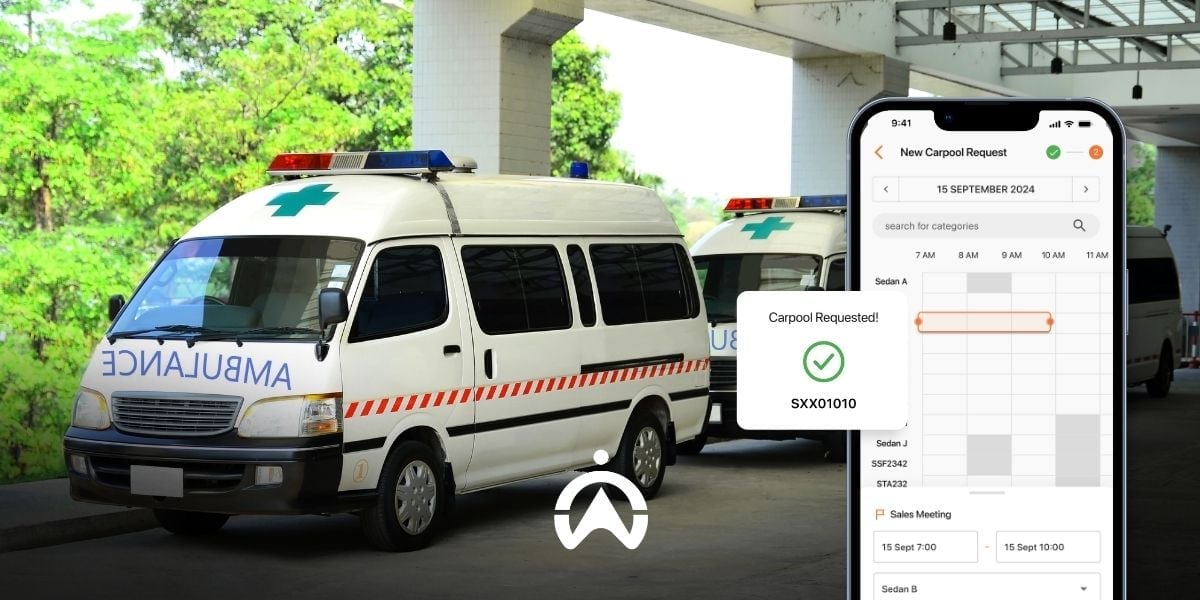
Ambulance Services Become More Efficient with Vehicle Tracking Systems

In ambulance operations, every second counts. For this reason, technology is needed to improve operational efficiency. Systems such as vehicle tracking can help improve ambulance response times. The platform (mobile application and web-based software) also makes overall ambulance fleet management more practical.

1. Track the nearest ambulance to the location

A fast response rate is crucial for people who require emergency care. For this reason, it is important for operators or dispatchers to have access to the full locations of all ambulances belonging to the provider. Ambulance deployment becomes more effective because operators can identify the nearest ambulance to the patient’s location and estimate the arrival time.

2. Know the traffic situation

Operator dapat melihat situasi lalu lintas melalui platform pelacakan kendaraan yang terintegrasi dengan Google Maps. Informasi ini dapat membantu operator saat mengirim ambulans ataupun menavigasi pengemudi dalam pengambilan atau pengalihan rute perjalanan dengan sesedikit mungkin hambatan.

3. Accelerate the Provision of Information to Related Parties

The vehicle tracking platform has a real-time location sharing feature with an adjustable validity period. In urgent situations, operators can share ambulance location information with relevant parties who can assist, such as certified paramedic responders, police, and emergency department staff.

Paramedics are preparing medical equipment inside the ambulance with vehicle tracking system for efficient emergency services.

4. Know the Patient Transport and Drop-off Times

Sistem pelacakan kendaraan biasanya juga menyediakan beragam fitur tambahan, salah satunya sensor pintu. Sensor ini memberikan informasi aktivitas buka-tutup pintu, seperti lokasi, waktu pintu dibuka dan ditutup, serta durasi pintu terbuka. Dengan memasang sensor ini pada pintu kabin pasien, penyedia ambulans dapat mengetahui kapan serta seberapa efisien proses pengangkutan dan penurunan pasien.

5. Detecting the Driver on Duty

For this requirement, ambulance providers need driver identification tags (DID). Each driver is assigned a unique tag (an iButton device), which must be tapped on a reader installed in the ambulance. This allows operators to identify which driver is assigned to each trip.

6. Have Accurate Evidence for Billing

With a vehicle tracking system, ambulance providers have comprehensive historical data, such as the ambulance units dispatched, distance travelled, destination locations, arrival times, stop durations, and more. This detailed information makes it easier for ambulance providers to calculate charges.

Vehicle tracking systems improve professionalism in ambulance services by enhancing response times. Faster ambulance response times can help patients receive treatment more quickly, thereby reducing mortality rates. Are you involved in ambulance services? Contact us here to find out more about how Cartrack’s vehicle tracking system can improve the efficiency of your ambulance services.

Fuel Prices Rise, Streamline Your Fleet’s Fuel Consumption with Cartrack

As is well known, the geopolitical crisis between Russia and Ukraine triggered a surge in global oil prices, reaching over US$100 per barrel. Consequently, fuel prices worldwide, including in Indonesia, also soared. To reduce the company’s burden, Pertamina decided to raise the prices of non-subsidised fuels such as Pertamax, Pertamax Turbo, Dexlite, and Pertamina Dex. Following Pertamina, Shell, Vivo, and BP-AKR also increased their fuel prices.


High fuel prices naturally affect the operational costs of companies, particularly those in sectors such as logistics, transportation, and vehicle rental. Companies that rely on vehicle fleets inevitably need to start improving fuel efficiency. To ensure efficiency is properly targeted, you need accurate data that provides insight into vehicle usage and fuel consumption. Cartrack’s fleet management system can be a solution that helps companies improve fuel efficiency.

1. Reduce Idle Habits

Idle activity, which refers to leaving the engine running while the vehicle is not moving, is proven to waste fuel. Vehicles waste an average of 2–4 litres of fuel for every hour of idling. For this reason, you need to take steps to Cartrack’s real-time alerts and idle reports help you monitor and evaluate this inefficient behaviour.

The idle threshold set by Cartrack is 5 minutes, where you will receive a notification once the vehicle’s idling duration reaches the sixth minute. You can check the vehicle’s location and traffic conditions at that time on the Cartrack map to determine whether idling is truly necessary or whether you need to address the driver. On the other hand, Cartrack’s Idle Report provides information on the time, duration, and location of vehicle idling to help you evaluate drivers’ idling behaviour and reduce it.

2. Control Speeding Habits

Driving at high speeds, starting at around 95 km/h, increases fuel consumption. Over the same distance, fuel consumption is approximately 7–14% higher at speeds above this threshold. To control this behaviour, you can use Cartrack’s speeding alerts and reporting features.

Cartrack’s speed threshold for speeding alerts is 130 km/h, although you can request a different setting. For more details, you can download the Overspeed Report, which highlights trips exceeding 80 km/h, 100 km/h, 120 km/h, and 140 km/h using colour indicators. You can view the location and time of each speeding incident and analyse trends to identify preventive, corrective, or punitive actions.

A driver fills up a silver car with petrol as an illustration of the operational costs resulting from unsafe driving behaviour.

3. Prevent Vehicle Misuse

Operational vehicles should be used to support company work or business activities. Using vehicles outside their intended purpose increases fuel costs. With a vehicle monitoring system like Cartrack, you can detect unauthorised side jobs or personal use of company vehicles.

Several Cartrack features can be used to detect vehicle misuse that leads to these losses, such as out-of-schedule usage alerts, geofence, stop reports, and cargo door sensors. Through these features, you can be notified whenever there is vehicle activity unrelated to assigned tasks, such as engine start-ups outside working hours, visits to restricted areas, route deviations involving prolonged stops unrelated to the assignment, and unloading of cargo at locations different from those specified in the task.

4. Fuel Loss Detection

One thing that is often overlooked in fuel efficiency efforts is ensuring there are no fuel leaks. A drastic drop in fuel volume can occur due to fuel theft or vehicle malfunctions, among other things. With Cartrack’s fuel sensor and fuel loss alert feature, you can quickly identify any irregularities in fuel consumption.

The Cartrack system will send an automatic alert if it detects a significant decrease in fuel volume. You can also check your fuel graph, fuel consumption, and fuel efficiency reports to determine whether this is a frequent occurrence. You can then conduct a data-driven investigation to determine the cause.

Red fuel nozzles fill truck tanks to monitor fleet fuel consumption data showing efficiency of liter usage per distance.

5. Verify Fuel Purchase Claims

Excessive spending on inappropriate fuel consumption needs to be curbed. While there are tolerances or ceilings for fuel claims, this does not mean there is no oversight at all. With trip reports, sensor and fuel reports, and Cartrack’s MiFleet (a cost management feature), you can estimate your fuel consumption rationally.

From trip reports or Google Maps integrated into the Cartrack fleet management platform, you can see the distance travelled by your vehicle. From there, you can estimate the amount of fuel required, taking into account traffic conditions (available in the map filter) and the vehicle’s fuel consumption trends (based on fuel reports). This also makes determining fuel claim limits more accurate.

For instant verification, you can compare your claim with your fuel report, which shows the number of litres, the volume before and after refuelling, and the refuelling location. You can also use the MiFleet feature to simplify verification by entering your fuel receipt details and viewing the location shown on a map when your vehicle refuels.

6. Manage Vehicle Maintenance Better

Delayed oil changes, underinflated or worn tyres, and clogged air filters are some vehicle issues that can lead to fuel wastage. One of the causes of such vehicle problems is irregular maintenance. Cartrack’s maintenance reminder features and CAN bus sensors can help schedule maintenance more efficiently, ensuring that nothing is missed.

Cartrack can automatically detect each vehicle’s mileage and engine hours, enabling scheduling to be automated. If your vehicle is equipped with a CAN bus system, for example European brands, you can install CAN bus sensors and receive notifications related to engine diagnostics, temperature, and over-revving. This CAN bus data helps technicians accurately identify vehicle issues and repair them before they become more serious. By keeping vehicles in optimal condition, fuel consumption will also become more efficient.

Ensure your vehicle fleet’s fuel consumption remains efficient. Use Cartrack with a range of standard and advanced features to support the fuel cost efficiency of your fleet. Contact us here for orders, enquiries, or to request an online Cartrack demo.