
7 Fleet Management System Features to Detect Vehicle Misuse

Vehicle misuse can harm your company. Therefore, you need a monitoring system that provides comprehensive visibility into how your vehicles are being used. GPS tracking-based fleet management systems, such as Cartrack, offer several features that can help you detect vehicle misuse.

1. Starter Notifications

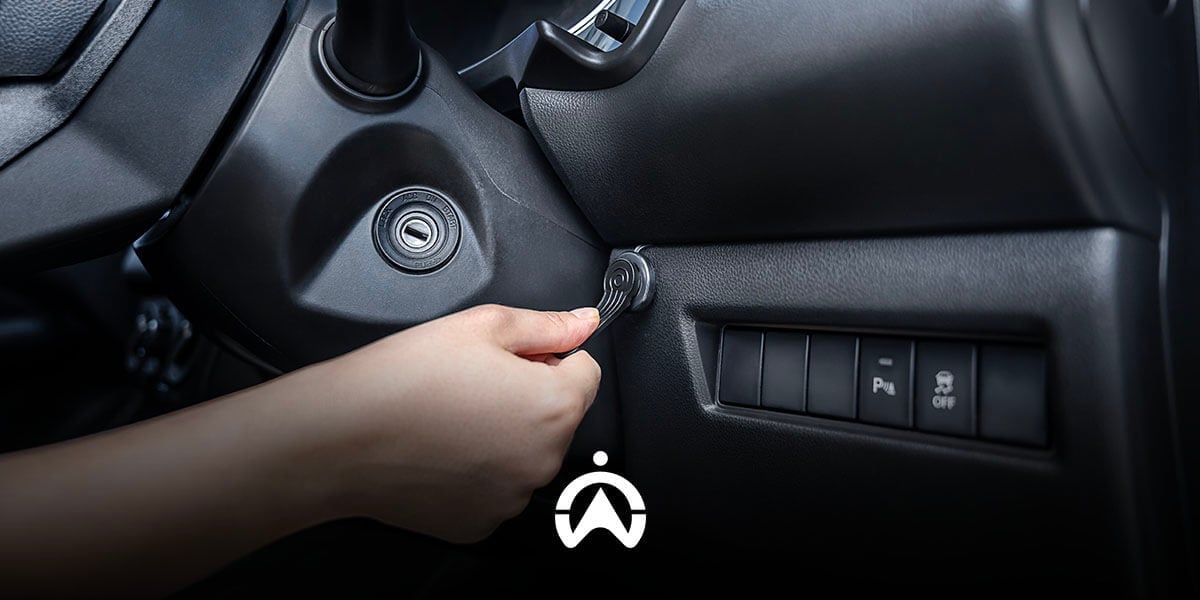
You can monitor both the use and misuse of vehicles by utilising starter notifications. Alerts are sent when a vehicle’s ignition is turned on and/or off, along with location information. This allows you to verify whether the monitored vehicles are being operated at the correct time and location or not. This feature is effective for those managing a small number of vehicles, or for monitoring specific vehicles that are suspected of having a history of misuse.

2. Unscheduled Use Alerts

Vehicle use outside the scheduled plan can be detected using this feature. Operators set alerts by entering the usage schedule for each vehicle. Notifications are automatically sent when a vehicle becomes active outside the defined hours and days. This feature is suitable for company operational fleets that are shared based on a vehicle booking schedule, or for vehicles that already have fixed operating schedules.

3. Geofence

You can also use the geofence feature to track vehicle misuse based on location. You can mark restricted areas that vehicles are not allowed to enter during working hours, such as malls or nightclubs. In addition, you can also define operational zones for your vehicles so that you are notified when a vehicle is taken outside of those designated areas.

4. Route Replay

In addition to geofence, you can also use the route replay feature to check whether there has been any vehicle misuse during operating hours. Route replay displays the historical routes travelled by a vehicle on each trip on a map. One trip is counted from when the ignition is turned on until it is turned off. You can review the route line taken by the vehicle to see whether it deviated to suspicious locations that are not related to work.
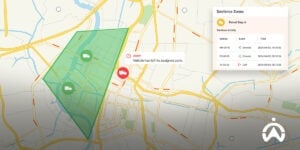
Peta geofencing dalam sistem manajemen armada yang menunjukkan ikon truk dan notifikasi peringatan untuk lacak penyalahgunaan kendaraan.

5. Stop Time Reports

Furthermore, you can download Stop Time Reports to view how long a vehicle was stationary at suspicious locations identified through route replay. Alternatively, you can detect questionable stops by reviewing the duration and timing of each stop, then checking the exact location on the map using the route replay feature. This allows you to verify whether the vehicle’s stop activity at that location is legitimate or constitutes vehicle misuse as well as working hours violations.

6. Cargo Door Sensor

To determine whether your vehicle’s cargo is being misused for deliveries outside of work (side jobs), install a cargo door sensor. This feature monitors cargo door open-and-close activity, such as the location and time the cargo door is opened and closed, as well as how long it remains open. Monitoring data from the cargo door sensor can be accessed through the Goods Unloading Report. From this data, you can track whether there are any indications of vehicle cargo misuse.

7. Kamera Pemantau

Camera features integrated with the vehicle GPS tracking system help you visually verify instances of vehicle misuse. For example, you can install cameras in the cargo area to monitor for cargo-related misuse or in the driver's cabin to monitor for unauthorised use of the vehicle.

Minimise the risk of losses caused by misuse of company vehicles by using the Cartrack fleet management system. Based on GPS tracking, Cartrack enables you to detect vehicle misuse through ignition activity, operating time, location, routes, stops, cargo door activity, and video recording. Contact us here to learn more about the Cartrack fleet management system and its available features, which can be tailored to your specific needs.
3 Ways Electronic Driver Vehicle Inspection Reports (eDVIR) Can Make Your Fleet Operations More Effective

Regular vehicle inspections are essential for maintaining safe, productive, and cost-efficient fleet operations. Routine inspections allow vehicle issues to be detected early, before they escalate into serious problems requiring costly repairs. These inspections can be performed before drivers begin their daily trips. Any defects identified by drivers must be addressed by company technicians or the responsible department.


The Electronic Driver Vehicle Inspection Report (eDVIR) is a tool designed to streamline processes ranging from vehicle inspection and repair to preparation. This feature is typically found within comprehensive fleet management systems, such as Cartrack. Read on to discover how eDVIR can help your fleet operations run efficiently.

1. Save driver time

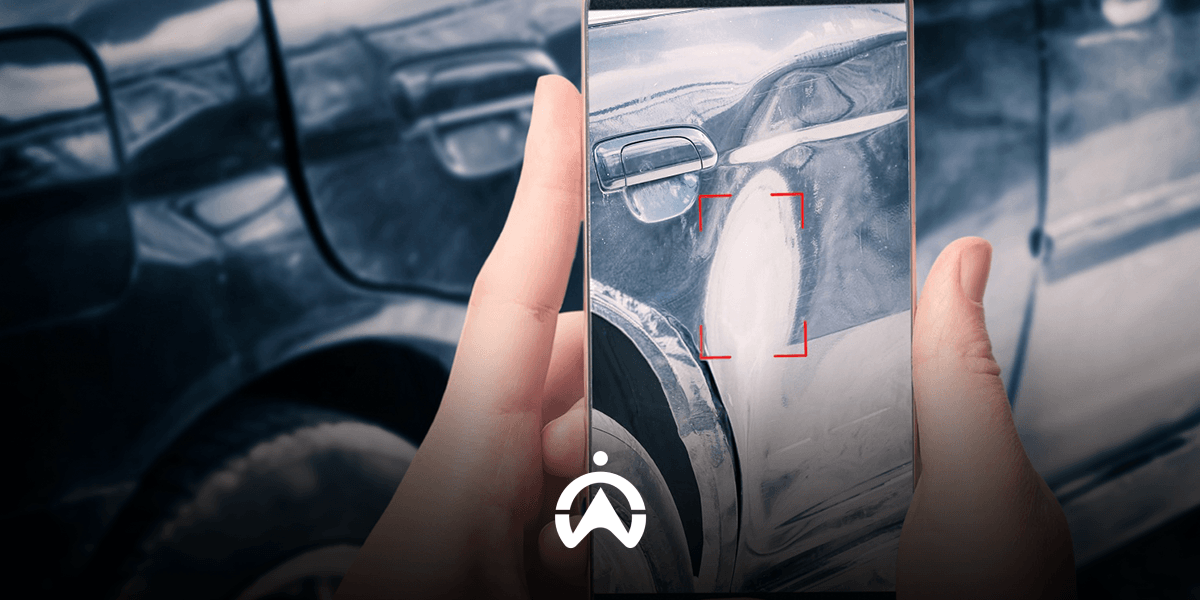
Drivers are required to complete their routes on time, which is why efficient vehicle inspections are crucial. The eDVIR feature can help drivers save time when inspecting their vehicles and completing reports. Instead of paper forms, drivers simply open an app with the eDVIR feature on their mobile phone. They then report any issues they encounter with their vehicle by selecting the damaged part, along with the vehicle's mileage, location of the inspection, and photographic evidence.

This electronic vehicle inspection report is more flexible and saves drivers time, allowing them to submit reports anytime, anywhere. Once repairs are made, drivers can check and update the status of their vehicle inspection report from the app.


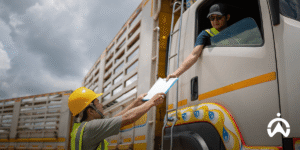
Construction workers submit eDVIR reports to truck drivers to improve the effectiveness of the company's fleet operations.

2. Speed ​​up the vehicle repair process

Technicians are responsible for quickly fixing vehicle issues so they can be put back into service without impacting overall fleet productivity. Using a centralised digital platform allows technicians to easily access driver inspection reports from the repair shop. Technicians can also prepare vehicle repairs before they arrive at the repair shop.

The eDVIR app allows drivers to submit reports from wherever they are, giving technicians early notification of any repairs needed. They can also immediately recommend to the fleet manager if a vehicle needs to be towed immediately, giving the fleet manager the opportunity to reassign assignments.

A mobile app featuring eDVIR capabilities allows drivers to submit reports from any location, ensuring technicians receive early notification of necessary vehicle repairs. They can also promptly recommend to fleet managers that a vehicle be taken off the road immediately, giving managers the opportunity to reassign tasks.

3. Maintain fleet operational safety compliance

To ensure the safety of drivers, passengers, and other road users, vehicles must meet technical and roadworthy requirements―as stated in Law No. 22 of 2009 (concerning Traffic and Road Transportation) Article 48. Regulation of the Minister of Transportation of the Republic of Indonesia Number PM 12 of 2019 (concerning the Protection of the Safety of Motorcycle Users Used for Public Interest) Article 4 also requires drivers to check and maintain their vehicles.

Any issues found with a vehicle, including missing mandatory equipment like a spare tire and jack, must be resolved. Report documentation must be properly stored for easy access. With eDVIR, all reports are recorded on a centralised platform, allowing fleet managers and relevant personnel to view a history of completed and outstanding reports. Managers can also ensure all vehicles are in good operating condition.

Ensure your entire fleet operates efficiently by utilising driver vehicle inspection reports. Looking to implement an electronic vehicle inspection reporting system? Use Cartrack’s fleet management system with the added Delivery feature for delivery management. Delivery is a driver task management application that also includes eDVIR, electronic proof of delivery (ePOD), chat, and barcode scanning capabilities. Contact us here to get a free online demo from the Cartrack team!

Choosing the Right Fleet Management System Benefits Your Customers

Fleet management system you choose can impact not only your company but also your customers. The right fleet management system enables your fleet to deliver a better customer experience and service. With this technology, you can provide accurate, real-time, and transparent information to customers, while also managing fleet operations more efficiently. The following explains how choosing the right fleet management system can benefit your customers.

1. Timely Delivery

Choose a fleet management system that enables you to monitor delivery progress in real-time, including sending notifications for key activities. Important delivery-related alerts include vehicles entering and leaving specific areas such as warehouses or customer locations, slow route completion progress, and tasks not completed within the scheduled time. Features within the fleet management system that support this include geofence, route planning, and driver task management.

In addition, accurate and real-time GPS location data enables you to provide information and take quick action if there are any issues on the road that cause delivery delays. With the routing feature on the map, you can communicate alternative directions based on the driver’s real-time location, or find the nearest available driver to reduce delivery delays.

2. Accurate Billing and More Efficient Pricing

A comprehensive fleet management system enables you to know mileage, working hours, unloading locations (with an additional cargo door sensor), fuel consumption (with an additional fuel sensor), and obtain photo evidence or digital signatures of goods receipt (with an additional driver task management feature), among many other capabilities.

You will be able to easily calculate the true total cost and also track inefficiencies so that you can take further action, which can lead to more efficient pricing. Billing will also be more accurate, with transparent data.

Hands-on tablet with logistics and truck fleet data overlay to select the right fleet management system.

3. Minimising the Risk of Loss

A suitable fleet management system helps you maintain safety on the road through monitoring driving behaviour, driver vehicle inspection reporting (DVIR), and vehicle maintenance management based on date, mileage, and engine hours. In this way, you can ensure safe driving and the roadworthiness of vehicles. The safety of passengers and transported goods is maintained, and the risk of losses can be minimised.

To improve security, you can also add features such as an in-cargo camera, remote starter immobiliser, and a tag driver identification tag. You can verify the legitimacy of goods unloading as well as your vehicle drivers, and remotely disable the vehicle starter if something unwanted occurs, such as cargo hijacking.

Your choice of fleet management system will have an impact on your customers. Therefore, carefully consider when selecting a provider and fleet management system package for your company. Cartrack provides a comprehensive solution with a wide range of features that can be customised to your fleet management needs. Want to learn more about Cartrack’s range of products and fleet management system packages? Please send us a message via the form on this link.

4 Ways to Use Data to Improve Your Fleet Operations

With the large number of monitoring parameters and fleet operational data collected every day, you may find yourself navigating a sea of information. Although data can be an effective resource for achieving goals, selecting the right data and analysing it for fleet purposes can be a challenge. So, how can you fully utilise data to improve fleet operations and profitability?

1. Track the Right Data

It is important for you to determine the most critical parameters in your fleet operations. This way, you can filter information and gain a quicker overall picture of fleet operations in order to determine the next steps you need to take. Some types of data that may be important for your fleet operations include fuel cost and consumption, mileage, vehicle utilisation rate, driving behaviour, working hours, as well as maintenance and accessory costs.

2. Analyse Data to Monitor Performance

You need to know how to interpret and use the various pieces of collected information to improve your fleet operations. Identify which data can help you measure productivity and make decisions. After that, start analysing the data by measuring it against Key Performance Indicators (KPIs), comparing it with specific benchmarks to identify fleet performance trends, and creating dashboards that display the most important indicators to gain an overall overview and take quick action when necessary.

A red truck with a white tank is filling up at a gas station.

3. Use Data to Improve Cost Efficiency

Fleet operational data can highlight inefficiencies in fleet operations as well as potential cost savings. First, determine which costs you want to track, then analyse the various fleet operational parameters related to those costs. For example, fuel costs can be tracked through idling, driving behaviour such as speeding, personal or out-of-hours vehicle use, fuel theft and refuelling fraud, route efficiency, and vehicle maintenance management. Other costs may include overtime expenses, servicing costs, and fleet administrative costs.

4. Use Data for Stakeholder Engagement and Budget Requests

Data helps you accurately explain the condition and progress of your fleet. This is especially useful when you need to submit specific requests related to fleet requirements to stakeholders, such as vehicle replacement or expansion, driver training, and technology investment. Presenting trends in the data and providing detailed analysis also makes it easier to highlight areas that need improvement and where investment should be made.

Want to use data to improve your fleet operations in a practical way? The Cartrack fleet management system is the solution! Cartrack telematics does more than just collect data—it processes and presents it in an easy-to-understand format that delivers fast insights. With more than 100 types of automated reports, fleet performance dashboards, idling and driving behaviour monitoring, fuel tracking, and other features, Cartrack helps you identify inefficiencies and take corrective action.

Start managing your fleet with Cartrack today and get detailed, comprehensive fleet data. Send us a message here for more information and an online product demo from the Cartrack team.

How Telematics Is Driving the Digitalisation of Mining Fleet Management in Indonesia

The use of telematics has the potential to dramatically increase the productivity of fleet operations at mine sites. Mining operators will have access to a wide variety of data related to fleet activity, which can be used to identify critical areas for improvement.

On the other hand, increasing productivity is also an urgent need for the mining industry—given its vital contribution to the Indonesian economy, accounting for around 60% of total exports. This confluence of supply and demand has driven the trend of digitalising mining fleet management in Indonesia.

Comprehensive visibility that is irreplaceable by manual fleet management

Vehicle-mounted GPS tracking devices enhance operational visibility, enabling companies to monitor activity at mine sites. This visibility includes the time, duration, and location of various vehicle activities; trip history; and driving behaviour. With increased visibility, mining fleet management becomes more efficient. There is no longer any time wasted manually confirming vehicle locations and operating times, as all data is automatically recorded accurately and in detail.

Here's how increased visibility through telematics can drive the digitalisation of mining fleet management:

  • Displays vehicle location and activity in real-time, accessible from both the mobile app and the website, anytime and anywhere. Managers can assess the productivity of each vehicle operator and ensure efficient vehicle use and minimise wasted time.
  • Receive various types of important alerts while the vehicle is operating, such as entering and leaving a geofence, risky driving behaviour (speeding, harsh acceleration, hard braking, and sharp turns), vehicle idling, and use outside operating hours.
  • Provides trip history data for each vehicle, complete with information on speed, distance travelled, driving time, stop duration and location, idle location and duration, etc. Trip history can be replayed on a map, for a visual representation of the path taken by the vehicle. This certainly makes it easier for managers to evaluate route efficiency and route completion performance.

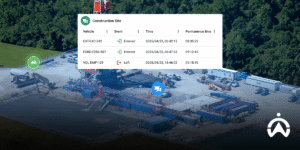
Aerial view of a construction site with mining fleet management telematics data showing duration and vehicle inflow and outflow in Indonesia.

Occupational safety and security are monitored automatically

Proactive efforts are needed to create a safe working environment for mine workers. Vehicle telematics provides information, assessments, and trends in driver behaviour. With this data, along with alerts for several parameters of aggressive driving behaviour, supervisors can identify risks and act before problems arise. For seatbelt use detection, integrate the vehicle's CAN Bus into the tracking system, or install a power take-off (PTO) sensor if the vehicle does not have a CAN Bus system.

Additional camera features can also help visually identify situations in any aggressive driving incident. Cartrack's Smart Cabin camera, for example, automatically records video when a strong jolt occurs, the driver is tired or distracted, speeding, and several other triggering events. The driver will receive an audible warning when the incident occurs. The Smart Cabin camera records from two camera angles, one facing the road and the other facing the driver's cabin. Supervisors can view the footage to verify whether the triggering event is indeed a driving safety violation.

Vehicle telematics can not only monitor driving behaviour, but also monitor when the vehicle enters a restricted area you define using the geofence feature. For additional driver protection, you can install a panic button. In the event of an emergency, the driver can send a signal to a supervisor by pressing the panic button.

With these advanced features, telematics is driving the digitalisation of occupational safety and security monitoring in mining areas. Here are some occupational safety parameters that can be automatically monitored using telematics:

  • Aggressive driving behaviour: excessive speed, hard braking, harsh acceleration, and sharp cornering (driving behaviour monitoring feature)
  • Seat belt use (CAN Bus sensor or sensor PTO feature)
  • Entering a prohibited or dangerous area (geofence feature)
  • Safe distance (AI technology camera feature)
  • Driver is tired or distracted (AI-enabled camera feature)
  • Shake (AI technology camera feature)
  • Emergency (panic button feature or AI-enabled camera)

The digitalisation of mining fleet management in Indonesia is inevitable. Telematics in the form of IoT devices (GPS trackers, PTO sensors, CAN Bus sensors, panic buttons, vehicle-specific cameras, etc.) and fleet management platforms (mobile applications and cloud-based software) are driving the progress of the mining business in the digital era. With the right strategy and implementation, telematics can be a solution to the productivity, visibility, efficiency, and safety challenges facing the mining industry in Indonesia.

Want to start digitising your mining fleet management? Message us here and get a live demo from the Cartrack team.

Address Distracted Driving Behaviour with Smart Cameras

Driving while not focused (distracted driving), whether due to drowsiness, fatigue, or diverted attention from the road, poses a serious risk to the safety of the driver and other road users. For commercial fleets, such unsafe driving behaviour can damage reputation and reduce company profits. To address such risky driving behaviour, you need fleet management technology with smart camera features, such as Smart Cabin offered by Cartrack.

Cartrack’s Smart Cabin is an intelligent camera that can trigger video recording when dangerous driving behaviour occurs, such as drowsiness or lack of focus. The video is displayed from two perspectives: facing the road and facing the driver’s cabin. This is made possible by two built-in cameras in a single Smart Cabin device—one facing outward and the other facing into the cabin. In addition to recording video, Smart Cabin also displays alerts on an LCD screen that can be seen by the driver.

Camera Facing the Driver's Cabin

Smart Cabin continuously monitors the driver’s head tilt position in a three-dimensional (3D) perspective. Using Artificial Intelligence (AI) technology, the Smart Cabin camera can detect when the driver is not focused, then automatically triggers alerts and video recording. Alerts and video recording are not triggered if the driver briefly looks away from the road once, nor when the driver looks left or right to ensure the road is clear before changing lanes. Triggering only occurs when the driver’s head position indicates drowsiness or when attention is diverted from the road repeatedly over a certain period while the vehicle is in motion.

Camera Facing the Road

Video from the road-facing perspective provides a broader view of the situation when distracted driving occurs. For example, it can show whether the steering becomes unstable, whether the vehicle is following too closely, or whether the behaviour happens during heavy traffic conditions. This complete overview helps you evaluate drivers and provide training that is tailored to their specific needs.

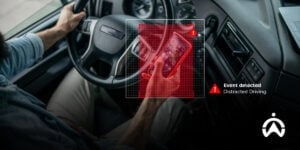
Detection of distracted driving via smart camera on drivers who use mobile phones while holding the steering wheel.

Warning for Drivers During an Incident

The Smart Cabin device features an LCD screen that displays information when distracted driving behaviour is detected. The information appears in the form of icons and text representing the triggering event, accompanied by an audible warning. This function allows drivers to evaluate their driving behaviour by being informed each time the Smart Cabin detects unsafe driving actions.

All video recordings from Smart Cabin are automatically sent to Fleet Web and can be downloaded. Fleet managers can review the footage and confirm whether the recorded triggering events constitute actual driving safety violations. Fleet managers can also see the location and time of distracted driving events that triggered the recording, as Smart Cabin includes basic GPS tracking functionality.

With Cartrack’s Smart Cabin, you can gain a complete overview when distracted driving behaviour occurs. Fleet managers can use video recordings for evaluation and training, while drivers benefit from visual alerts on the camera’s LCD screen accompanied by sound warnings. In addition, dual-perspective video recordings can assist in investigating accidents involving your drivers. Send us a message here to find out how Cartrack’s AI-powered camera system can help you address distracted driving behaviour and more.

6 Steps To Effective Vehicle Preventive Maintenance Management

Preventive maintenance is a type of maintenance performed routinely to anticipate vehicle breakdowns and losses caused by unexpected downtime. Effective implementation and management of preventive maintenance can help companies control costs, maintain fleet operational reliability, and preserve asset value and durability over the long term. What steps are necessary to ensure effective vehicle preventive maintenance? Consider the following six points.

1. Use a fleet management system

Manajemen pemeliharaan preventif yang efektif perlu ditunjang oleh teknologi yang juga efektif. Sistem manajemen armada berbasis pelacakan GPS, seperti Cartrack, memiliki fungsi tak hanya memantau kendaraan, tetapi juga mengelola armada secara komprehensif. Beberapa kelebihan yang bisa Anda dapatkan terkait pemeliharaan, yaitu mengatur jadwal pemeliharaan berdasarkan tanggal, jam operasi mesin, ataupun jarak tempuh masing-masing kendaraan; menerima notifikasi otomatis; dan memungkinkan pelaporan inspeksi kendaraan oleh pengemudi (DVIR) secara elektronik.

Read also: Vehicle Maintenance: Prevent Breakdowns & Unexpected Costs

2. Inventory your vehicle

Using a fleet management platform, you can inventory each vehicle and create groups based on region, type, or other categories to simplify fleet management. Some information you can input to help manage maintenance includes make, model, year, tire size, chassis number, engine number, license plate number, odometer, and current driver. A good asset inventory can save you time and prevent maintenance management errors. kelalaian dalam manajemen pemeliharaan.

3. Plan a maintenance schedule for each vehicle.

Don't wait for a vehicle to break down before taking it to the workshop. Unscheduled downtime caused by vehicle issues while on the road can be costly. That is why you need to schedule regular maintenance for every vehicle. Calendar intervals, mileage, and engine operating hours are often used as benchmarks to help you schedule vehicle maintenance—for example, changing the oil every six months, rotating tires every 10,000 km, and replacing the fuel filter every 500 hours of engine operation. There is no need for the hassle of manual record-keeping; a fleet management system can automatically track the mileage and engine operating hours of each of your vehicles.

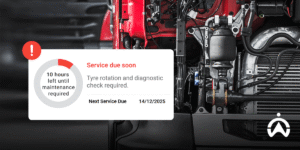
Vehicle engine with automatic preventive maintenance schedule alerts for routine servicing and tire rotation.

4. Vehicle inspection by the driver

Inspections are key to identifying areas that need more attention before costly damage occurs. You can train drivers to perform pre-trip inspections, covering several crucial areas, such as brakes, tires, fluids (fuel, coolant, oil, fluid leaks, etc.), and electricals (brake lights, turn signals, warning lights, horn, etc.). For process efficiency and seamless integration between departments, Driver Vehicle Inspection Reports (DVIRs) are generated electronically. As available in Cartrack Delivery (a driver assignment and delivery management app), the DVIR feature allows drivers to electronically submit inspection reports with photo evidence, odometer readings, and location; and track the progress of each report.

5. Document vehicle preventive maintenance digitally

Dokumentasi kertas berisiko hilang dan rusak, karena itu mulailah mendokumentasikan setiap pemeliharaan kendaraan secara elektronik. Platform manajemen armada Cartrack menyediakan MiFleet, fitur untuk mengelola biaya dan administrasi armada secara elektronik. Anda cukup memasukkan detail setiap pemeliharaan yang dilakukan dan mengunggah dokumen, seperti catatan dan kuitansi servis, sehingga Anda tak perlu menghabiskan waktu untuk mengecek riwayat pemeliharaan masing-masing kendaraan Anda. Selain itu, Anda juga bisa mengunduh secara otomatis Laporan Pemeliharaan kendaraan di periode yang Anda pilih dan mengetahui biaya pemeliharaan per periode tertentu ataupun per kendaraan.

6. Leverage data to improve maintenance effectiveness

Sistem manajemen armada berbasis pelacakan GPS memberikan Anda sekumpulan besar data (Big Data) yang diolah agar mudah dimengerti dan memberikan wawasan untuk tindak lanjut. Beberapa informasi pelacakan GPS kendaraan dapat Anda gunakan untuk meningkatkan efektivitas pemeliharaan preventif, antara lain perilaku mengemudi, suhu mesin atau kargo pendingin (tambahan sensor suhu), dan diagnostik mesin dari CAN Bus (tambahan sensor CAN Bus). Kendaraan dengan kejadian mengemudi berisiko paling sering akan memerlukan perhatian lebih. Begitu pula jika suhu mesin atau kargo pendingin kendaraan secara konstan melampaui ambang batas yang ditetapkan.

Dengan secara teratur dan proaktif memelihara kendaraan, Anda menjaga produktivitas operasi armada, meminimalkan risiko kecelakaan di jalan, dan memperpanjang masa pakai kendaraan Anda. Gunakan sistem manajemen armada Cartrack dengan beragam fitur tambahan untuk membantu Anda mengelola pemeliharaan preventif armada kendaraan Anda secara efektif. Kirim pesan kepada kami di sini dan dapatkan demo gratis Cartrack secara daring.

6 Ways Cartrack Helps Non-Profit Organisations Manage Operational Vehicles More Efficiently

To provide services to the community, non-profit organisations are supported by field workers and a small-scale vehicle fleet. With tight budgets and limited staff or volunteers, managing non-profit vehicles must be efficient and cost-effective. To address these challenges, non-profit organisations need to begin fleet digitalisation. Cartrack can serve as a solution for non-profits to improve fleet and cost efficiency in the following ways.

1. Monitor real-time position

Limited resources require non-profit organisations to manage vehicle and driver usage more efficiently. By knowing the real-time location of vehicles, operators can estimate arrival times more accurately, identify the nearest vehicle to a location, and schedule vehicle usage or driver assignments more effectively. If your non-profit organisation has several locations that are visited regularly, you can mark each area using the geofence feature. This way, you will be notified when a vehicle enters or leaves each designated area.

2. Speed ​​up the report creation process

Cartrack provides graphical statistics of various fleet performance parameters automatically through its Dashboard feature, which can be downloaded in PNG, PDF, or CSV formats. Cartrack also offers more than 100 types of automated reports, including Trip History Reports, Driving Safety Reports, and Risk Management Reports, which can be downloaded in PDF or Excel format or automated to be sent via email at set intervals. The report generation process is also faster, as all data and analytical charts are already available automatically.

3. Managing administrative schedules is more practical

The Cartrack Fleet Web fleet management platform includes a feature for managing vehicle maintenance schedules based on date, operating duration, and mileage. This feature can also be used to manage other administrative schedules such as vehicle licence renewals and driver’s licences, as well as tax and insurance payments. Notifications can be sent via email, and the Fleet Web interface also allows users to quickly identify priorities that require attention. This feature helps reduce administrative workload in the context of limited human resources.

Two women in blue work together on a laptop next to a donation box.

4. Provide proof of service

In addition to the Dashboard and Automated Reports features, non-profit organisations can also benefit from Cartrack Communicator to help compile accountability reports for donors. This task management application makes it easier to record and track field service assignments. Managers can send tasks to field workers along with descriptions, task steps, addresses, contact persons, as well as the type and quantity of donation stock that needs to be collected. Managers can also set the required number of photos as proof of completion for the entire task or for each task step. The task list and its details can be directly downloaded as an Excel report.

5. Increase fuel consumption efficiency

By adding a fuel sensor, you can monitor vehicle fuel tank volume in real-time, track fuel theft/loss, and verify refuelling claims. This Cartrack fuel monitoring system helps non-profit organisations manage fuel expenses more effectively, ensuring that every cost incurred is used efficiently. In addition to monitoring fuel refills and consumption with fuel sensors, you can also track fuel-wasting behaviour such as engine idling and speeding.

6. Manage fleet costs from one platform

Fleet Web, Cartrack’s Cloud-based ]fleet management software], enables the entire fleet management process to be handled from a single platform. In addition to monitoring fleet activity, you can also manage costs in Fleet Web by adding the MiFleet module. You simply input all expenses along with receipts, and MiFleet automatically displays the total monthly cost per vehicle. This integration makes it easier to manage monthly expenses and verify claims or receipts by tracking vehicle activities such as servicing and refuelling.

Make your non-profit operations more efficient by using a comprehensive ]Cartrack fleet management system. This digital fleet management solution can address the challenges of resource efficiency and cost management faced by non-profit organisations. To learn more about how Cartrack can support your organisation’s operations, please click and complete the e-form here. We also offer a free online Cartrack demo for you.

All Your Important Vehicle Information in One Powerful App

Cartrack’s world-class mobility solution is designed so that you remain in control, from monitoring vehicles 24/7 to ensuring fleet safety remotely. With the Cartrack mobile app, that control is in your hands. All important vehicle information is right at your fingertips, accessible anytime and anywhere.

1. Vehicle Location, Geofence, and POI

You can view the real-time location of all your vehicles on a map in the Cartrack mobile app with a single click. The map can be configured to display geofence and points of interest (POI) that you have created or marked in Cartrack Fleet Web, giving you better insight into vehicle positions.

2. Vehicle Status

When opening the Cartrack mobile application, you will immediately be informed of the number of active vehicles. On the map, vehicle status is indicated by colour. Green represents vehicles that are moving, yellow represents vehicles that are idle (engine running but the vehicle is not moving), and grey represents vehicles that are inactive. In addition, there is a no-signal icon in red, which indicates that the vehicle has lost signal (the device has been disconnected or powered off) or has been inactive for an extended period.

3. Trip History

All completed vehicle routes are recorded in the trip history. You can replay selected trip history and view it on a map. In addition to viewing the travelled route on the map, you can also see the trip start and end times, vehicle speed, distance and duration travelled, as well as the timeline and location of each trip.

4. Logbook

From the trip history, you can identify which trips are work-related and which are non-work (personal). To separate trip records for accounting purposes, use the logbook feature available when accessing trip history. With the logbook, you can mark each trip as either a business or personal trip and add specific notes.

Laptop di atas meja menampilkan peta rute pengiriman, memuat informasi penting kendaraan dan navigasi dalam satu aplikasi.

5. Vehicle Statistics

Get detailed information quickly about the performance of each of your vehicles in the Reports menu. You can view statistics on speeding incidents, vehicle utilisation, risk, last known position, and triggered alerts (which you have set up in Cartrack Fleet Web). You can also select the reporting period you want to display, with a maximum range of seven days.

6. Daily Fleet Activities

The Activity menu in the Cartrack mobile application provides quick information about your fleet’s daily activity. Information is displayed per trip (each time your vehicle completes a trip), including the last location, trip completion time, duration and distance travelled, average speed, and the number of triggered alerts.

7. Triggered Daily Alerts

In addition to daily activity, you can also quickly view various alerts triggered by all vehicles on that day in the Alerts menu. This menu is different from the Alert Reports, as it immediately displays all alerts triggered across your fleet on the day you open it. Some of the alerts that can be displayed include engine start/stop events, vehicles entering/leaving a geofence, and vehicle idle status. The configuration of these alert types is done via Cartrack Fleet Web, while the scheduling of alert delivery via push notifications is managed within the mobile application.

8. Data Sensor

If your vehicle is fitted with additional Cartrack sensors such as a fuel sensor and a temperature sensor, you will be able to view real-time sensor data from the mobile application. By simply clicking on a vehicle on the map, you can access various details such as odometer reading, speed, current coordinates, fuel tank volume, and cabin or cargo temperature. Temperature readings are displayed based on the number of temperature sensors installed on the vehicle, with a maximum of four temperature sensors supported.

9. Live Video Broadcast

You can visually monitor your vehicles from the Cartrack application (already available in some of Cartrack’s operating countries and currently being developed in Indonesia). This feature is available if you install a Live Vision camera in the vehicle, which provides live video streaming while the vehicle is in transit.

All this information ensures your fleet remains under your control. You gain an instant, real-time overview of your daily fleet operations. The important insights provided by the Cartrack mobile application are enough to support follow-up actions such as improving productivity, reducing fuel costs, and securing vehicles—all from one small, intelligent application.

The Cartrack mobile application can be downloaded from the Play Store, App Store, and Huawei AppGallery. Contact us now to start monitoring your fleet using the Cartrack mobile application!

6 Tips for Communicating Vehicle GPS Tracking to Your Drivers

Implementing a fleet management system doesn't require a lot of time or complex infrastructure. Simply install a GPS tracker and the necessary additional devices on your vehicle and you'll have access to the fleet management platform. You can access it anytime and anywhere from a web browser or mobile app, as long as your device is connected to the internet. The fleet management platform is also user-friendly, making it easy to understand and use.

However, transforming fleet management from manual to digital isn't without its challenges. Not all your fleet crew members may be comfortable with this advancement, or even familiar with technology and own smartphones. You should communicate this change first to your drivers, as they are the frontline of your fleet. Here are six tips for communicating the implementation of GPS vehicle tracking technology to your drivers.

1. Communicate your plans openly upfront.

Announce to the drivers that you and the management team have decided to begin digitising fleet management. Explain that this digitisation process requires the installation of IoT devices—such as GPS trackers, fuel sensors, remote starter cut-off switches, cargo door sensors, and any other equipment you require—on every vehicle. If you also decide to use a task assignment app, clearly outline your plan; for instance, specify whether you will provide mobile phones and data plans for each driver or utilise the drivers' own smartphones with some form of compensation.

Communicating your plans to implement a GPS tracking-based fleet management system will help build trust and acceptance from the start of the process.

2. Tell the drivers the benefits

Communicate with drivers how GPS vehicle tracking technology can make their jobs easier, improve safety, and even keep them out of trouble. For example, if a road user reports your driver was speeding, you can check the driver's trip history and defend your driver based on the data if the report doesn't support the driver's actions.

Another example is to address a complaint about an insufficient shipment quantity. You can provide an explanation to the customer based on the cargo door opening and closing history (where a door sensor has been installed). You can read about the full benefits of GPS vehicle tracking technology for drivers here.

3. Tell the benefits to other departments and your business

Communicate the issues other departments and your business face with manual fleet management. For example, customer service is unable to respond quickly to delivery progress and vehicle locations, as well as inefficient reporting and vehicle maintenance. Explain how digital fleet management helps solve these problems. For businesses, these technological advancements improve the reliability of fleet services, thereby increasing customer satisfaction, improving the company's reputation and profitability.

This GPS tracking-based fleet management technology streamlines time and workflow, increases visibility of vehicles and cargo, and minimises the risk of loss.

The manager is communicating the vehicle GPS tracking policy to the drivers.

4. Show how it works

To actively participate in implementing this fleet management technology, your drivers need to understand how it works. Provide them with training to show them how the fleet management system generally works and what they should do. If you're using an assignment app, teach them the steps and ensure they understand them before implementing the technology. Training is key to helping drivers feel comfortable working with this GPS-based fleet management technology.

5. Give appreciation for good performance and training when necessary

One advantage of fleet management digitalisation is that the management team can provide more objective, data-driven performance assessments. The system can evaluate driving safety and idle time—accounting for factors such as distance travelled, vehicle misuse, start and end times, and the number of on-schedule deliveries completed. Consequently, you can consider bonuses and other benefits based on individual performance.

Additionally, you'll also know if any of your drivers frequently work overtime, allowing you to re-evaluate workload allocation or consider hiring more staff. For drivers with low driving safety levels, you can facilitate targeted training. Training can be tailored to each driver's individual needs, taking into account the Driving Safety Report data automatically provided by the system.

6. Build the right perception as a team

GPS vehicle tracking technology will help improve driver discipline and productivity. Emphasise that this is not due to a lack of trust in drivers, but rather to improve the quality of fleet service to ensure business continuity. In this era of Industry 4.0, companies must embark on digital transformation to stay ahead of the times and survive in the fierce competition. Good service and fleet management will keep your business running, and your employees can maintain their livelihoods.

The implementation of this technology requires the role of all employees to be involved as a team, because this technology brings benefits to several different departments and makes inter-departmental collaboration smoother. Adapting to a new system requires cooperation from various stakeholders. Establishing communication is crucial to avoid misunderstandings. Be open about the changes and involve your drivers in every step of the process as part of a team working together to advance the company.

Drivers, managers, operators, and even HR/GA can benefit from implementing a GPS-based fleet management system. This technology isn't just for location tracking; it's a comprehensive and integrated system that makes fleet management more efficient. Want to start digitising your fleet management with a GPS tracking system? Contact us here and get a FREE DEMO from the Cartrack team!