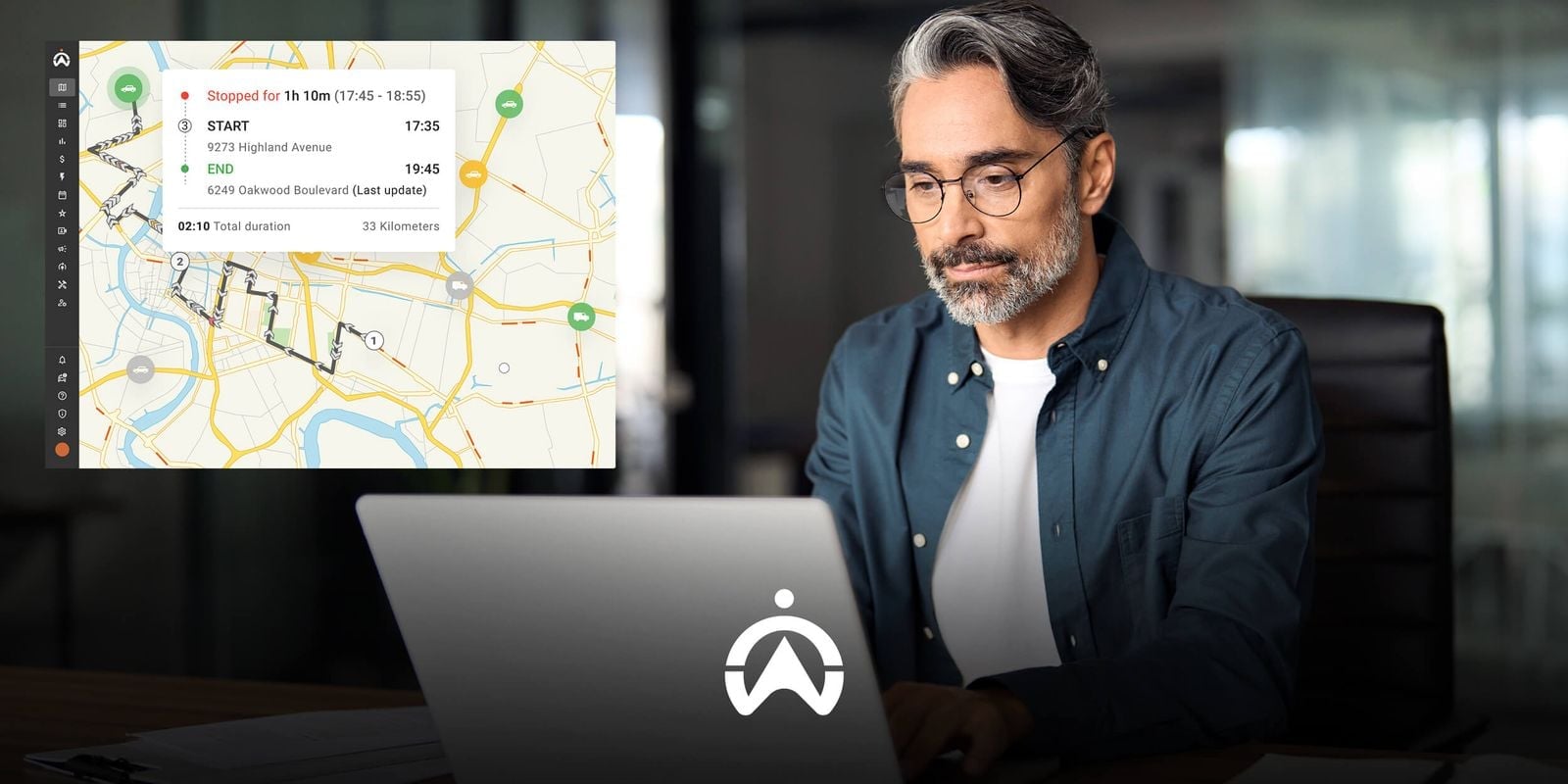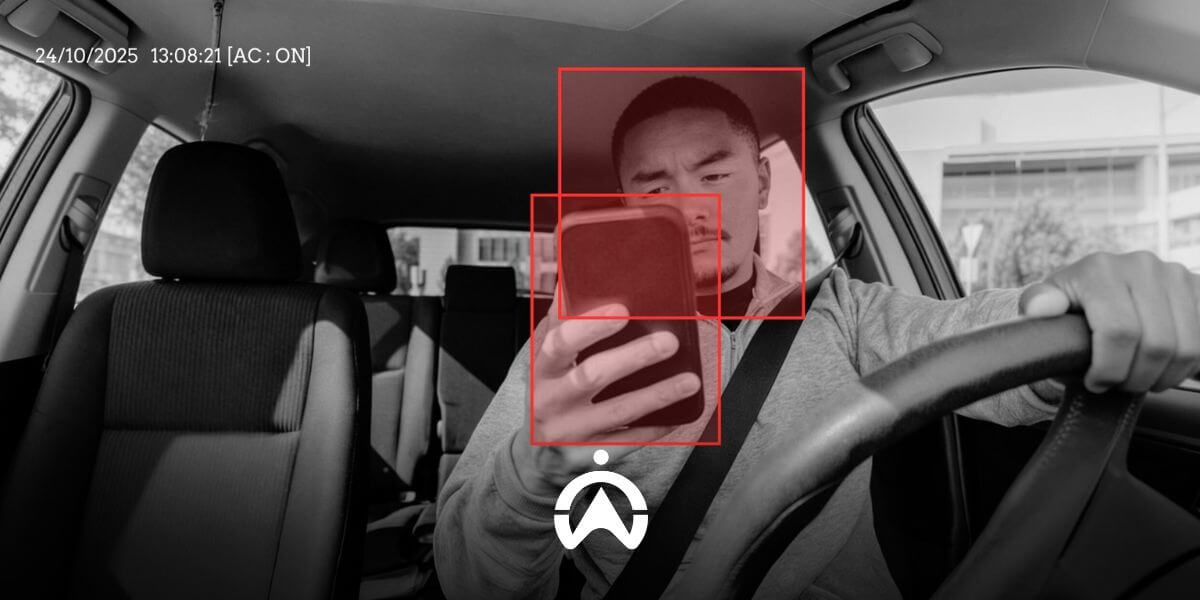

Fleet Management System Usage Trends Are Increasing, Make Sure You Don't Get Left Behind

As we enter 2021—still amidst the post-COVID-19 landscape—companies continue to adapt to new ways of operating and prepare for various unforeseen future scenarios. While this may sound daunting, technological advancements offer promising solutions to help you successfully navigate future challenges—and a GPS-based fleet management system is one of them.

Technology Adoption is Accelerating

New and improved technologies will continue to intervene and make a significant impact on the world of fleet management. The global fleet management system market itself is projected to grow from USD 19.9 billion to USD 34 billion by 2025. Key factors driving this growth include the implementation of Software-as-a-Service (SaaS)—cloud-based software commonly used in fleet management and tracking systems. The significant cost-saving benefits make fleet management systems an essential requirement for companies operating vehicle fleets.

As many as 36% of companies reported lower fuel costs following the implementation of GPS-based fleet management systems, 22% reported reduced accident-related costs, and 13% stated that the technology helped them cut labour costs. One need not look far to understand why GPS-based fleet management systems are growing so rapidly. Key drivers include increasing government regulations mandating vehicle tracking technology, a growing need for cost-efficiency and fleet operational optimization solutions, and falling hardware and software prices.
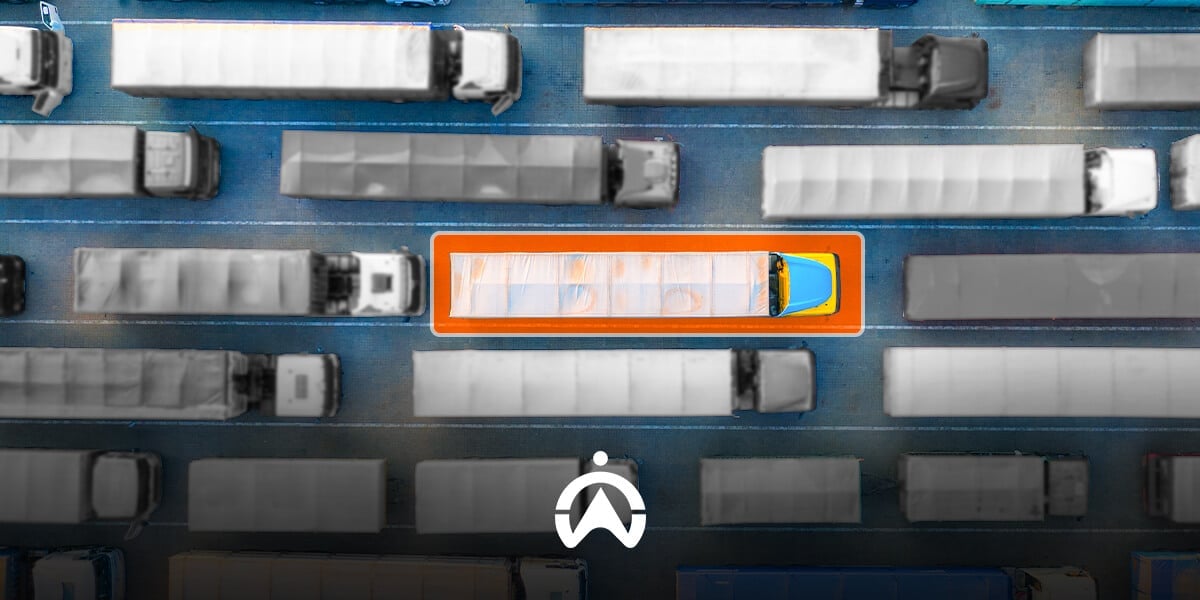
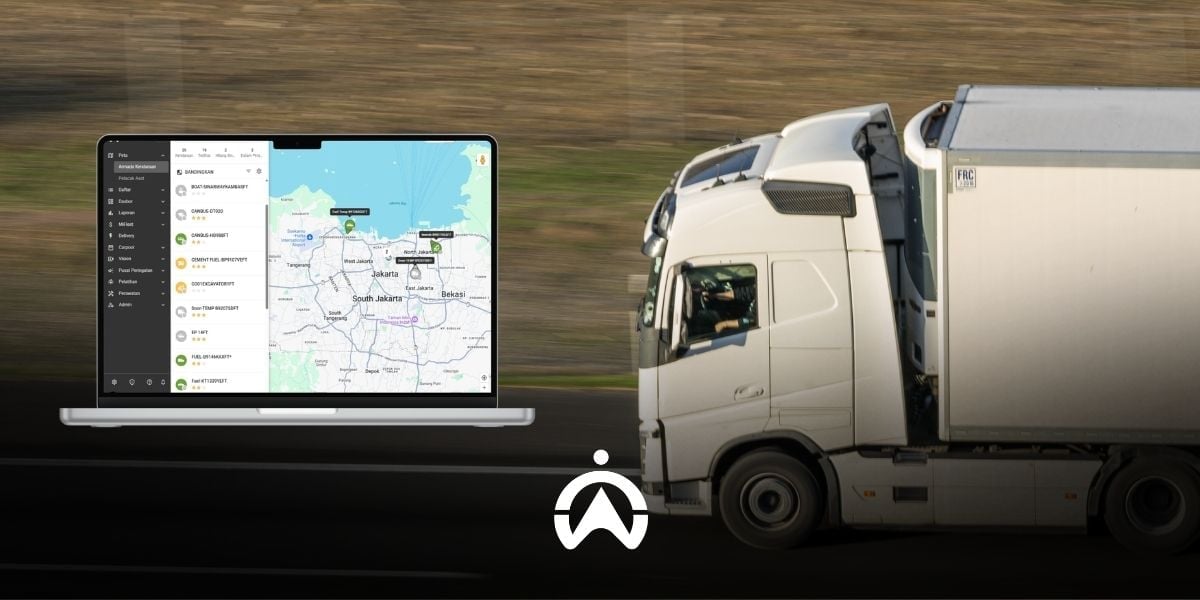
Aerial view of trucks with digital location markers on a real-time map for efficient fleet management systems.

The Benefits of Communication Networks for Your Business

5G networks are not merely an upgrade from their predecessor, 4G; they are a game-changer in telecommunications and informatics (telematics) systems. This cutting-edge wireless technology offers speeds up to 100 times faster and greater bandwidth capabilities, resulting in increased reliability, massive network capacity, and high availability. This means 5G can handle a larger number of simultaneously connected devices—unlocking the full potential of the Internet of Things (IoT).

This boost in performance and efficiency solidifies the user experience (UX) and connects new industries. You can begin to see the positive impact on future fleet management. Existing fleet management operations will become far more advanced, resulting in more accurate fleet monitoring; reduced fuel, operational, maintenance, and labor costs; increased productivity; advanced reporting capabilities; enhanced safety and security; extended vehicle lifespans; and improved customer satisfaction.

Explore the Fleet Management System Trend

Overall, the trend toward GPS-based fleet management systems is on the rise, even amidst the uncertainty caused by the COVID-19 pandemic. According to the 2019 Fleet Technology Trends Survey conducted for Verizon Connect, the adoption of fleet management systems grew from 59% to 64% in just one year. Companies using these systems are achieving a positive return on investment (ROI) faster than before, with 45% reporting that they reached a positive ROI within 11 months or less.

Leading global mobility solution providers like Cartrack offer customers far more than just simple GPS tracking. Cartrack’s innovative offerings include comprehensive smart fleet solutions for every industry, AI-driven driver behaviour assessment, advanced installation techniques, a lifetime hardware warranty, industry-leading cost management reports, and additional services that enhance fleet safety and profitability—regardless of your fleet size or vehicle value.

Click here to discover how Cartrack can support your company's future through GPS-based fleet management solutions. Ensure your fleet management stays ahead of the curve by leveraging Cartrack’s advanced telematics technology.


4 Steps to Determine the Right Fleet Composition for Your Business

Determining the right fleet composition is important to ensure optimal task completion and efficient fleet operating costs. Your company may have too many vehicles than needed, resulting in unnecessary expenses; or you may need to expand your fleet to meet customer demand and grow your business. You can try the following steps to determine the right fleet composition for your business.

1. Determine Vehicle Needs

Your company may require different types of vehicles for different assignment purposes, such as vans for short-distance deliveries and small goods, refrigerated trucks for food and beverage transport, and trailers for large or bulk cargo. It is also important to consider internal business trends, whether demand is increasing or decreasing, so that you can anticipate future requirements as well.

Analysing the needs of each vehicle type helps ensure that you have the right number and mix of vehicles for your business operations. In Cartrack’s fleet management software, Fleet Web, you can create vehicle groups to make it easier to monitor and evaluate similar types of vehicles.

2. Set a Minimum Vehicle Usage Target

To assess fleet productivity, you need to set minimum usage targets for each vehicle, such as mileage, number of trips, or operating hours within a specific period. These targets should consider location, your business operating model, and the type of vehicles used.

Mining businesses, for example, with heavy equipment fleets, set operational targets based on cycle counts (ritase). If heavy equipment does not meet the minimum daily cycle target, it can be classified as underperforming. In Cartrack’s Fleet Web Reminders menu, you can set notifications to alert you when a vehicle exceeds the operational duration or mileage targets you have defined.

A row of white delivery trucks in the loading and unloading area of ​​a distribution facility

3. Evaluation of Vehicle Usage Level

After determining your requirements and minimum vehicle usage targets, you can reassess how your fleet is operating. Cartrack Fleet Web helps provide insights into how each fleet vehicle is being utilised.

Through the Dashboard menu, you can quickly compare vehicle usage based on mileage and driving duration, total idle time, number of completed trips, and more. For more detailed data, you can use Cartrack’s automated reports—with more than 60 types of reports available—which can be downloaded or sent via email. This evaluation helps you determine whether all vehicles are being used evenly, which vehicles are underutilised, and which are being overused.

4. Vehicle Cost Efficiency Audit

Since one of the key considerations in fleet composition is cost efficiency, you need to audit your fleet expenses. Cartrack’s e-accounting feature, Mi-Fleet, helps you manage fleet costs more practically. You can track vehicle cost per kilometre and easily identify the most expensive units or vehicle types to operate. Every expense can also be traced and categorised into three groups: operational costs (fuel, servicing, washing, etc.), regulatory costs (tax, insurance, etc.), and asset costs (accessories, instalments, etc.).

By following these four steps, you can determine the right fleet composition for your business—deciding whether to reduce or increase the number of vehicles, replace specific units or vehicle types, or make other fleet adjustments. Beyond helping you determine the ideal fleet composition, implementing Cartrack can also reduce costs and further boost your fleet's productivity. Optimise your fleet composition by leveraging the diverse features of Cartrack’s Fleet Web platform! Click here for inquiries, orders, or to request a free online demo.

Cartrack GPS Tracker: Free Installation Included

If you are considering using a GPS tracker, Cartrack offers a special benefit that is too good to miss: free installation. You may be wondering about the details of this free installation service—such as whether there are specific conditions or hidden costs. To clear up any doubts, we have summarised some common questions regarding Cartrack’s free installation service below.

What are the requirements to get free installation for the Cartrack GPS tracker?

There are no specific requirements to qualify for Cartrack’s free GPS tracker installation service. You simply need to select one of the available Cartrack fleet management solutions: Fleet Easy, Fleet Lite, Fleet Fuel, Fleet Voice, Fleet Master, or Fleet Elite. Cartrack’s GPS tracker installation service is free of charge, including the installation of any sensors or additional devices you choose based on your needs.

Are there any additional costs?

In principle, Cartrack installation services are free throughout Indonesia, though there are regional differences. You incur no additional costs for the installation of the Cartrack GPS tracker in the DKI Jakarta, Banten, West Java, and East Java regions. We will dispatch GPS technicians from our Jakarta and Surabaya offices to your location without charging for installation labour or transportation. Outside of these four provinces, the installation service remains free, but you will be required to provide accommodation and transportation for the Cartrack technicians sent to your site; naturally, our consultants will inform you of this requirement from the outset.

Can I use a GPS technician other than Cartrack?

This could serve as an alternative solution, particularly for those located outside the four aforementioned provinces. Please note that the technician must be an expert in GPS tracker installation and agree to be guided by a Cartrack technical expert. Additionally, if you engage a non-Cartrack GPS technician, you are responsible for covering all associated costs. Please consult with our team and technical support staff beforehand to obtain approval for this special request; Cartrack reserves the right to approve or deny such requests on a case-by-case basis, in accordance with company policy.

Technicians perform car engine maintenance for free Cartrack GPS tracker installation services.

Can I install the Cartrack GPS tracker myself?

The installation of Cartrack GPS trackers for fleet management solutions must be performed by Cartrack technicians or by GPS technicians appointed or approved by Cartrack.

What if I want to move the Cartrack GPS tracker to another vehicle?

We provide deinstallation and reinstallation (DERE) services for Cartrack GPS tracker units, including any sensors or additional devices—unless specific conditions prevent the sensors from being transferred. You only pay the fee for the unit's removal; the reinstallation into another vehicle is free of charge. Please contact Cartrack Indonesia customer support at customercare.id@cartrack.com.

Order a Cartrack GPS tracker now and enjoy free installation at your preferred time and location! Consult with us on your business's fleet monitoring and management needs and get a free live demo.

4 Ways a GPS Tracking-Based Fleet Management System Improves Driving Safety

The implementation of driving safety practices requires more serious monitoring, given the persistently high rate of traffic accidents in Indonesia. A GPS-based fleet management system offers a solution for monitoring the driving safety of your fleet drivers while they are on duty. This monitoring helps safeguard your drivers, vehicles, and cargo, thereby protecting you from both tangible and intangible losses resulting from driving accidents. Here are four ways a GPS-based fleet management system enhances driving safety.

1. Sending Aggressive Driving Behaviour Warnings

A GPS tracker monitors how your vehicle is driven and sends alerts when aggressive driving behaviour occurs. Aggressive driving behaviours monitored by the GPS tracker include speeding, rapid acceleration, harsh braking, and sharp cornering. You can configure alerts for all or specific aggressive driving behaviours, applying them to the entire fleet or only selected vehicles. Additionally, you can choose to apply these aggressive driving alerts to specific geofenced areas. Alerts can be sent via email or SMS to you or the driver at any time, or restricted to specific days and hours.

2. Monitor Seat Belt Use

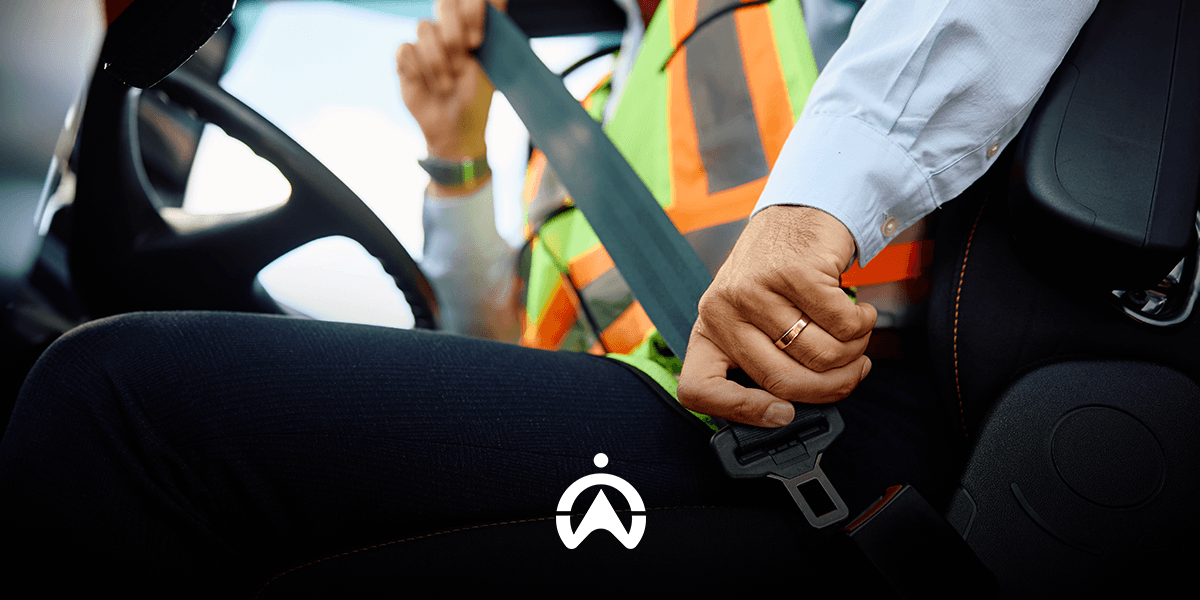
Not all vehicle types come equipped with seatbelt sensors. GPS-based fleet management systems offer Power Take-Off (PTO) sensors as an optional feature. By installing this sensor on the seatbelt system, you can detect when a driver fastens or unfastens their seatbelt. When combined with starter monitoring, you can track whether the driver has fastened their seatbelt before starting the journey. For real-time monitoring, you can enable notifications for starter activity (ignition on/off) and the PTO sensor.

Officers check truck tires using a clipboard as part of the Fleet Management System to ensure driving safety.

3. Ensure the vehicle remains in prime condition.

Driving safety also depends on the condition of the vehicle itself. GPS-based fleet management systems include a reminder feature for managing vehicle maintenance schedules. Integrated with the GPS tracking system, this allows you to schedule maintenance based not only on time intervals but also on mileage and the operational duration of each vehicle. Reminder notifications can be configured to trigger in advance—based on time or distance—and can be automated for future scheduling. This simplifies maintenance management, ensuring no tasks are overlooked. Additionally, the system includes a Driver Vehicle Inspection Report (DVIR) feature, enabling drivers to report any damage to the vehicles they operate.

4. Provide Driving Evaluation Report

GPS-based fleet management systems generate various automated reports, including the Driving Score Reports. The vehicle monitoring system automatically evaluates each driver based on their driving behaviour. With Cartrack’s fleet management software, you can configure the Dashboard to display driving behaviour statistics. You can identify the best and worst drivers in terms of behaviour, pinpoint vehicles most frequently driven aggressively, and determine the times when poor driving behaviour most often occurs. All the data and insights provided by the GPS tracking system help you evaluate drivers, provide targeted training, establish driving behaviour standards, and formulate incentives for top-performing drivers to enhance driving safety.

Cartrack’s GPS-based fleet management system has everything you need to improve your drivers' safety. Your company can also avoid significant losses resulting from accidents and traffic violations, such as fines. Consult with us about your fleet management needs and get a FREE LIVE DEMO of Cartrack’s fleet management system!

4 Functions of Fuel Sensors in a GPS Tracking-Based Fleet Management System

GPS-based fleet management systems offer a range of optional features tailored to your needs, one of which is the fuel sensor. This device is used to monitor and measure the fuel volume in a vehicle's tank. The resulting fuel monitoring data is displayed on mobile apps and fleet management software, alongside tracking data from the GPS tracker. Here are four functions of fuel sensors within a fleet management system.

1. Monitoring Fuel Volume in Real-Time

You may come across several types of fuel monitoring devices when choosing a fleet management system. Cartrack provides two types of devices: one integrated with the vehicle's fuel gauge (fuel gauge), and another installed inside external fuel tanks, such as those used in trucks and heavy equipment. Both provide real-time information on the fuel volume in the vehicle's tank (in litres), which you can monitor at any time through the Cartrack mobile app and Fleet Web software.

2. Tracking Fuel Activity

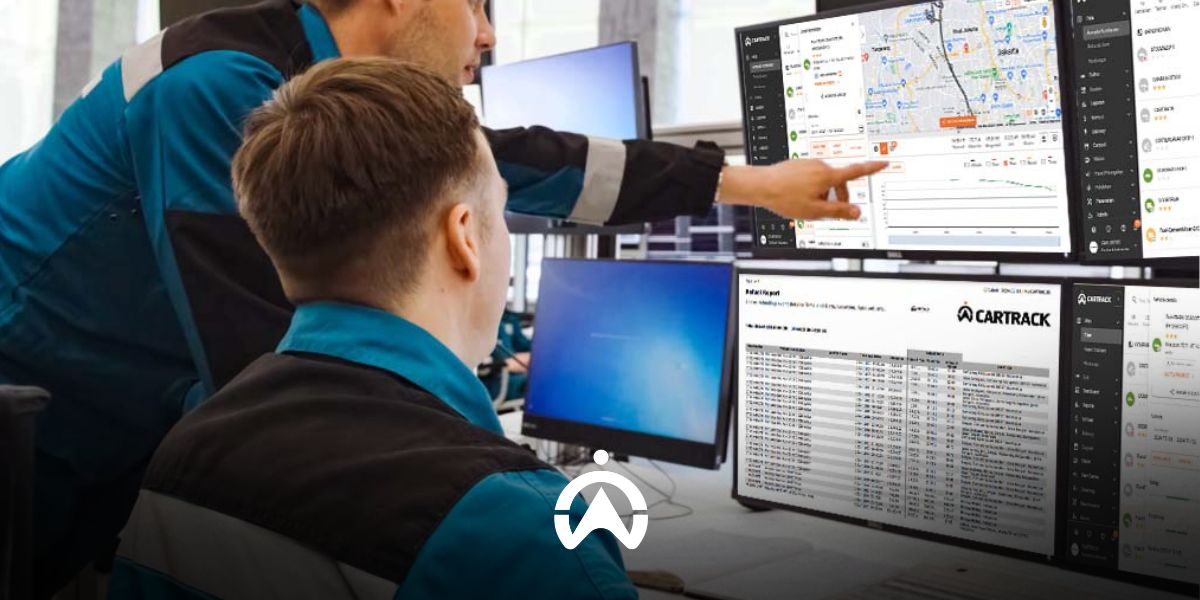
Fuel sensors enable you to track all fuel-related activities in your vehicle's tank. When integrated with a GPS tracking-based fleet management system, you can access automated reports that combine data from GPS trackers to provide comprehensive insights. For example, Cartrack's Fuel Summary Report provides information on vehicle fuel consumption, distance travelled, and average fuel consumption per 100 km over your selected period. Cartrack's Refuel Report provides detailed information about refuelling activities, including location, time and date, odometer reading at the time of refuelling, and fuel volume before and after refuelling.

The car dashboard with fuel indicator supports the fuel sensor function in the GPS tracking-based fleet management system.

3. Sending Fuel Alerts

With fleet management software, such as Cartrack Fleet Web, you can configure refuelling and fuel loss alerts. Alerts can be sent via e-mail or SMS in real time whenever a vehicle equipped with a fuel sensor refuels and/or experiences fuel loss. Fuel loss alerts are triggered when there is a sudden drop in fuel volume, for example, due to fuel siphoning from the tank, a tank leak, or a malfunctioning vehicle fuel gauge. You can also check the Fuel Graph Report to see whether it shows a sharp drop in fuel levels on that particular day.

4. Prevent Fuel Fraud

With this system in place, you can verify fuel receipts and ensure that the claimed fuel quantity in litres matches the amount recorded by the fuel sensor. In addition, fuel loss alerts and the Fuel Graph Report help you stay alert to potential fuel theft. This allows you to prevent greater losses caused by fraudulent fuel claims and fuel theft.

Add a fuel sensor to your fleet management system package to keep fuel costs under control. Trust Cartrack with your vehicle fuel monitoring and fleet management needs. Speak to our consultants today and get a FREE LIVE DEMO of Cartrack's fleet management system!

Cartrack Fleet Management System for Mining Monitoring

With a single, integrated fleet management software platform, you can handle everything needed to operate your vehicle fleet more efficiently. Use Cartrack’s fleet management software—which integrates all five of these functions—to boost your fleet's operational efficiency in Indonesia! Contact us today for a free live demo of Cartrack’s fleet management software.

1. Manage drivers and vehicles efficiently

Which operator is performing a specific task? What vehicle are they using? For how many consecutive hours has a specific piece of heavy equipment been in use? Cartrack’s fleet management system answers all these questions quickly and efficiently. You can identify the operator of each vehicle via driver ID tags, detect poor driving habits through the driver behaviour monitoring feature, track ignition status with starter monitoring, measure usage duration with operating hours monitoring, and oversee task assignments and completion progress for each vehicle or driver using the Delivery feature.

2. Track the itinerary of each vehicle

Tracking trip cycles is essential for helping mining companies improve fleet operational efficiency. A "trip cycle" refers to the number of trips—or round-trip journeys—a vehicle completes along a specific route. You can use geofencing features to mark the areas traversed during these trips and track vehicle activity both between and within those zones. Cartrack’s fleet management system generates automated reports based on this geofence data, such as Geofence-to-Geofence Reports and Geofence Visit Reports. These reports allow you to monitor travel duration and distance (both inter-zone and intra-zone), stop and idle times, and maximum speeds. This data provides insight into whether your trip cycle operations are already optimised or if there is room for further improvement.

Drones monitor roads in the middle of the forest as part of Cartrack's fleet management system solution for monitoring mining company fleets.

3. Monitoring Material Movement

Fleet managers need to track the movement of materials transported by each vehicle, ensuring the right materials reach the correct location efficiently and safely. You might consider installing Cartrack’s Live Vision cameras to monitor the cargo area—cameras that remain functional even in low-light or nighttime conditions. Power Take-Off (PTO) sensors track the usage of vehicle peripherals, such as cranes, scrapers, and tow hooks. Stop-time reports provide data on the location and duration of each vehicle's stops. For fixed, repetitive material transport routes, you can utilise the route planning feature; this allows you to assign routes based on trip history to specific vehicles, including scheduled start and end times. You will receive notifications via email or SMS regarding key events, such as route commencement and completion, deviations, delays, and late completions.

Cartrack’s fleet management system provides real-time visibility into your mining vehicle fleet and operators. Through monitoring and tracking data, you can identify opportunities to boost productivity and operational efficiency, ultimately increasing your mining company's profitability. Speak with our consultants today and get a FREE live demo of the Cartrack fleet management system!

Cartrack Indonesia Fleet Management System: Delivering More Than Just a GPS Tracker

“We stand out because we believe we are unique—not merely a ‘GPS company,’ a common misconception about us,” said Evert Ong Pheng Hong, CEO of PT Cartrack Technologies Indonesia (Cartrack Indonesia). His statement underscores Cartrack Indonesia’s position as a company that offers value far beyond that of a standard GPS tracker provider. Consequently, Cartrack Indonesia delivers not just basic vehicle tracking solutions like conventional GPS trackers, but a comprehensive fleet management system.

1. Monitoring various vehicle operational parameters

Cartrack Indonesia offers a range of features and sensors to monitor key vehicle operational parameters. Primary monitoring focuses on real-time vehicle location and location-based activity, such as through geofencing and trip monitoring features. Cartrack’s geofencing feature enables you to monitor vehicle activity within or between specific areas—for instance, tracking when a vehicle enters and leaves an area, the duration spent there, and the distance traveled within those boundaries. Trip monitoring records vehicle activity from ignition to shutdown, capturing details such as the start and end times and locations of trips (when the engine is turned on and off), where and when the vehicle stops, and the duration of those stops.

In addition to location and location-based activities, various other vehicle operational parameters can be monitored using supplementary sensors. These include fuel sensors to track consumption and refueling; temperature sensors to monitor refrigerated cargo temperatures; cargo door sensors to track opening and closing activity; power take-off (PTO) sensors to monitor the use of vehicle peripherals (such as winches, hydraulic pistons, and towing hooks); and cement mixer sensors to monitor the loading and unloading of concrete.

2. Managing Driver Behaviour and Assignments

Cartrack Indonesia’s fleet management system monitors not only your vehicles but also your drivers' behaviour and performance. The driving behavior monitoring feature can send automatic alerts when drivers speed, accelerate harshly, brake suddenly, corner sharply, or leave the engine running while the vehicle is stopped or parked (idling). Cartrack can also detect when a vehicle exceeds road speed limits, as stipulated in Ministry of Transportation Regulation No. PM 111 of 2015 regarding Speed ​​Limit Determination Procedures. The Driver ID Tag feature allows you to identify which driver is operating each vehicle. You can also add AI and non-AI vision cameras to verify driver identity and visually monitor driving behaviour.

For driver assignments, Cartrack Indonesia’s fleet management system includes a "Delivery" feature and a route planner. The Delivery feature—available as a mobile app for drivers and as a menu within the Cartrack Fleet Web platform—serves as an efficient assignment solution. It enables task assignment, barcode scanning for items (for stock control), task progress monitoring, and the submission of proof of completion (such as photos or digital signatures). Meanwhile, the route planner ensures your drivers stay on the correct path. You can configure notifications for various events, such as when a driver starts, ends, pauses, deviates from, or returns to a route, as well as alerts for slow progress or failure to complete a route on time.

3. Safeguarding Assets

More than a GPS tracker, Cartrack Indonesia has a number of features to help you keep your assets (vehicles, shipments, and drivers) secure. The combination of driver ID tag and start inhibit relay prevents the starter from starting unless the driver has touched the magnetic key to the sensor. Start inhibit relay This can also function as a remote immobiliser, where you can remotely disable the starter so that it cannot be restarted after the engine is turned off. In addition, the panic button feature also helps drivers when they are in a dangerous situation. Notifications will be sent via push notification and e-mail/SMS, thus speeding up the delivery of assistance.

Two logistics trucks in the warehouse loading and unloading area using Cartrack Indonesia's Fleet Management System for fleet efficiency.

4. Managing Fleet Maintenance and Administration

In addition to the Reminders feature, Cartrack’s fleet management system includes a Driver Vehicle Inspection Report (DVIR) feature that allows drivers to report damage to the vehicles they operate. This feature is located within the Inspection menu of the Cartrack Driver App. Reports are sent to the DVIRs menu on the Cartrack Fleet Web platform for immediate follow-up. Report statuses can be updated via the Driver App, with reports marked as complete once repairs and inspections have been finalised.

Selain fitur Reminders,   Cartrack juga memiliki fitur   (DVIR) for   melaporkan kerusakan pada kendaraan yang digunakannya. Fitur ini terdapat pada menu Inspection di aplikasi Driver App dari Cartrack. Laporan akan masuk ke menu DVIRs pada Fleet Web Cartrack untuk segera ditindaklanjuti. Status laporan dapat diperbarui melalui Driver App, di mana laporan akan dianggap selesai setelah melalui perbaikan dan pemeriksaan. 

5. Automatically Generating Statistics and Reports

Cartrack also provides a Dashboard feature to help you quickly monitor key parameters tailored to your specific industry. Statistical data available for display on the dashboard includes the busiest vehicles, total daily mileage, vehicle usage based on average mileage, and vehicles with the longest idling times.

Cartrack also provides a menu Dashboard to help you quickly monitor several important parameters, tailored to your industry. Some of the statistical data available for display on the Dashboard include the busiest vehicles, total daily mileage, vehicle usage based on average mileage, and vehicles by duration.   highest.

6. Managing Fleet Costs and Assets

Cartrack Indonesia’s fleet management system offers comprehensive cost management, all integrated into the Fleet Web platform. The Mi-Fleet feature simplifies the monitoring of operational costs, regulatory requirements, and assets. Simply input data regarding various fleet expenses into these three cost categories to instantly view total monthly and per-kilometer costs for each vehicle.

You can also upload documents related to costs and assets—such as vehicle purchase installment plans, insurance contracts, and vehicle lease agreements. Anyone with Mi-Fleet access via your Fleet Web account can view and download these documents whenever necessary. Other Mi-Fleet features include a payment schedule manager, automated cost reports, and fuel purchase receipt validation. Mi-Fleet also assists in calculating asset costs, making it easier for you to make decisions regarding the sale of your vehicles.

All these advantages are supported by reliable software and mobile applications developed in-house by Cartrack. Cartrack Fleet Web is a web-based fleet management solution, allowing you to access it anytime, anywhere—all you need is a web browser and an internet connection. Contact us today to start experiencing more efficient, productive, and profitable fleet management with Cartrack Indonesia’s fleet management system!

Integrated Fleet Software Boosts Operational Efficiency

In general, fleet management encompasses several key functions: monitoring, dispatching, maintenance, cost management, and reporting. Integrating these functions into a single software platform drives operational efficiency. You can find these advantages in GPS-based fleet management software, such as the solution offered by Cartrack.

1. Monitoring

Using fleet management software, you can monitor vehicles equipped with GPS trackers based on parameters such as distance traveled, location, time, duration, and specific events. Features within the software—including geofencing, driving behavior monitoring, and ignition monitoring—enrich the data derived from these five parameters. You can track details ranging from engine start and stop times, routes taken, and vehicle activity in specific zones to stop locations, idling duration (engine running while stationary or parked), and daily mileage, as well as the frequency of poor driving behaviors (such as speeding, harsh braking, sharp turns, and rapid acceleration). For specialised monitoring, you can install additional devices integrated with the GPS tracker, such as sensors for fuel, temperature, or cargo doors; surveillance cameras; and driver ID tags.

2. Assignment

Driver assignments can also be made from the same fleet management software platform, such as Cartrack Fleet Web with its Delivery feature. This feature is available as a mobile app (for drivers) and menu on Cartrack Fleet Web (for fleet managers). You can create detailed assignments from Fleet Web, which will be sent directly to the driver app. Proof of task completion in the form of a photo or digital signature sent from the driver's application will be directly entered into Cartrack's Fleet Web, which is a web-based fleet management software.

Employees use fleet management software on laptops to improve the efficiency of fleet operations within an industrial warehouse.

3. Maintenance

The Reminders feature in the fleet management software simplifies vehicle maintenance scheduling. Integrated with GPS trackers, it allows you to automate maintenance schedules for each vehicle based on time intervals, operational duration, or mileage. You can configure notifications to be sent via SMS or email in advance—based on time or mileage—ensuring no scheduled maintenance is missed. In addition to Reminders, there is also the Driver Vehicle Inspection Report (DVIR) feature, which enables drivers to report vehicle defects and update the report status once the issues have been resolved.

4. Cost Management

This function is not commonly found in fleet management software. One solution that offers it is Cartrack’s Fleet Web, featuring MiFleet. This feature simplifies the management of operational costs, regulatory compliance, and assets. You can quickly determine vehicle costs on a monthly and per-kilometer basis, calculate asset and divestment costs, monitor contracts and payment schedules, and validate fuel purchase receipts.

5. Reporting

Fleet management software processes data recorded by GPS trackers and other additional tracking devices into automated reports. With Cartrack, you can access over 60 types of automated reports—available in PDF or Excel formats—that can be downloaded or emailed directly to you. Available reports include Trip Reports, Driver Score Reports, Geofence Reports, Operating Hours Reports, and Fuel Refill Reports. This eliminates the need for manual report generation, thereby increasing operational efficiency. In addition to automated reports, fleet management software features a dashboard that allows you to quickly view your fleet's performance.

With a single integrated fleet management software platform, you can handle everything needed to operate your vehicle fleet more efficiently. Use Cartrack’s fleet management software—which integrates all five of these functions—to boost your fleet's operational efficiency in Indonesia! Contact us now to get a FREE LIVE DEMO of Cartrack’s fleet management software.

5 Tips to Become an Effective Fleet Manager with a Fleet Management System

As a fleet manager, you are responsible for maximising efficiency, productivity, and profitability through effective vehicle and driver management. The use of a fleet management system can help you optimise your ability to manage fleets effectively, regardless of whether your fleet is large or small. Below are 5 tips you can implement with a fleet management system to become a more effective fleet manager.

1. Make Safety a Priority

By managing risks that may arise while drivers perform their duties, you can help protect both your employees and your company. The many road hazards and safety risks, as well as the resulting losses, make it essential to take preventive action against accidents and dangerous situations. A fleet management system can support risk management through features such as driver behaviour monitoring, risky driving alerts, in-vehicle cameras, and a panic button. In the event of an accident, the Route Replay feature can assist in reconstructing incidents by providing information on road conditions, speed, and various risky driving parameters (speeding, harsh braking, harsh acceleration, and sharp cornering).

2. Implement Digital-Based Work Standards

For some drivers, incentives for good performance can boost motivation and work output. However, your drivers must still follow defined work standards, such as driving behaviour, fuel efficiency, and regular vehicle inspections. If all drivers can save fuel through good driving habits and actively maintain vehicle condition, your fleet costs will decrease.

To help your drivers meet these standards, a fleet management system provides features such as fuel sensors, idling monitoring (engine running while the vehicle is stationary/parked), driving behaviour monitoring, speeding alerts, automated reports (Fuel Efficiency Reports, Idling Reports, Driver Score Reports, etc.), and Driver’s Vehicle Inspection Report (DVIR). All of these features provide an accurate digital trail to ensure your drivers comply with company work standards.

Row of white trucks at logistics warehouse

3. Automate Vehicle Maintenance

Simplify vehicle maintenance management by making it mobile, automated, and accessible to anyone you choose. Cloud-based fleet management software with mobile access and automation capabilities provides the solution. The reminder feature in fleet management software allows you to schedule maintenance for each vehicle based on date, operating hours, and kilometres.

You can set notifications to be sent via SMS or email at specific times or mileage thresholds before due dates, as well as set recurring schedules so you do not have to repeat the process manually. You can also enter multiple phone numbers or email addresses to receive notifications, and create multiple sub-users with different levels of access permissions that you assign.

4. Streamline Data Analysis and Reporting Processes

Not just raw data, a fleet management system provides processed data and analytics, enabling you to quickly gain insights to optimise your fleet. Some features of a fleet management system include cargo door sensors, CAN-bus, PTO sensors, concrete mixer (molen) sensors, mileage tracking, operating hours monitoring, cost management, and automated reporting.

GPS tracking data is presented in various automated report categories and dashboard statistics, making data analysis and reporting far more efficient. You can easily measure vehicle or heavy equipment productivity, costs (per vehicle, per driver, per trip, and per kilometre) over a specific period, as well as the average time required to complete trips and cargo loading or unloading.

5. Integrate All Information in One Platform

Dokumentasi digital dan integrasi informasi dalam satu platform sangat penting dalam meningkatkan efisiensi. Fleet management system menggunakan penyimpanan berbasis Cloud yang lebih hemat biaya dan waktu, di mana semua data terintegrasi dalam satu platform yang dapat diakses secara online. Mengunggah, mengunduh, dan berbagi file antarpengguna dalam satu platform fleet management menjadi praktis, cukup dengan koneksi internet. Salah satu contohnya adalah fleet management system Cartrack. Fitur Delivery-nya memungkinkan driver atau kurir mengirim bukti penyelesaian tugas berupa foto atau tanda tangan digital langsung dari aplikasi ponsel.

A reliable fleet management system provides everything you need to become an effective fleet manager, and all of it is available in Cartrack. The Cartrack fleet management system improves your operational efficiency through a wide range of advanced features, cloud-based software, automation, and digitalisation. In addition, Cartrack’s fleet management system provides insights for fleet optimisation through automated data analysis and statistics.

Contact Cartrack now and get a FREE LIVE DEMO to learn how our trusted fleet management system can support you as a fleet manager.

4 Advantages of Installing a Camera Integrated With a GPS Vehicle Tracker

The evolving features of GPS vehicle trackers are making fleet management increasingly practical and sophisticated. One feature gaining popularity among fleet business owners is the monitoring camera. While GPS vehicle trackers allow you to track trips, monitoring cameras enable you to visually observe activities taking place during the journey. This integration of GPS vehicle trackers and monitoring cameras provides you with comprehensive visibility over your company's fleet.

4 other benefits if you install this monitoring camera feature on your company vehicle

1. Maintain Asset Security

With Cartrack, you can install up to four surveillance cameras in a single vehicle. Video recording operates around the clock (24/7)—even at night or in low-light conditions—and footage can be accessed remotely from anywhere. You can position them in areas requiring heightened security, such as the cargo hold and the driver's cabin. These cameras help prevent and expose crimes like cargo theft or vehicle hijacking, serving as an additional layer of security to protect your drivers, cargo, and vehicles.

2. Improve Driver Behaviour

Surveillance camera footage provides fleet managers with insights into driver behaviour. Cameras can be installed to face the road—capturing driving habits—or the driver, ensuring they are fit to operate the vehicle. You can also monitor driver discipline, such as adherence to uniform and health protocols, work hours, and mobile phone usage. This footage, combined with driver monitoring data from GPS vehicle trackers, can serve as a basis for evaluation and driver training aimed at enhancing professionalism, improving driving habits, and preventing financial losses from traffic fines or other driving violations.

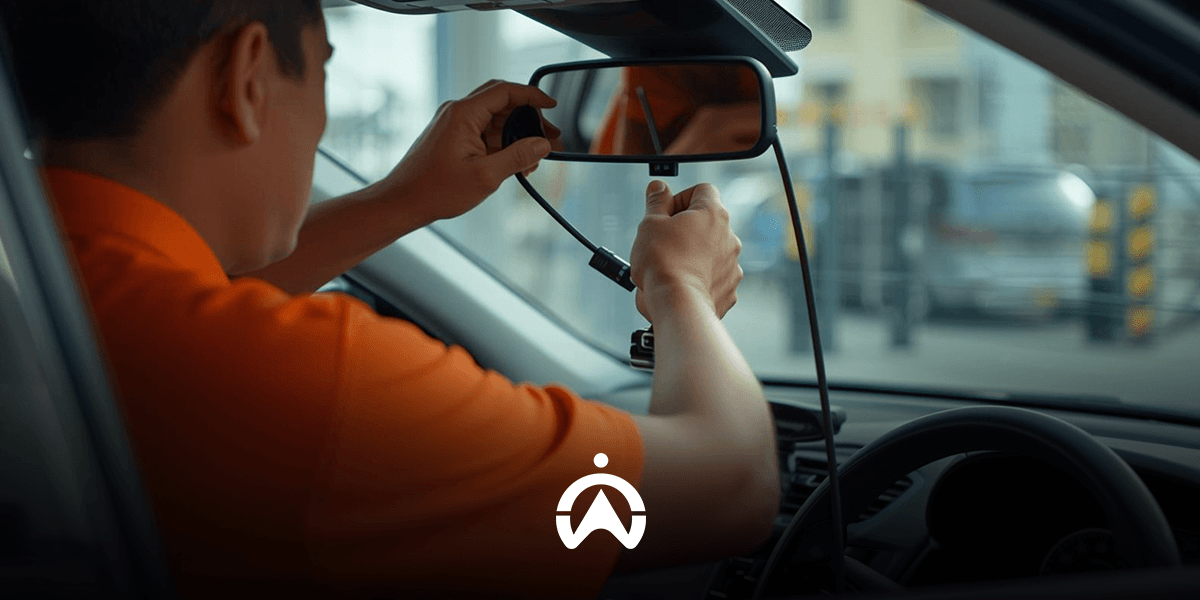
The dash cam integrated GPS vehicle tracker is mounted on the car windshield for driver safety.

3. Makes it easier to make insurance claims

The most common reason companies install in-vehicle cameras is to ensure they have direct evidence in the event of incidents such as accidents, fires, or vehicle theft. This facilitates the process of filing claims for vehicle insurance, personal accident insurance, and even employee-related coverage. Recorded evidence also enables insurers to quickly verify whether the incident falls within the scope of the policy. Integration with GPS vehicle trackers provides additional data—such as driving speed, as well as the location and time of the accident—ensuring that relevant parties receive comprehensive information about the incident.

4. Monitor Vehicle Usage

The monitoring camera feature provides visual insights into how your employees use the vehicles. Any errors or instances of misuse can be verified through video footage. This function also complements another GPS vehicle tracking feature: driver ID tags. These magnetic tags must be tapped before a driver uses the vehicle, allowing you to identify the user and track their driving activities and behaviour. With monitoring cameras in place, you can ensure that driver identities are not swapped or misused. You can also monitor vehicle usage outside of scheduled hours, cargo utilisation efficiency, and post-use cleaning procedures in accordance with your company's established health protocols.

Cameras integrated with GPS vehicle trackers enhance fleet visibility, making your fleet management more professional and efficient. Want to try this feature? CONTACT US NOW to learn about the benefits and order the Cartrack Live Vision camera—includes free installation and a 1-year warranty!