4 Ways a GPS Tracker Can Increase Fleet ROI Threefold

Vehicle telematics solutions can be highly beneficial for businesses involved in fleet management. With the introduction of GPS monitoring technology in fleet operations, management now has a way to prevent damage or losses. A GPS tracker can help fleet businesses achieve a higher return on investment (ROI) through improved productivity and reduced operational costs. In practice, this increase in ROI can even reach three times or more. The following are 4 ways a GPS tracker achieves this.

1. Prevent Fuel Waste

Operational activities that waste fuel can be detected by a GPS tracker, which will also send you real-time notifications. These include prolonged engine idling when the vehicle is stationary (idling), speeding, or operating the vehicle outside working hours. Fuel theft can also be detected through automatic GPS tracker reports.

2. Improving Driver Productivity

A GPS tracker can track vehicle operating hours as well as when and where the vehicle stops, increasing drivers’ awareness to be more productive. With more productive drivers, overtime expenses are also reduced. A GPS tracker can also send alerts for poor driving behaviour, helping to prevent rapid vehicle wear and tear, accidents, and fuel wastage.

Logistics trucks on toll roads with drowsiness detection notifications on GPS tracker systems to increase vehicle fleet ROI.

3. Reduce Vehicle Operating Costs

Using analytical reports from a GPS tracker, you can identify the least productive and least efficient vehicles. You can then decide whether inspections and servicing are required, whether a vehicle should be replaced, or whether the fleet size should be reduced. The Reminders feature in GPS tracker software, which can be set based on kilometres, operating hours, or time periods, also helps ensure that maintenance schedules are not missed. As a result, vehicles remain well-maintained and more productive.

4. Improve Customer Satisfaction

With the Route Planner feature in GPS tracker software, you can identify which vehicles are on time or delayed in reaching their destination and provide certainty or updates to customers. In addition, the What’s Nearby feature helps you track and dispatch the nearest vehicle to customers, enabling faster deliveries. The GPS tracker’s ability to provide comprehensive fleet monitoring helps you improve customer trust and satisfaction.

Many fleet operations managers have seen increased ROI through the application of vehicle telematics. Cartrack GPS Tracker ensures that you can also increase ROI, even by more than three times per vehicle. Use Cartrack's GPS Tracker now and achieve multiplied ROI! You can also get a FREE DEMO if you want to learn how Cartrack GPS Tracker works.

4 Telematics Usage Trends for Fleet Businesses

Teknologi telematika dengan cepat menarik perhatian para pelaku bisnis, khususnya pemilik armada kendaraan. Mereka menyadari nilai yang dapat ditambahkan teknologi ini ke dalam bisnis mereka, dari kemudahan pengelolaan armada hingga peningkatan profit. Di antara sekian banyak kelebihan yang ditawarkan, berikut ini 4 fungsi telematika yang paling banyak diaplikasikan para pebisnis.

1. Driver monitoring

Perkembangan telematika membawa pergeseran fokus dari pemantauan lokasi kepada driver monitoring. Sebagai garda terdepan, pengemudi mampu memberikan dampak signifikan bagi kemajuan bisnis armada, terlebih jika kualitas kinerjanya meningkat. Teknologi telematika memantau perilaku mengemudi dan aktivitas operasional, memastikan pengemudi lebih produktif, efisien, dan berhati-hati.

2. Improved safety

Unsafe driving practices can impact business operational losses. Telematics technology identifies how and why this occurs. This allows fleet managers to formulate safety training methods that best meet driver needs, thereby reducing accidents and downtime.

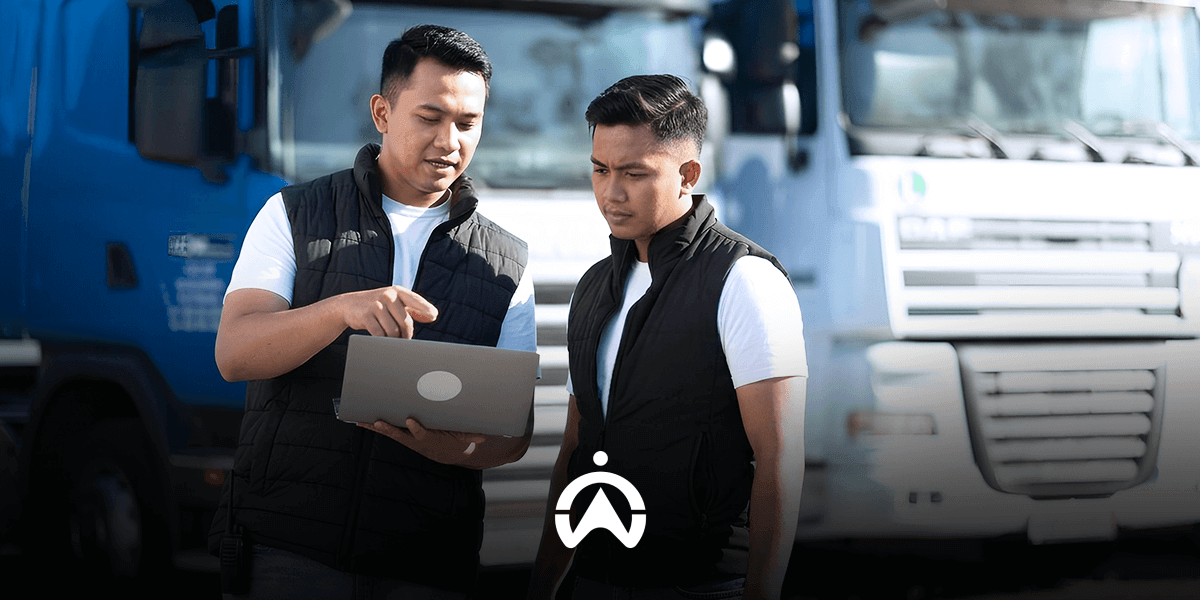
Man wearing blue vest holding tablet in front of fleet of delivery trucks

3. Asset utilisation analysis

Telematics provides accurate vehicle operational data that can aid in comprehensive fleet reviews. In-depth information on individual vehicle performance allows fleet managers to set thresholds for vehicle utilisation or replacement. This analytical data also enables fleet managers to make better decisions to maximise resources.

4. Data integration

Teknologi telematika memungkinkan komponen-komponen dalam sistem manajemen armada terhubung satu sama lain. Pengintegrasian data ini memungkinkan automasi laporan dengan beragam kategori analisis. Dengan sistem manajemen armada yang terintegrasi, pemilik bisnis bisa mendapatkan gambaran kinerja armadanya secara komprehensif dan akurat.

To get the best telematics experience, Cartrack is the solution. Cartrack’s advanced technology provides value and functionality beyond just a GPS tracker. Contact Cartrack today to find out how we can provide the best fleet management solution for your business!

3 Operational Logistics Mistakes That Cause Fuel Waste

There are several aspects of logistics vehicle operations that are often overlooked, such as routes, driving behaviour, and service schedules. However, these factors can increase fuel consumption, which in turn leads to higher operational costs. If your business or work is related to logistics operations, it is important to pay attention to the factors that cause excessive fuel consumption. By doing so, you can reduce your company’s vehicle operational costs.

1. Inefficient Route Planning

In fleet business, it is common to make multiple stops in a single trip. However, trips without proper planning, routing, and delivery sequencing can become inefficient in terms of distance travelled and time, and ultimately lead to unnecessary fuel wastage.

2. Weakness in Monitoring Driver Behaviour

Drivers Frequently Leave the Engine Running While the Vehicle Is Stationary (Idling)

This activity, known as idling, can be one of the biggest sources of fuel waste. One hour of idling can consume up to one gallon of fuel. If all idling time is accumulated over a month, it can significantly impact vehicle operating expenses.

Drivers Accustomed to Driving at High Speeds

Each vehicle has an optimal speed range for fuel efficiency. Generally, fuel mileage decreases rapidly at speeds above 50 mph (80.467 km/h). Over the same distance, fuel consumption is 7–14% higher at speeds above 50 mph compared to normal speeds.

Theft and Fraud in Fuel Claims

Lack of monitoring can increase the risk of fuel theft and fraud in fuel refill reporting. Although it may not be noticeable as it happens little by little, when calculated, it can certainly result in significant losses.

Truk logistik sedang bongkar muat di gudang untuk menghindari kesalahan operasional logistik yang bikin boros BBM.

3. Irregular Vehicle Service Schedule

Clogged filters, underinflated tyres, and misaligned suspension are some vehicle issues that, if neglected, can increase fuel consumption. Ensure that your fleet’s engine and vehicle components are in good working condition through regular servicing and maintenance.

The Cartrack GPS Tracker ensures you avoid fuel-wasting errors in logistics vehicle operations. Cartrack's advanced technology provides efficient route planning, idling and driving behaviour monitoring, schedule reminders, and fuel monitoring for greater fuel efficiency. Save fuel with the Cartrack GPS Tracker starting today and get a FREE DEMO of our product!

7 Steps to Using the Cartrack GPS Tracker Mobile Application

After receiving an email confirming that you have joined the Cartrack family, you can access the Cartrack mobile application. Downloading the Cartrack app is the first essential step to enjoy greater convenience in monitoring your vehicle fleet. The following are the steps for using the Cartrack mobile application and its various features.

1. Download and login

From your phone or tablet, go to the Play Store (Android) or App Store (iOS). Search for the "Cartrack" app and select the one developed by the Cartrack Development Team. After downloading, click "Sign In" and enter the username and password provided to you via email. Check the "Admin Login" option if you are logged in as an admin; uncheck the "Stay Logged In" option if you want to be automatically logged in every time you open the app, without having to repeat the sign-in process.

2. Track vehicle location

After logging in, you will see a Google Maps view with location points for your fleet vehicles. You can change the map display by clicking the square-shaped icon on the right-hand side. There are options for Satellite (a real-life top-down view) and Default (a standard road map view without showing buildings). Circular markers with numbers indicate the number of vehicles in that area. Click on a numbered circle to zoom in and see which vehicles are located in that area.

3. Monitor fleet activity

The number of active vehicles appears immediately when you open the app. To view a summary of fleet trip activity, simply click the three-line icon in the search bar and select "Activity Feed." Here, you can instantly access details regarding each vehicle's completed trips—such as distance traveled, time, duration, average speed, and driving alerts. Vehicle locations are also listed, and you can view them on a map by clicking the green button featuring a triangle icon.

4. View vehicle details

You can instantly identify the vehicle type—such as a car or motorcycle—via the vehicle icon on the map. A green icon indicates the vehicle is active (engine running), while gray indicates it is inactive. Click on the vehicle on the map, use the search bar, or select it from the Vehicle List (located at the bottom of the screen) to view vehicle details. Displayed details include the driver's name, start time of operation, odometer reading, speed, and remaining fuel percentage. When viewing vehicle details, a "share" button allows you to share the vehicle's location information with other applications—such as WhatsApp, email, or Skype. The shared information consists of a Google Maps link indicating the vehicle's location.

Navigation map on the Cartrack GPS tracker mobile app showing the travel route and two green vehicle location icons.

5. Check daily travel history

At the bottom of the screen are several menus, one of which is "Trips." Select the vehicle and date for which you want to view your daily trip log. This daily trip log shows the start and end times, duration, mileage, and odometer readings. A trip counts from the time the engine is started until it is turned off, including warming up the engine. Therefore, it's possible to have multiple trips in a single day. For each trip, you can add specific notes and categorize whether the trip was for business or personal use.

6. Check vehicle notifications

Make sure you do not miss anything important by checking notifications. Click the three-line icon in the search bar column, then select Alerts. Notification settings are configured via FleetWeb, such as vehicle ignition (with details including driver name, time, location, vehicle make and licence plate), driving safety alerts, and vehicle service schedules.

7. View fleet reports

In the Reports menu, you can instantly view several reports: Speeding, Usage, Risk, Last Position, and Alerts. Data retrieved for these reports covers a maximum period of 90 days, with a maximum 7-day summary. Please note that reports from this Cartrack app are intended for quick checks only; they are not available as PDF or Excel files that can be sent, unlike in FleetWeb.

Enjoy the convenience of fleet monitoring right in the palm of your hand with the Cartrack mobile app! Contact us now to install the Cartrack GPS Tracker and start monitoring your vehicle fleet anytime, anywhere from your mobile phone. You can also get a FREE DEMO of Cartrack products!

4 Effective Ways to Increase Driver Accountability with GPS Trackers

The need for fleet visibility and driver accountability gave rise to GPS tracking solutions, leading to the development of modern fleet management. Over time, driver accountability has become a challenge due to increasing management needs, beyond simply knowing the whereabouts of drivers. How can GPS trackers be a solution to improve driver accountability, beyond just location monitoring? Here are four ways.

1. Improve Estimated Arrival Time

Do you or your employees spend hours on the phone just trying to find out where your drivers are or how long it will take them to arrive at their destination? With a GPS tracker, you can eliminate those inefficient calls. A GPS tracker provides an accurate Estimated Time of Arrival (ETA) solution by monitoring your vehicles' location at any given time and how far they are from their next stop. Accurate ETAs not only impact accountability but also improve efficiency and service by proactively informing customers if your drivers are arriving early or late.

2. Verifying Labor Wages

Your labour costs are high, but you are not sure why? GPS tracking solutions can quickly alert you to possible fraud in working hours reporting, which can lead to inflated labour costs. If your drivers are required to return vehicles to the pool at the end of the day and clock out, you can compare the recorded return time with the clock out time. If a vehicle is taken home by a driver, you can also see when they started and ended their work journey and compare it with the records they reported.

The driver wearing a blue polo shirt drives the car.

3. Track Side Jobs

GPS tracking solutions can help prevent drivers from using your assets for side jobs. One way of doing this is by comparing their stop points with your customer list. A daily vehicle activity report will display customer names and addresses, as well as any other unknown addresses, which may indicate side jobs or off-duty activity. Another method is to track irregularities in working hours or vehicle operating times. If your fleet vehicles have specific operating hours, you can review reports and set up alerts to receive automatic notifications when a vehicle is used outside of those hours.

4. Provide Proof of Service

Resolving customer complaints is easier when you have a dedicated tracking and verification system in place. A GPS tracker provides the evidence you need quickly to verify complaint reports, such as customers claiming they did not receive goods even though the courier has completed the job, etc. Data from the GPS tracker accurately shows when your vehicle arrived at the customer’s location and how long it stayed there. In addition, proof-of-delivery history such as photos or recipient signatures can also be viewed, integrated with GPS tracker data. With access to historical data at your fingertips, disputes with customers can be minimised and invoicing can be sped up.

Driver accountability and integrity improve, fleet management becomes more efficient, and you have peace of mind. To address your driver accountability needs, Cartrack offers the Fleet Pro solution. This package includes three additional features to choose from: a fuel sensor, the Communicator fleet task management app, and Driver ID Monitoring. Increase your driver accountability with the Cartrack GPS Tracker now and get the chance to try our product!

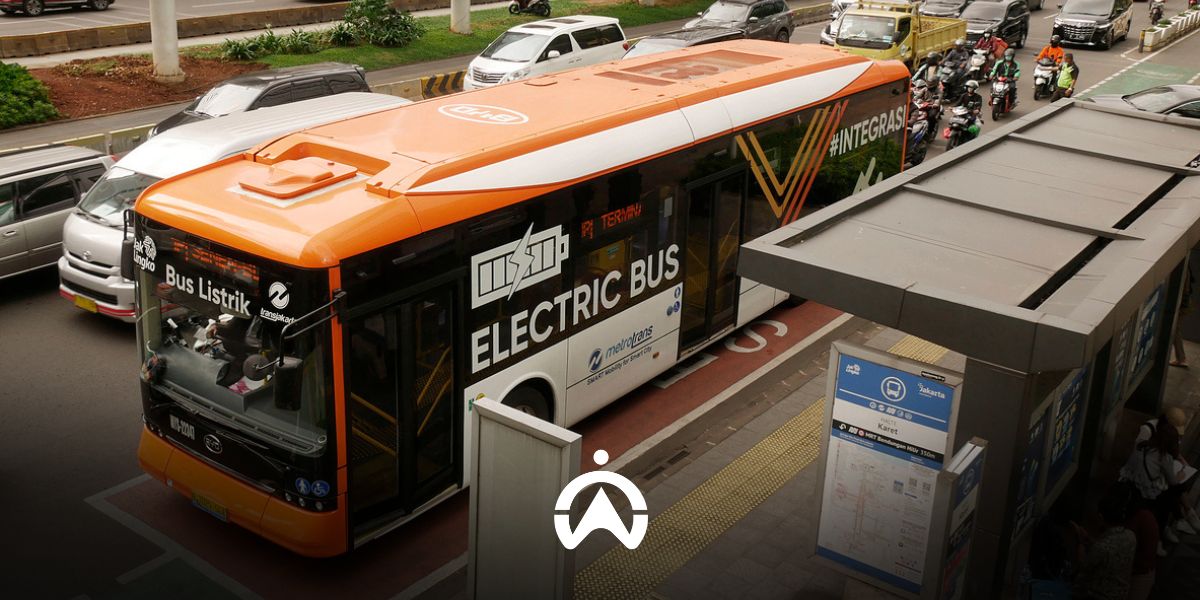
Cartrack GPS Tracker, the Right Solution for Public Transportation Companies

Supporting the government in realising safety and comfort and improving the performance of passenger transportation services, Cartrack provides a GPS tracker package for public transportation companies. Cartrack's Public Vehicle GPS package ensures that your public transportation fleet meets the technical requirements, as stated in the Regulation of the Director General of Land Transportation Number KP.2081/AJ.801/DRJD/2019.

The following are the features that Cartrack provides in its Public Vehicle GPS package.

  1. Vehicle monitoring in real time  

With Cartrack GPS Tracker, you can monitor your fleet vehicles in real-time via the Cartrack mobile app or Fleet Web anytime and anywhere. Not only the location, you can also instantly know the speed and odometer of each vehicle, and set notifications when the vehicle engine is turned on and off and idling (the engine is on but the vehicle is not moving). For location monitoring, the map display options can be standard Google Maps, satellite, or Google Street View.

  1. Daily travel history

You can instantly view the daily trip history of each fleet vehicle, including the start and end locations and times, duration and distance traveled, and the odometer. You can also add details to the trip history and mark trips as business or personal. A trip is counted from the time the engine is started until it is turned off.

  1. Route planner

Based on vehicle trip history, you can select fixed routes and monitor your fleet vehicles. You will receive notifications regarding any route deviations or delays. When assigning routes, you can specify the start and end times for the route. You can also configure notifications to alert you when a vehicle begins or completes a route, or if the route is not completed on schedule.

  1. POI and Geofence

For more targeted activity monitoring, you can utilize Points of Interest (POIs) and Geofences. A POI represents a specific location point, whereas a Geofence defines an area. You can use both to mark, for example, restricted zones, fixed destinations, service centers, or locations for document processing. Notifications—including timestamps—can be configured to trigger whenever a vehicle enters or exits a POI or Geofence.

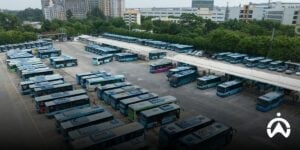
A row of company buses in the parking area is monitored using Cartrack GPS tracker as the right solution for public transportation.

  1. Driver monitoring

Cartrack GPS Tracker automatically identifies risky driving behaviours, such as sudden braking and acceleration, sharp turns, speeding, and idling. The system will notify you if any of these safety violations occur. For speeding, there are two types of speed limits that are used as parameters: the driving speed limit set by the fleet operator and the road speed limit detected from Google Maps.

  1. Fuel monitoring

By adding a fuel sensor, you can monitor fuel consumption, refueling, and theft for each vehicle. You can also instantly determine the percentage of fuel remaining in the tank. From the data generated by the fuel sensor and GPS tracker unit, you can generate several types of reports, such as a Fuel Efficiency Report, a Fuel Fill Report, and a Fuel Summary Report.

  1. Maintenance schedule reminders and document management

This feature is very useful for operational managers, especially if they manage a large number of public vehicles and drivers. You can set reminders for servicing, vehicle registration renewals, and insurance. Schedule reminders can be set based on period, mileage, and operational duration (year, month, day, and hour). These reminders are integrated with data from the GPS tracker, such as odometer and engine operation activity.

  1. Automated reports

The detailed and complex data captured by the GPS tracker is presented in the form of automated reports. There are over 60 reports available, allowing you to select the ones that best suit your public transport business and operational needs. Simply choose a report, set the data history period, select the format (PDF/Excel), configure the delivery schedule, and then have it sent to your email or download it directly. It’s easy, isn’t it?

Cartrack Public Vehicle GPS Package is suitable for public transportation companies, both on routes (microlet, kopaja, metromini, ferris wheel bus, etc.) and non-route (taxis, rental vehicles, tourist buses, residential area shuttle buses, employee buses, school buses, etc.). Using a GPS tracker is not only to fulfill government regulatory obligations, but also for the reliability and profitability of your business. With a GPS tracker, your public transportation business becomes more productive and operational costs are more efficient.

Install Cartrack GPS Tracker on your public transportation fleet now and get a FREE DEMO of our product!

The Ministry of Transportation Requires Public Transportation Companies to Use GPS Trackers

To reduce the number of accidents caused by driver negligence, the Ministry of Transportation (Kemenhub) has requested public transport companies to install Global Positioning System (GPS) tracker devices in their fleets. This applies throughout Indonesia to passenger transport using public motor vehicles operating on both fixed routes and non-fixed routes. Passenger transport using public motor vehicles on non-fixed routes includes taxis, tourist buses, school buses, employee buses, residential area shuttle buses, and rental vehicles.

The technical guidelines for electronic vehicle movement monitoring devices for passenger transport using public motor vehicles are outlined in Regulation of the Director General of Land Transportation Number KP.2081/AJ.801/DRJD/2019. It is stated that GPS tracking devices for public motor vehicles must at least include the following functions:

  1. Monitoring of vehicles in real-time via Google Maps;
  2. Information on speed (odometer) at address locations and Google Street View display;
  3. Information on the vehicle’s origin and destination locations;
  4. Route information for each vehicle (Route, POI, and Geofence features) to identify the class of roads travelled and dangerous areas that should be avoided;
  5. Travel information for each vehicle, which includes travel time and distance, stopping duration, operating hours, and engine activity;
  6. Speed limit and emergency alerts;
  7. Asset data management such as vehicle registration documents (STNK), tax records, roadworthiness certificates, operating permits, and insurance;
  8. Driver management, including the regulation of working hours (8 hours per day) and rest periods (30 minutes after every 4 consecutive hours of driving), as well as alerts for rest breaks and driver replacement;
  9. Recording of travel and driver data for a minimum of 7 working days;
  10. Monitoring fuel consumption and low fuel level alerts;
  11. Monitoring of standby and idling activity for each vehicle unit.

The regulation also states that GPS tracker devices that comply with the requirements must be made of water- and impact-resistant materials, be simple in design, and have large memory capacity.

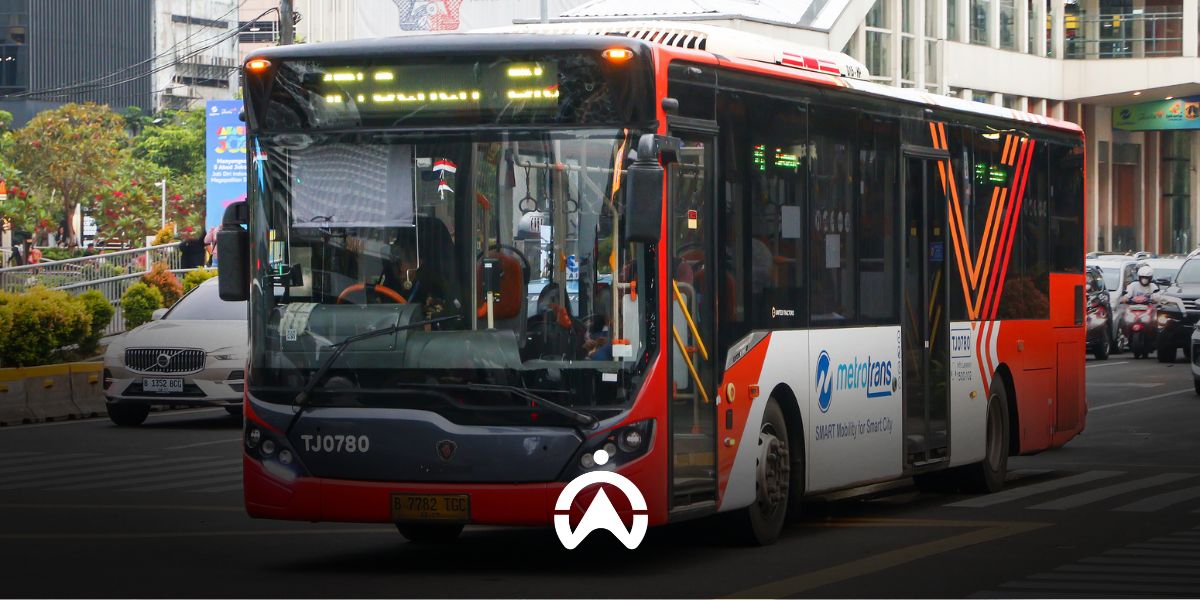
Traffic jams of public vehicles and motorbikes on city roads require GPS tracker monitoring for mobility efficiency.

This Directorate General of Land Transportation Regulation came into effect on the date it was enacted, namely 20 May 2019. In line with the agreement, the government still provided public transport companies with an opportunity to comply with their obligations until August 2020. After that, public motor vehicles without a GPS tracker would be subject to sanctions or have their operating licences not renewed.

With this electronic monitoring system in place, drivers and operators of public motor vehicles are expected to improve passenger transport service performance, making it safer and more comfortable.

Has your public transport fleet been equipped with GPS trackers? Cartrack is here to help! Contact us today for a chance to get a FREE Cartrack GPS tracker demo!

10 Reasons Fleet Operations Managers Need Cartrack

Are your fleet business's operating costs rising? It's time to take proactive steps to optimise your fleet, one way being by using Cartrack telematics technology. We understand the common challenges fleet managers face and offer a range of solutions, no matter the size of your business.

Cartrack's advanced telematics technology allows you to monitor your fleet at any time, including accurate visibility into their location and the driving habits of your drivers. Our solution gives you complete control over your fleet management, conveniently from your computer or mobile device.

Cartrack uses Global System for Mobile Communication (GSM) and Global Positioning System (GPS) technology to enable you to track, locate, and view your vehicles' movements in real-time. You can also receive notifications not only about your vehicles' location but also about your drivers' driving behaviour. Cartrack's fleet management solutions are proven to increase productivity and efficiency, while optimising your fleet's workforce.

Here we summarise 10 Cartrack advantages that you will need as a fleet operations manager

1. Web-based software

Allows you to be online anytime and anywhere, and view your vehicle's current location and travel history.

2. Smart reports

All data received by the Cartrack tracking device can be automatically displayed in various report categories that you can select according to your needs.

3. Complete monitoring features

Helping you get comprehensive fleet monitoring, from geofences, fuel consumption, driving behaviour, cargo door opening and closing, cooled cargo temperature, job completion, vehicle operational time, and others.

4. Route planner

It allows you to view and compare the routes your drivers typically use for specific trips, enabling you to choose the most efficient route. You can also receive notifications whenever there is a deviation from your designated route.

Truk merah Cartrack dengan dua bak muatan melintasi jalan berliku di tengah hutan

5. Accident reconstruction

Shows details of the circumstances surrounding the accident your fleet experienced at that time, including road and traffic conditions, the location of the accident, the time of the accident, and the speed of your fleet.

6. Schedule reminder

Sends notifications when your driver's license or vehicle registration is about to expire, when your vehicle is due for maintenance or repair based on date or mileage, and other customisable reminders. This feature is especially helpful for those with multiple vehicles.

7. Lifetime warranty

With the rental system, you get a lifetime guarantee on both Cartrack hardware and software.

8. Data storage

You can access up to 1 year of historical data via Cartrack's web-based platform, and up to 5 years via special request.

9. Training

Available to all Cartrack fleet management system users via a free online meeting. You can also choose offline training at your location for an additional fee.

10. Equipment removal and removal services

Cartrack provides a minimal fee for removal and relocation of your tracking device in the event of a change of vehicle ownership, or if you wish to move your tracking unit to another vehicle.

With all these advantages, you as a fleet manager can focus on increasing productivity, cost efficiency, and comprehensive fleet management. Ready to optimise your fleet business? Contact Cartrack now!

The Important Role of Geofencing in Vehicle Fleet Management

Technological advancements allows you to better manage your vehicle fleet. The use of GPS tracking devices is no longer limited to real-time vehicle tracking; it also offers other features and functions, such as geofencing.

Imagine you are in the yard of a house with a fence around it. With a geofencing system, you can set automatic actions if someone enters or leaves the fence that surrounds your yard.

For example, you can set up an automatic notification if someone enters your yard. Conversely, you can also set up a notification if a family member leaves your yard.
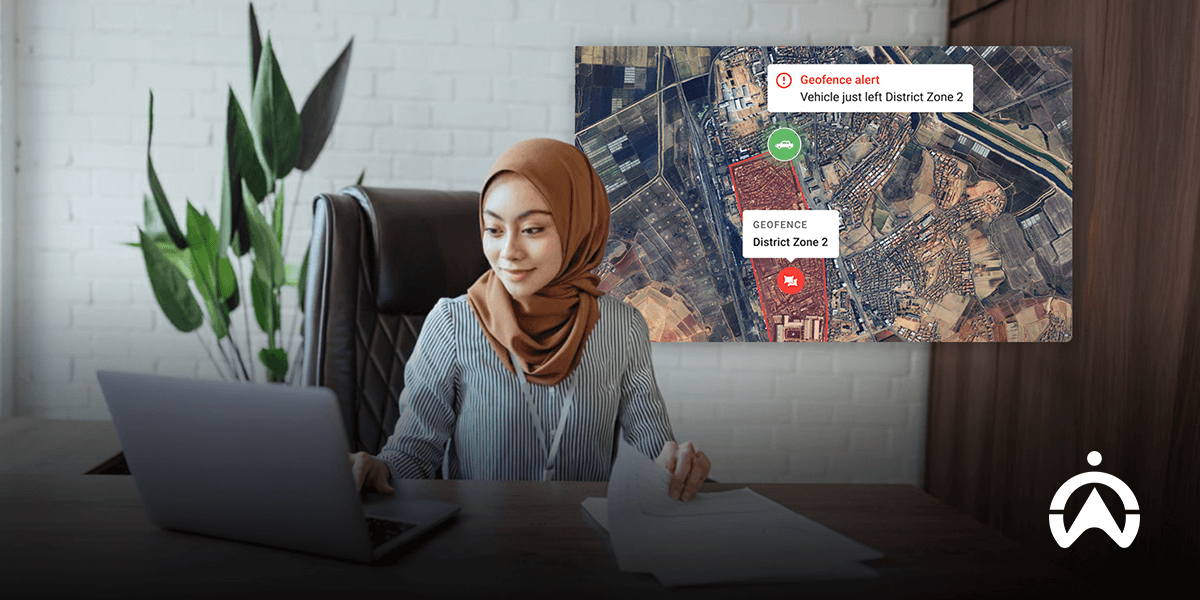
Wanita berhijab memantau peringatan geofence dalam manajemen armada kendaraan melalui laptop di kantor.

What is Geofencing?

Geofencing is a “virtual fencing” system for delimiting areas on digital maps that represent specific geographic areas. Geofencing systems typically work with data from GPS, Wi-Fi, and so on to activate specific actions.

Imagine you are in the yard of a house with a fence around it. With a geofencing system, you can set automatic actions if someone enters or leaves the fence that surrounds your yard.

For example, you can set up an automatic notification if someone enters your yard. Conversely, you can also set up a notification if a family member leaves your yard.

Use of Geofence in Various Fields

Because it's a "virtual fence," a geofence can be connected to various systems to activate a variety of actions. Therefore, its functions and uses are very diverse, some of which include:

1. Promotion and Marketing

Have you ever entered a place like a mall or shopping centre and received a discount notification from a particular store? The geofencing system detects the GPS tracker on your smartphone when you enter the mall area, then automatically sends a promotional message.

2. Employee Absence in the Field

For companies with field-based employees, geofencing can be utilized to track attendance. Using a dedicated smartphone app, the system automatically records their presence upon arrival at the project site.

3. Emergency Alert

Geofencing can also be used to disseminate information regarding disasters or emergencies. One example is the Early Warning System (EWS) SMS notification automatically received by the mobile phones of everyone located in the affected area.

4. Smart Home Automation

In a smart home, geofencing can also be used to activate devices when the owner is within a meter radius of the house. For example, setting the system to turn on the lights and air conditioning when you enter the yard.

5. Access and Security

With geofencing, you can also detect when your vehicle or family members enter or leave a specific zone. This makes it easier to detect early if a vehicle is stolen or if a child strays from an authorised play area.

How Geofence Works and Its Uses

A geofence can be configured as either a custom-defined boundary or a radius around a specific location. Geofencing technology can utilise Global Positioning System (GPS), Wi-Fi, Radio-Frequency Identification (RFID), or cellular data to trigger specific actions when predefined conditions are met.

To perform geofencing, you must first register or subscribe to the platform or app that provides the subscription. Once you do, you'll receive an account and dashboard that allows you to configure geofence areas and their automated actions.

The steps for setting up a geofence are:

  1. Determining the geofence zone: To perform geofencing, you must first register or subscribe to the platform or app that provides the subscription. Once you do, you'll receive an account and dashboard that allows you to configure geofence areas and their automated actions.

  2. Location tracking with GPS: Next, you can install an app, a GPS tracker, or utilise the device's built-in GPS. This tracking device will then notify the object's location and trigger an action when the object enters or exits a geofence zone.

  3. Action and notification settings You can set automatic actions if an object enters or exits a geofence zone. Starting from sending notifications, sending promotional SMS, or sending data to activate other systems such as deactivating the automatic starter.

Benefits of Geofencing in Fleet Management for a Business

While its functions can vary widely, geofencing is very common in fleet management, especially if you manage a fleet of dozens or hundreds, such as a car rental company or a transportation provider like a bus company.
Passenger vehicle fleet drivers monitor rural routes with a geofence system in vehicle fleet management.

For businesses related to transportation and delivery, here are the benefits of geofencing in your business fleet management.

1. Prevent vehicle theft

By setting up a geofence and setting up notifications, you can receive alerts when your fleet leaves a designated area. This way, you can investigate whether it indicates theft.

For example, you can contact the renter or driver and inquire about the reason for driving the vehicle on an unauthorised route. If theft does occur, you can take immediate action, such as reporting it to the authorities.

2. Organise the work area

Geofencing will also be very useful for those of you who use vehicles for business operations, such as deliveries. You can define work areas and set up notifications when your fleet enters or exits those areas.

This way, you can ensure driver or courier accountability and ensure their work meets established schedules. This can also serve as a record and evaluation tool if a driver is frequently late with deliveries.

3. Improve business efficiency and performance

Geofencing data will enrich information about fleet performance, especially when combined with other data from GPS devices. For example, you can find out vehicle operating hours and driving behaviour within a geofence.

You can use this information for operational evaluation and driver performance improvement. It can also inform policy making, efficiency, and business development.

Read Also: What is a GPS tracker? Read on to find out more!

Cartrack GPS Tracker with Geofencing Features

Cartrack's fleet management solution offers GPS trackers with geofencing features that enhance the protection and security of your vehicles. Access a dedicated dashboard where you can track your vehicles and receive notifications if they stray from designated zones.

In addition to the GPS Tracker which is equipped with a geofence feature, Cartrack also offers various other useful features, such as:

  • Fuel monitoring: Sensors to track fuel availability, reduce waste, and prevent theft.

  • Live Vision and Smart Cabin: AI dashcam and camera solutions to monitor driving behaviour and improve vehicle safely.

  • Start Inhibit Relay: Allows you to prevent theft by disabling the starter of a stolen vehicle.

Geofencing is a system that can activate automatic actions when an object enters or exits a predetermined zone. One use of geofencing is to utilise data from GPS trackers to optimise fleet management.

Geofencing for fleet management can be applied to a variety of businesses, from car rentals and expeditions to heavy equipment rentals. Theft prevention will be more effective if you can detect when your fleet leaves its operational zone.

Enhance your fleet's security now with Cartrack's GPS tracker, featuring geofencing capabilities! Click the link below and provide your details to receive the best GPS tracker offer for your business needs.

5 Tips to Extend the Life of Heavy Construction Equipment

Heavy construction equipment represents a significant investment. Properly maintaining your fleet of heavy equipment helps protect that investment by preventing costly losses caused by equipment failures, excessive downtime, and reduced productivity. Maintenance can also extend the lifespan of heavy equipment, helping to lower operating costs and reduce asset depreciation. Here are the top five tips for extending the lifespan of construction equipment.

1. Training for Heavy Equipment Operators

Therefore, ensure that your assets are operated correctly and with care. One way to achieve this is by providing operators with both theoretical and practical training, covering everything from equipment operation to maintenance procedures. In addition to the manufacturer’s official manual, you should also provide a simplified reference guide in plain language for operators to use on a daily basis. Continuously identify best practices for heavy equipment utilisation and communicate them effectively to your operators.

2. Regular Lubrication

Lubricants reduce friction between moving or contacting parts that can otherwise wear out quickly. A well-planned lubrication maintenance schedule helps extend the lifespan of equipment, engines, and components. Make sure you use the correct lubricants, preferably those recommended by the manufacturer, as specific types of oil and grease are designed for different components.
In addition to lubrication, you should regularly inspect for signs of excess oil, grease build-up on pistons, and leaks around seals or oil valves.

3. Check for Signs of Wear and Tear

Vibration, shock, high temperatures, friction, and age all contribute to the deterioration and wear of construction equipment components. Vibration can result from misaligned gears and belts. Shock may be caused by accidents or poor operating practices. High temperatures (overheating) can result from prolonged use, friction, or insufficient lubrication.

Age also affects many critical components. For example, belts may warp, seals can dry out and crack, and bolts may loosen or become deformed over time. Be sure to replace any worn components promptly to prevent further damage and maintain equipment reliability.

Pemandangan udara alat berat ekskavator memuat tanah ke jajaran truk di lokasi proyek

4. Clean Equipment Regularly

Debris, gravel, and mud can become lodged not only in the parts of heavy equipment that come into contact with the ground or materials, but also in other critical components. Removing these materials helps maintain smooth equipment performance and operational productivity.

Be sure to inspect seals, filters, breathers, and the surrounding areas to ensure they remain clean and free from contamination. Heavy equipment should also be stored indoors whenever possible to prevent premature rust, corrosion, and deterioration caused by exposure to weather and environmental conditions.

5. Monitor Equipment Operations with GPS  

To ensure that your heavy equipment is operated according to established standards, you can install a GPS tracker. This technology provides accurate monitoring of equipment usage time, operating duration, location, fuel consumption, and operator driving behaviour. Using the data collected through monitoring, you can identify the most effective ways to improve heavy equipment productivity and determine the most optimal and efficient fleet configuration for your operations.

No need to worry about finding the best GPS tracker for your construction heavy equipment fleet, because Cartrack is here to help! With in-house developed technology and products, we guarantee the quality of Cartrack's GPS tracker devices and fleet management software. With Cartrack, you can monitor concrete truck drum rotation as well as the operation of mechanical devices such as tow hooks, hydraulic levers, and cranes mounted on trucks. Get a FREE DEMO of the Cartrack GPS tracker and discover the best solution for managing your construction heavy equipment fleet!

Gain insights into your mining fleet’s vehicle usage with working hours and mileage data to help you see where trucks are over or under-productive so you can adjust your fleet and exceed industry expectations.    Cartrack GPS Tracker dan temukan solusi terbaik pengelolaan armada alat berat konstruksi Anda!